Disney Plus Not Working? Here is How to Fix it

Disney Plus not working?

Disney Plus is significantly making waves and has become the popular on-demand streaming service where you can stream trendy content like Game of Sharks, Buried Secrets of WWII, Beauty and the Beast: A 30th Celebration, The Walking Dead Season 11, etc. 

Its rave reviews, extensive content library, and strong praise have led many users to buy its subscription. However, despite several updates, Disney Plus has always been a buggy streaming platform. 

So if you have found yourself in a situation where Disney Plus is not loading, don’t panic! We are here to help you make this streaming platform work again by providing you with all the correct information and troubleshooting tips. So let’s get right into it!

Disney Plus Not Working – Basic Tips to Resolve the Issue

The problems with Disney Plus may occur due to some basic glitches such as speed issues, internet connectivity, the streaming platform’s servers being down, or the web browser needing an update. Whatever the reason, if Disney Plus is not working, try these troubleshooting tips.

  • Update the Disney Plus application.
  • Uninstall and reinstall the app.
  • Connect your internet device and streaming device for better connectivity.
  • Restart the internet.
  • Restart your device on which you are streaming Disney Plus.
  • Change your router antenna’s direction or the streaming device’s location.

If these tips fail to resolve your issue, try one of these.

  • Check if your device supports Disney Plus.
  • Decrease the streaming quality.
  • Disconnect the VPN.
  • Opt for another search browser.
  • Check to see if Disney Plus servers are down.
  • Update your web browser or device.
  • Report the problem to Disney Plus.
  • Clear browser cache and cookies.
  • Run Malwarebytes.
  • Sign out of your Disney Plus account and log back in.

How to Fix the Issue “We’re sorry, but Disney+ isn’t available in your region?”

This message on the screen indicates a geo-location error message. It shows that you can not stream its content library in the specific region due to copyright infringements and content licensing policies. Since it is geo-restricted, you must use a reliable, trusted, and excellent VPN like ExpressVPN.

A VPN will help you trespass the geo-restricted website easily by changing your IP address, which tells your exact location. It will swap your exact location with the region you desire to help you stream your favorite streaming platform like Disney Plus.  

Offers 30-day money-back guarantee!

How to Clear up the Error “Unable to Connect?”

This type of error usually occurs when the site’s traffic is exceptionally high. Thus, the servers do not function correctly, and the website constantly crashes. To resolve this issue, you can temporarily stop using the streaming platform until the peak or rush hours end. 

Instead of this, you can avoid waiting by doing this: 

  1. Sign out of your Disney Plus account and close its window.
  2. Relaunch the app and log back in on Disney Plus.
  3. If the issue persists, ensure that you are connected to the internet. 

How to Fix Disney Plus Credit Card Problem?

You may face errors while paying the Disney Plus subscription fee due to incorrect zip or postal code, security code, address, and other crucial details. Also, ensure your card’s expiration date and that you have typed in the correct billing address. Entering correct information will eradicate this error.  

Different Disney Plus Error Codes and How to Fix Them

While streaming Disney Plus, you may sometimes see numbers that are error codes. These codes may indicate software, hardware, and device issues and will not let you have a smooth streaming experience. 

Each error code gives you a message that is straightforward to fix. So if you want to know the possible solutions to fix these errors, keep reading!

Disney Plus Error 42 (Difficulty Connecting to Disney Plus Service): How to Fix it

This error code demonstrates some difficulty connecting to the Disney Plus service. Error 42 can be because of Disney’s server error or because you have a weak internet connection. Below are some tips to resolve this issue:

  • Check your internet speed, and it should be above five Mbps.
  • Visit the wi-fi router’s settings and check for the firmware update.
  • If you are using the web browser for streaming, clear the cache.
  • Log out and then log back in on Disney Plus.
  • Change the DNS settings to Cloudflare, Google, or OpenDNS by going to wi-fi router settings.
  • Unplug all the bandwidth-intensive devices.
  • Disconnect your modem and reconnect it after five minutes. 

Disney Plus Error 73 (Problem with Location): How to Fix it

If you get this error, reboot your modem or if you are using your mobile device, refresh the internet connection by enabling and disabling the airplane mode. Moreover, if that doesn’t fix the issue, check if you are using a browser plugin or VPN app. To diagnose what’s causing the location problem, try these tips:

  • Look for the title on the Disney Plus search bar to see if it is available or unavailable in your region.
  • With the help of an IP address lookup tool, find out from where you are browsing.
  • Reset the wi-fi modem or mobile network connection. Do not reconnect immediately, at least for thirty to sixty seconds.
  • If you are connected to the VPN, disconnect it and reset the location settings.

Disney Plus Error 24 and 43 (Sign-in or Connection Problem): How to Fix it

These two error codes are almost similar, and they bring individuals grief by not connecting or creating troubles while logging in. Moreover, error 24 usually occurs with Apple TV. So to eradicate this issue, you have to check the following: 

  • Ensure that your internet is working correctly and you have a strong internet connection.
  • Sign out and log in to Disney Plus again.
  • Double-check the billing information you entered. 

This error code may ruin your seamless streaming. So if this error pops up, try doing this:

  • The quick fix is to refresh or reload the video.
  • Switch the HDMI cable, as your device is having trouble supporting it. 
  • If you are streaming Disney Plus on Xbox, restart the app. 
  • Use a different streaming device if the problem persists with Xbox One.
  • If nothing works, factory reset your Xbox One.  

Disney Plus Error Code 83 (Incompatible Device): How to Fix it

This error usually occurs when the device is an incompatible or weak internet connection or when there are issues with Disney Plus servers. Moreover, before Disney Plus allows you to access its content library, it performs a DRM (Digital Rights Management) check. If the device fails the test, you will receive this error. 

In addition, Disney Plus does not support every device; therefore, go through the list and use the correct device before you sign up for Disney Plus. These devices are compatible with Disney Plus: 

  • Android TVs, tablets, and phones
  • Apple iPhone and iPad
  • Amazon Fire TV and tablet
  • Apple TV (4th Generation and later)
  • Apple AirPlay
  • Roku
  • Xbox One
  • Chromecast 
  • Chromebook
  • Samsung Tizen Smart TVs
  • LG WebOS Smart TVs
  • PlayStation 4 from Sony
  • Web Browsers for Desktop

Disney Plus Error on Your Device (Android, iOS, Tablet, PC, TV): How to Fix

Try these possible solutions: 

  • Ensure that your wi-fi is stable.
  • Avoid using a cellular network, as it needs to be faster to provide seamless streaming.
  • Restart the Disney Plus app or uninstall and reinstall the app.
  • Clear the cache of the Disney Plus app installed on your device. To locate “Clear Cache,” go to Settings, then Applications, and click Disney Plus. Clear the browser’s cache if you stream Disney Plus on your laptop or PC.
  • Ensure that your Disney Plus app is recent. If not, update it to have the best streaming experience.   

Other Disney Plus Error Codes You Should Know

Besides the error codes listed above, you can encounter other Disney Plus issues while streaming. 

Error CodesCauses 
Error 4 Results due to payment problems like expired credit cards or cards not acceptable in the specific region.
Error 9 Occurs due to a payment problem or login issue.
Error 11 Geo-location error message
Error 13Results when the device reaches the limit
Errors 22, 35, and 36Occur when VPN fails to access the geo-restricted content
Error 25Internal error resolved via signing out and logging back in, refreshing, and contacting customer support service
Error 30Indicates a device registration problem
Error 31Signifies location error
Error 32 and 87Indicates login problem usually resolved by resetting the password and double-checking the billing information
Error 38Results due to issues with time settings
Error 41A rare error that occurs due to traffic overload
Error 76Indicates server overload
Error 86Results due to a blocked account or when you breach the terms of services
Error 87Occur due to password or login issues. To resolve you can reset your password, check billing and payment details, and sign out and sign in again 

Wrapping Up

Sometimes, the most popular on-demand streaming service may not work simply because of server issues and poor internet connection. Fixing the issue can be complicated, especially if you do not have accurate information. That’s why we have put together this guide to provide you with the best possible solutions to help you resolve issues related to Disney Plus.


How to Watch BBC iPlayer on Apple TV in Australia (Guide)

Watch BBC Iplayer on Apple TV in Australia

Do you want to stream the British one-stop streaming platform, i.e., BBC iPlayer, on Apple TV in Australia? If you own an Apple TV and want to stream the popular BBC iPlayer movies and shows like Peaky Blinders, I, Tonya, EastEnders, and Dangerous Liaisons without a hassle in Australia, we can tell you how it is achievable!

BBC iPlayer is a UK-based streaming platform through which you can freely stream live or catch-up TV. You can also watch the latest news, trendy shows, and movies without any subscription fee. However, the only hurdle is that it is geo-restricted and unavailable in other countries besides the UK. 

So what’s the solution here? You will have to subscribe to a VPN or Virtual Private Network to help you bridge the gap between you and BBC iPlayer. So if you do not want to miss out on the latest, trendy, juicy news or shows on Apple TV in Australia, our guide will provide you with all the details. 

How to Watch BBC iPlayer on Apple TV in Australia? Everything You Need to Know

There are various ways to access BBC iPlayer on your Apple TV in Australia, but these methods will only be successful if you have a top-notch VPN like ExpressVPN. The methods are as follows.

Set Up DNS on Your Apple TV Via ExpressVPN

You will need:

Next, you will have to follow these steps:

  1. First, you will have to create a DDNS hostname. You can use any DDNS service provider. We will use Dynu, and you must create an account by visiting Dynu.com.
  2. At the top right corner of the screen, press “Create Account.”
  3. Enter all the necessary information and click ‘Submit.’
  4. Now, Dynu will send you a verification email. 
  5. Check your email and follow the link in your email to verify the account.
  6. You must sign in to your account with the username and password you just created. 
  7. Once you log in, tap the ‘DDNS Services.’
  8. Then, press Add on the top right corner.
  9. The screen will display two options. 
  10. If you select option one, create and enter your desired hostname under the host box.
  11. However, enter the existing domain name in the blank if you select option two.
  12. Now, press Add.
  13. Next, uncheck ‘Wildcard Alias‘ and ‘Enable IPv6 Address.’
  14. Then, click ‘Save.’
  15. You now have a Dynu account. 
  16. Now, go to the ExpressVPN website and click ‘My Account.’
  17. Enter the necessary credentials to enter ExpressVPN and sign in.
  18. Now, click ‘DNS Settings‘ in the top right corner.
  19. Scroll down to the section titled ‘Dynamic DNS Registration.’
  20. Enter the hostname you created with the Dynu account. However, if you have used option two, enter the domain you have used. 
  21. Press ‘Save Hostname.’
  22. The word ‘updated‘ will be displayed on the screen to inform you that the hostname was saved.
  23. Now, go to the ‘My Subscriptions tab.
  24. Then, press ‘Set up ExpressVPN.’
  25. Scroll down and select Apple TV, and a DNS server IP address will appear on the screen’s right side.
  26. Keep this window open. 

It is time to turn on your Apple TV and follow these numbers:

  1. Select ‘Settings‘ on the home screen.
  2. Then, choose ‘Network.’
  3. Depending on how you have connected your Apple TV, you will either see Ethernet or Wi-fi. 
  4. Click whatever option appears and then go down to ‘Configure DNS.’
  5. Select ‘Manual.’
  6. Now, enter the 12-digit DNS server IP address you found on ExpressVPN. Press’ Done.’
  7. Restart your Apple TV. That’s it! You have set up MediaStreamer on your Apple TV using DNS. 

Configure ExpressVPN on Your Apple TV Via Network Sharing

For this method, you will need:

  1. A Windows PC or laptop
  2. An Ethernet cable
  3. An active ExpressVPN subscription

The steps include:

  1. Connect your Windows PC or laptop to the wi-fi network.
  2. Connect one end of the Ethernet cable to the desktop and the other to the Apple TV.
  3. Launch ExpressVPN on your PC or laptop and connect to the UK server.
  4. Head over to Control Panel and tap Network and Sharing Center option.
  5. Tap Change Adapter Settings and go to Properties.
  6. Under the Sharing tab, press Allow Other Network Users to Connect Through This Computer Connection.
  7. Next, choose the Home networking connection option from its menu.
  8. Your Apple TV is now connected to the internet through your PC or laptop via an Ethernet cable. 

Offers 30-day money-back guarantee!

Why is ExpressVPN the Best for Streaming BBC iPlayer in Australia? 

Spotting an excellent VPN in a sea full of competitors is pretty challenging, but we are sure about one VPN service provider, i.e., ExpressVPN. It is one of the leading names in the industry, and ExpressVPN is on top of its game due to its fast, reliable, and powerful service. 

It is a top-notch VPN for unblocking all major websites and streaming services like ABC, Hulu, and HBO Max in Australia. With its wide server bank of 3000+ servers located in 90+ regions, you can access any geo-restricted platform available.

ExpressVPN will be your streaming partner with unlimited bandwidth; thus, your streaming experience will be smooth and buffer-free without any lags or throttling issues.   

Furthermore, security-wise, ExpressVPN will always remain one of the most secure services. It has military-grade encryption that will avoid any data leaks or detection. Your IP will also be secure, thanks to its dedicated Kill switch. 

ExpressVPN is available on all mainstream devices, software, smart TVs, and gaming consoles. With its single subscription, you can also connect five devices simultaneously, and it comes with a 30-day money-back guarantee.

Offers 30-day money-back guarantee!

Final Thoughts

The brainchild of BBC, BBC iPlayer, is a one-stop place to stream various documentaries, movies, and TV shows without a hassle. But since it is geo-restricted due to content streaming rights and policies, you will need the help of a top-of-the-line VPN like ExpressVPN. We hope this guide was helpful in assisting you in watching BBC iPlayer on Apple TV in Australia.

How to Watch BBC iPlayer on PlayStation in Australia (Guide)

Watch BBC Iplayer on Playstation in Australia

Do you have a PlayStation (preferably PS4 and PS5) and want to stream your favorite UK-based streaming platform BBC iPlayer, in Australia? If you want to watch BBC channels, shows, movies, and documentaries on PlayStation in Australia, we can help you with that!

BBC iPlayer is unavailable in Australia because it is geo-restricted. Due to copyright issues and content streaming policies, you can not stream its channels outside the UK territory. That’s why you will have to invade by spoofing its content guards. 

The only way possible to do that is via a VPN or Virtual Private Network. It changes your virtual regions instantly without a problem. Thus, you can stream any geo-restricted platform, including BBC iPlayer, on any device in Australia. So if you want the details on how to watch BBC iPlayer on PlayStation in Australia, keep scrolling!

A Complete Guide on How to Watch BBC iPlayer on PlayStation in Australia

Create a British PSN Account

To get BBC iPlayer on PlayStation in Australia, you must change your PSN location from Australia to the UK. If you wish to create your British PSN account, this is how you will do it. 

  1. Go to the official Sony Entertainment website and tap the Start button.
  2. Enter the credentials like email address and password.
  3. Use its combo menu to choose your country.
  4. Select State/Province and also enter your date of birth.
  5. Tap Next and set up your notification settings.
  6. Press agree to create an account. 
  7. Next, confirm the email address.

Now, the next steps are to set up your PSN account:

  1. Visit the PSN website.
  2. Sign in to your account, and on the “Update Notice,” tap agree.
  3. From its combo menu, choose a city.
  4. Enter your province or state and its postal code.
  5. Choose your online ID by entering your first and last names.
  6. Tap ‘Done.’

With the British PSN Account, you can stream BBC iPlayer on PlayStation, but since it is geo-restricted, you will need a VPN like ExpressVPN. So this is how you will set up a VPN on PlayStation.

Configure ExpressVPN on Your PlayStation

The two options are as follows:

Method 1: Set Up ExpressVPN on Your PC and Share it with PlayStation

  1. Subscribe to ExpressVPN.
  2. Install the ExpressVPN app on your Windows PC.
  3. Use an ethernet cable to connect your Windows PC and PlayStation.
  4. Click open Windows Control Panel and then head over to the Network and Sharing Center.
  5. Tap ‘Change Adaptor Settings’ and right-click ExpressVPN connection.
  6. Tap ‘Properties’ then ‘Sharing’ and tick mark the box ‘Allow other network users to connect through the computer’s internet connection.’
  7. Choose your ethernet connection from the home networking connection drop-down menu.
  8. Use the VPN client on the PC to connect to the preferred VPN server.
  9. Now, restart your PlayStation.
  10. Once done, go to Settings and Network Settings.
  11. Select ‘Set Up Internet Connection.’
  12. Choose ‘Use a Lan Cable.’
  13. Select ‘Easy’ as a connection method and confirm ‘Do Not Use a Proxy Server.’
  14. Save these changes and tap ‘Test Connection’ to see if these settings work. 

Method 2: Configure ExpressVPN MediaStreamer on PlayStation Using DNS

You will need:

Now follow these steps:

  1. To set up a DDNS hostname, you will need to use a third-party service. You can use any, but here we will use Dynu.
  2. To create a Dynu account, go to Dynu.com.
  3. At the top-right corner of the screen, click ‘Create Account.’
  4. Fill in the necessary information and click ‘Submit.’
  5. Dynu will send a verification email to your email.
  6. Check your email and click on the given link. 
  7. Sign in to Dynu again and tap DDNS Services.
  8. Then, click Add.
  9. Now, the screen will display two options. If you are a beginner, it is better to use Option 1. So create and enter your desired hostname into the box.
  10. Once done, tap ‘Add’ at the bottom.
  11. Now, on the next screen, uncheck ‘Enable IPv6 Address’ and ‘Wildcard Alias.’
  12. Click ‘Save.’
  13. You have successfully created your Dynu Account. 
  14. The next step is to head over to ExpressVPN’s website.
  15. Click ‘My Account‘ mentioned in the top-right corner.
  16. Enter your ExpressVPN credentials to sign in.
  17. Click DNS Settings.
  18. Scroll down to ‘Dynamic DNS Registration.’
  19. Enter the hostname you created with the Dynu account, and also enter Dynu.com at the end. 
  20.  Tap ‘Save Host name.’ The screen will notify ‘Updated,’ meaning your hostname was saved. 
  21. Now head over to the ‘My Subscriptions’ tab.
  22. Press ‘Set up ExpressVPN.’
  23. On the next page, choose PlayStation.
  24. A DNS server IP address will pop up in the box present on the right side.
  25. Keep this window open, as you will need it shortly.

Turn on your PlayStation now!

  1. Go to Settings.
  2. Choose ‘Network.’
  3. Click ‘Set Up Internet Connection.’
  4. Select either wi-fi or LAN cable, depending on your use.
  5. Followed by ‘Custom.’
  6. Choose Automatic for IP address settings.
  7. Then, choose ‘Do Not Specify.’
  8. Choose ‘Manual’ in DNS Settings.
  9. Followed by Primary DNS.
  10. Now enter the IP address from the open ExpressVPN window.
  11. Press ‘Done.’
  12. Tap ‘Next.’
  13. Choose ‘Automatic’ for MTU Settings.
  14. Choose ‘Do Not Use for Proxy Server.
  15. The screen will display ‘internet settings updated’ message.
  16. Choose ‘test internet connection.’
  17. Restart your PlayStation, and that’s it. You have successfully configured MediaStreamer on your PlayStation using DNS.

How to Get BBC iPlayer on PlayStation in Australia?

This is the summary of how to get BBC iPlayer on PlayStation in Australia:

  1. Change your PlayStation Network (PSN) location to the UK.
  2. Power on the gaming console and ensure you have signed into your PSN account.
  3. Under the Video/TV service, select the ‘My Channels’ option.
  4. Choose BBC iPlayer from the channels list, but you must first install this streaming app on PlayStation.

Offers 30-day money-back guarantee!

Why is ExpressVPN the Best for Streaming BBC iPlayer on PlayStation in Australia?

ExpressVPN is the top choice for unblocking BBC iPlayer in Australia to watch all your favorite and trending shows, movies, and documentaries. It can also unblock various other streaming platforms like Hulu, Hotstar, BBC iPlayer, Amazon Freevee, HBO Max, Peacock TV, NBC, etc. 

It has a massive server bank of 3000+ supersonic servers in 94+ regions, making it an accessible VPN service. You can watch a diverse catalog of content worldwide without any restrictions. Furthermore, ExpressVPN always elevates the streaming experience with its remarkable features. It offers unlimited bandwidth, and no lags in connection, or issues in streaming quality. 

ExpressVPN also strengthens your online presence with its top-notch security and all the protocols it includes. It keeps you anonymous and safe on the web, securing your traffic using its military-grade encryption and zero-log policy.

You can install ExpressVPN on all mainstream devices, software, smart TVs, browser extensions, and gaming consoles. Its single subscription allows five simultaneous connections per account and includes a 30-day money-back guarantee.

Offers 30-day money-back guarantee!

FAqs

Why is BBC iPlayer not available on my device?

BBC iPlayer may not be available on your device due to geo-restrictions or device compatibility issues. Since BBC iPlayer is only accessible in the UK, it blocks users outside the region by tracking their IP addresses. Additionally, some devices, like certain gaming consoles or older models, may not support the iPlayer app.

To resolve this, use a reliable VPN to connect to a UK server, which bypasses the geo-restrictions. For unsupported devices, consider streaming via a compatible device or using a casting solution like Chromecast or AirPlay.

Ending Note

If you want to stream BBC iPlayer’s different channels and trendy content on your PlayStation in Australia, the only hack is to use a top-of-the-line VPN like ExpressVPN. A VPN is the best tool that will take you virtually from one region to another to help you watch all the geo-restricted content, and the best thing about ExpressVPN is that it supports all devices and gaming consoles.

How to Watch BBC iPlayer on Android in Australia (2025)

Watch BBC Iplayer on Android in Australia

Are you a BBC iPlayer fan stuck in Australia and didn’t know how to stream this UK-based video-on-demand streaming service on your Android device in Australia? Don’t worry! Read and follow the steps mentioned in the guide to successfully watch BBC iPlayer on Android in Australia!

BBC iPlayer is a versatile UK-based streaming service compatible with various devices, including Android. The great thing is that an Android device offers an attractive BBC iPlayer app to stream your favorite movies, documentaries, and shows. However, the only obstacle is that it is geo-restricted and is not streamable in Australia due to a geo-location error.

Therefore, the best solution to trespass UK territory hassle-free is a VPN or Virtual Private Network. It bypasses geo-restriction smoothly without any issues. So if you want more information regarding how to use a VPN to stream the BBC iPlayer content library on Android in Australia, keep scrolling!

How to Install and Configure ExpressVPN on Your Android Device?

We endorse using ExpressVPN because of its outstanding security and features, so if you want to install ExpressVPN, you have to do this.

You should have two things:

  1. An active ExpressVPN subscription
  2. An Android device having Android 5.0 or Fire OS 5 or higher

Then follow these steps: 

  1. Go to the Google Play Store.
  2. Search and install ExpressVPN.
  3. You can also download ExpressVPN APK from Expressvpn.com/setup#android.
  4. Enter your account credentials and press sign in.
  5. Next, tap “Download APK.”
  6. Upon completion, open the APK file to install the ExpressVPN app.
  7. After the installation is complete, launch the app and press sign in.
  8. Again enter your account credentials and press sign in.  
  9. The screen will display if you want to improve ExpressVPN. Select your preference and continue. 
  10. The next slide will also display to approve ExpressVPN’s connection request. Press ‘Okay’ to proceed.
  11. You have successfully set up ExpressVPN on your Android device.

With ExpressVPN on your Android device, you can easily invade BBC iPlayer and fool its location trackers through these steps.

How to Get BBC iPlayer on Your Android in Australia?

  1. Open your ExpressVPN app and sign in.
  2. Press the ‘On’ button to use the VPN. 
  3. Choose the UK-based server from the All Locations or Recommended tab.
  4. Fire up the BBC iPlayer app on Android and sign in to watch your favorite movies, documentaries, and TV shows.

Offers 30-day money-back guarantee!

Why is ExpressVPN the Best for Streaming BBC iPlayer in Australia?

Do you know why we recommend ExpressVPN and do not get tired of recommending this VPN service? It has outstanding security protocols, top-notch features, and stellarly unblocked geo-restricted platforms. 

It has a massive server bank of 3000+ hyperfast servers in 90+ regions, making it a super accessible service across the globe. Moreover, it offers unlimited bandwidth on your connection, keeping your streaming experience smooth and lag-free. Thanks to its dedicated IP addresses, you will have the best service even during rush hours. 

Some of the best streaming services users can access using ExpressVPN while residing in Australia are Hulu, Hotstar, American Netflix, HBO Max, and BBC iPlayer.

ExpressVPN offers top-of-the-line security and does not store logs, leak your data or real IP, and protect your private and sensitive information via military-grade encryption. ExpressVPN is a shareable service, and its single subscription offers five multi-logins. 

ExpressVPN is also compatible with almost all devices like gaming consoles, smart TVs, browser extensions, etc. Besides that, it also offers a 30-day money-back guarantee.

Offers 30-day money-back guarantee!

Wrapping Up 

All in all, this guide clarifies and gives you the solution that you can watch BBC iPlayer on your Android device only if you have a premium, reliable, and excellent VPN service like ExpressVPN. It will immediately unblock the geo-restricted streaming platform to help you stream well-known movies, TV shows, and British TV channels in Australia. 

How to Watch BBC iPlayer on iPhone/iPad in Australia

Watch BBC Iplayer on Iphone_Ipad in Australia

Do you own an iOS device and want to stream this UK-based video-on-demand streaming service in Australia? It is possible, and this guide will show you a hassle-free method! 

BBC iPlayer is a UK-only free streaming platform that offers catch-up and live TV options from various BBC Channels. It provides different TV shows, documentaries, movies, sports, weather, news, etc. It is a great streaming platform that offers variety under one roof. However, the only stumbling block is that BBC iPlayer is not streamable outside the UK due to geo-restriction. 

Therefore, you will have to fool its content guards and location trackers to enter. The only tool that will help you is a VPN or Virtual Private Network. An excellent VPN does its job marvelously and will let you enter BBC iPlayer within seconds. If you wish to know the complete details on how to watch BBC iPlayer on iPhone/iPad in Australia, keep reading!

How to Install and Set Up ExpressVPN on Your iOS Device?

We recommend ExpressVPN because of its exceptional services and features; this is how you will install it on your iOS device.

Firstly, you will need two things:

  1. An active ExpressVPN subscription
  2. An iOS device 12 or above

Next: 

  1. Go to the App Store.
  2. Search and install ExpressVPN.
  3. Upon completion, open the app and press sign in.
  4. Enter your account credentials and press sign in.
  5. The screen will display how ExpressVPN protects privacy; press agree and continue.
  6. Next, you will be asked to set up a VPN and press Continue.
  7. A pop-up message will appear; tap Allow.
  8. Now enter your iPhone/iPad passcode to proceed.
  9. Now select your preferences for notifications.
  10. You have successfully set up ExpressVPN on your iOS device. 

With ExpressVPN on your iOS device, you can easily invade the BBC iPlayer content catalog through the steps mentioned below. 

How to Get BBC iPlayer on Your iPhone in Australia?

  • Launch the ExpressVPN app and sign in.
  • Press the ‘On‘ button to use the VPN. 
  • Choose the UK-based server from the All Locations or Recommended tab.
  • Fire up the BBC iPlayer app on the iPhone and sign in to watch your favorite movies and TV shows.

How to Get BBC iPlayer on Your iPad in Australia?

  • Open your ExpressVPN app and sign in.
  • Press the ‘On‘ button to use the VPN. 
  • Choose the UK-based server from the All Locations or Recommended tab.
  • Fire up the BBC iPlayer app on the iPad and sign in to watch your favorite movies, documentaries, and TV shows.

Offers 30-day money-back guarantee!

Why is ExpressVPN the Best for Streaming BBC iPlayer in Australia?

ExpressVPN has been the game changer ever since the rise of various streaming services, especially geo-restricted ones. Since there has been a massive demand for VPNs that can help users get complete access to these libraries, selection has become challenging.  

However, ExpressVPN has never disappointed. With a server bank of over 3000+ hyperfast servers in 90+ regions, it can unblock anything, even websites, with potent anti-VPN technology.

Some of the top streaming services users can unblock in Australia using ExpressVPN are Hulu, Hotstar, American Netflix, HBO Max, and BBC iPlayer.

Moreover, ExpressVPN does its job super discretely and does not compromise the user’s security, location, and identity. It proudly holds the best security protocols, dedicated streaming servers, IP leak protection, military-grade encryption, and a no-log policy to keep you safe.

Furthermore, ExpressVPN is compatible with almost all mainstream devices. It allows five simultaneous connections on all devices and software and a 30-day money-back guarantee.

Offers 30-day money-back guarantee!

Conclusion

BBC iPlayer has the most impressive content catalog, and with a reliable VPN like ExpressVPN, you can stream whatever you like in Australia on iPhone and iPad within seconds. This way, you can stream all the famous and trendy content like Normal People, Pretty Little Liars, Peaky Blinders, I, Tonya, Pandemic 2020, Blue Planet, Doctor Foster, This Country, etc.

How to Watch BBC iPlayer on Roku in Australia (Easy Guide)

Watch BBC Iplayer on Roku in Australia

Do you own a Roku device but don’t know how to stream your favorite British channels in Australia, like BBC Two, BBC One, BBC Four, BBC News, etc.? Hack into BBC iPlayer, and we will tell you how!

BBC iPlayer has an extensive content catalog that is free to stream and only requires users to sign up. However, the only stumbling block for Australian residents is that it is a UK-only streaming platform unavailable in Australia due to content streaming rights and copyright issues.

Therefore, you will need the help of a location-swapping tool – VPN or Virtual Private Network. A VPN is a safe and legal tool, so you won’t face any problems while streaming BBC iPlayer on Roku in Australia. It helps swap virtual regions within seconds to enable you to access any geo-restricted website within your territory. 

How to Install BBC iPlayer on Your Roku Device in Australia?

By going through the Roku Channel Store, you can install BBC iPlayer on Roku in Australia through these steps: 

  1. Tap the Home Button on the Roku remote.
  2. Scroll below and select the ‘Streaming Channels‘ option.
  3. Tap ‘Search Channels.’
  4. Now, in the search bar, enter BBC iPlayer.
  5. Once you spot the channel, press ‘OK.’
  6. Press ‘Add Channel‘ to add this streaming platform to your Roku device.
  7. That’s it! BBC iPlayer is now on your Roku.

How to Configure ExpressVPN on Your Roku Device to Watch BBC iPlayer?

The only problem with Roku is that it is not compatible with a VPN; therefore, you have to connect VPN, preferably ExpressVPN, to the router. So let’s walk through the steps to use ExpressVPN on your Roku through a VPN or virtual router!

You will need:

  • A router running ExpressVPN
  • A Roku device
  • An active ExpressVPN subscription

Then:

  1. Open a web browser on your device connected to the ExpressVPN router network.
  2. Visit expressvpnrouter.com and log in back to your account. 
  3. Ensure that the router is connected to the VPN server location you wish to use, i.e., UK.
  4. Ensure that the Roku account is set to the same country as the VPN server location.
  5. Next, go to your Roku. 
  6. Click ‘Settings‘ and then press ‘Network.’
  7. Tap ‘Set up Connection.’
  8. If you have connected your Roku device via Ethernet, choose ‘Wired‘ and verify your connection. However, if you have connected your Roku via Wi-fi, choose ‘Wireless.’
  9. If you have chosen Wi-fi, Roku will check for local Wi-fi Networks. 
  10. From the list, choose the network that is associated with the router running ExpressVPN.
  11. Enter the Wi-fi password. 
  12. Roku will then verify your internet connection. 
  13. Once everything is completed, you will see ‘Status Completed‘ on the screen.
  14. Congrats! You have successfully interlinked ExpressVPN and Roku. 

Offers 30-day money-back guarantee!

How to Create a UK Roku Account?

If you have a Roku account but a different location from the VPN router, you must do a factory reset. If you want to create a UK Roku account, follow the steps. 

  1. Open the web browser from your preferred device and head over to the Roku configuration centre (owner.roku.com).
  2. Now, set up your account.
  3. When you reach the country section, choose UK.
  4. Enter the UK zipcode from Google.
  5. Once done, restart the Roku device by holding its reset button for around fifteen seconds. 
  6. Once it restarts, sign in with the new UK Roku credentials. 

Why is ExpressVPN the Best for Streaming BBC iPlayer on Roku in Australia?

ExpressVPN is currently raved about by many users, and it is the best VPN in Australia. It is one of those few VPN services that have been on top of their game in the industry. ExpressVPN has over 3000+ servers in its server bank, supporting 90+ regions, thus, enabling people to trespass and stream the content catalog of any geo-restricted website. 

Furthermore, it offers the best streaming services with unlimited bandwidth, dedicated streaming servers, and the ability to unblock multiple streaming services. It can unblock Hulu, Hotstar, American Netflix, BBC iPlayer, Amazon Freevee, HBO Max, Peacock TV, etc.

Moreover, ExpressVPN is top-notch with its security services and vows to provide the best security protocols. It further enhances security through its policy of storing zero user logs or user data. You even get a kill switch on the app that will keep your location and IP anonymous and hidden. Finally, an ExpressVPN single subscription is shareable with five other devices, making it a friends and family service. It is also compatible with mainstream devices, smart TVs, gaming consoles, etc., and comes with a 30-day money-back guarantee. 

Offers 30-day money-back guarantee!

Final Thoughts

By interlinking Roku with a top-of-the-line VPN like ExpressVPN, you can stream various BBC channels, documentaries, movies, and TV shows on BBC iPlayer in Australia. Avoid using a free VPN because it will ruin your streaming experience. That’s it! That was all about how to watch BBC iPlayer on Roku in Australia!  

10 All Access Review – Everything You Need to Know

10 all access review

Netflix, Stan, and Amazon Prime Video are all great, but the best libraries of Netflix and Amazon Prime Video are the American libraries and they aren’t available in Australia. This can be a pain if you want to watch your favorite shows but don’t want to deal with the hassle of VPNs or proxies.

10-all-access-australia

Luckily, there is an all-access Australian streaming service that has everything you could want. It’s called 10 All Access, and it has a selective library of some great TV shows, movies, and documentaries. Plus, it’s completely legal and affordable in Australia.

After CBS released its Australian version of 10 All Access, it started offering more genres for its Australian users. It included content from all Network 10 channels and 10 Play catch-up. It also includes a library of shows from Network 10, CBS, Nickelodeon, Comedy Central, etc.

That said, you might’ve heard about how 10 All Access is becoming rebranded under the banner of Paramount Plus. This move comes after the service became available in Australia in 2021.

And the rebranding comes as part of a partnership between the services for their growing customer base.

It allowed the service to include a live TV component, allowing Aussies to watch channels like Channel 10, 10 Peach, 10 Bold, 10 Daily, and 10 Food. More importantly, it’s great news for Aussie subscribers, who now get the best of both worlds. Let’s take a look!

Pros and Cons of 10 All Access

Netflix, Hulu, Amazon Prime, and a slew of other streaming services offer content similar to 10 All Access. But for a monthly fee, you can watch an ever-growing library of movies and TV shows from other networks. So is it worth the price?

Pros

  • A free 30-day trial before the subscription
  • Excellent device compatibility
  • Access all Network 10 and other content in HDR quality

Cons

  • No 4k video/audio support
  • Users cannot access any movies
  • Downloading content offline is not supported
  • A monthly renewable subscription is a hassle

10 All Access Price

There are a growing number of streaming services in the Australian market, and our 10 All Access is no exception. However, it can be hard to decide which service is right for you with different price points and features, especially if you want access to all of Network 10’s online programming.

But our contender 10 All Access is introducing a single pricing strategy of $9.99/month for each user. This way offers all-access memberships that give users access to their respective libraries of original programming and other Australian content.

10 All-Access Content

Content is the bread and butter of any streaming service. It’s what helps you attract and retain subscribers, and it’s one of the most important pieces of your overall growing customer base.

Well, due to the limited library of 10 All Access, you can still access the following content.

Universally Beloved Series

CBS’s 10 All Access is a streaming service that offers its users a variety of genres for its users. But the good thing about 10 All Access is that it offers content loved by people all over the world.

From hilarious comedy series like Good Wife to the heartwarming drama series The Living Room and The Bachelorette Australia, the streaming service has a show for everyone. Plus, new content is also expected to add in the future after it collaborates with Paramount Plus!

The Revival of Rom-Com

Netflix’s revival of the romantic comedy genre is a strong indication that the streaming giant is betting big on the emotional appeal of love stories. Likewise, 10 All Access has also followed suit by acquiring several romantic comedies to draw in new subscribers.

Some of the heartfelt titles on the platform include The Bachelor Australia, A Million Little Things, and Broke, which tug at the heartstrings of many people. Since the genre has struggled in recent years, it is great to see the service bringing it back.

Addictive True Crime Documentary

Netflix, Stan, and Foxtel all have their addictive true crime documentaries. But with 10 All Access Australia, you can even access TV shows based on them! From Why Women Kill, NCIS to Charmed, these are some of the most captivating TV shows out there.

With the new seasons of some of these shows being released all the time, it’s no wonder that so many people are obsessed with the crime genre. So if you’re looking for a new show to binge-watch, then this is the niche for you!

Local Productions

Channel Ten’s streaming service, 10 All Access, offers a range of local productions like Survivors that are exclusive to Australian TV shows. These include news programs, TV shows, lifestyle programs, classics, and kids’ programming.

Moreover, the content is tailored to local audiences and covers all the major cities in Australia. The service is available in both standard and high definition. And it can be streamed on a range of devices, including computers, mobile phones, and smart TVs.

Choose Your Own Adventure

10 All Access is an Australian streaming service that also offers its users the ability to choose their own adventure. This means that viewers can watch a selection of shows and then decide which episode they want to watch next.

This type of programming is perfect for streaming services, as it keeps viewers engaged and coming back for more. It also helps to set 10 All Access apart from other local streaming services in Australia.

10 All Access: Features and Improvements

10 All Access, an Australian streaming service, has been gaining a lot of traction lately. It offers a great selection of TV shows in high definition quality and a few unique features that make it stand out from the competition.

The first thing you’ll notice about 10 All Access is its design. It’s sleek and modern, making it easy to navigate. The home screen features a list of the latest shows and movies and a selection of curated content based on your interests.

But there are also some major drawbacks where they could make it work for its growing customer base in Australia. The platform has received mixed reviews since its debut, with some users noting its lack of features when compared to other streaming services like Netflix and Stan.

Nevertheless, 10 All Access does not support offline downloading and enclosed subtitles, which is a huge omission. This is because many people would like to have offline access to their content and the ability to have subtitles. This would save them the hassle of finding any other separate service.

Even so, 10 All Access has made several improvements since its launch. Most notably, it includes the addition of more genres for its Australian users. The platform also announced its intention to produce more Australian content soon.

Verdict: Is 10 All Access Worth It?

10 All Access is a streaming service in Australia with access to all of 10’s channels for $9.99 a month. This includes catch-up TV and on-demand content for Australian users. Yet, the service has been criticized for its high price tag and lack of exclusives.

But, it does offer a great range of content, including classics, drama, and entertainment. So whether or not 10 All Access is worth it depends on your needs and preferences. If you’re looking for a comprehensive streaming service with limited content, it’s worth considering.

But, if you’re looking for a library of unlimited TV shows and not to mention movies as well – Binge and Stan are providing much greater content at a fraction of the price.

Shudder Australia Review – Everything You Need to Know

Shudder Australia review

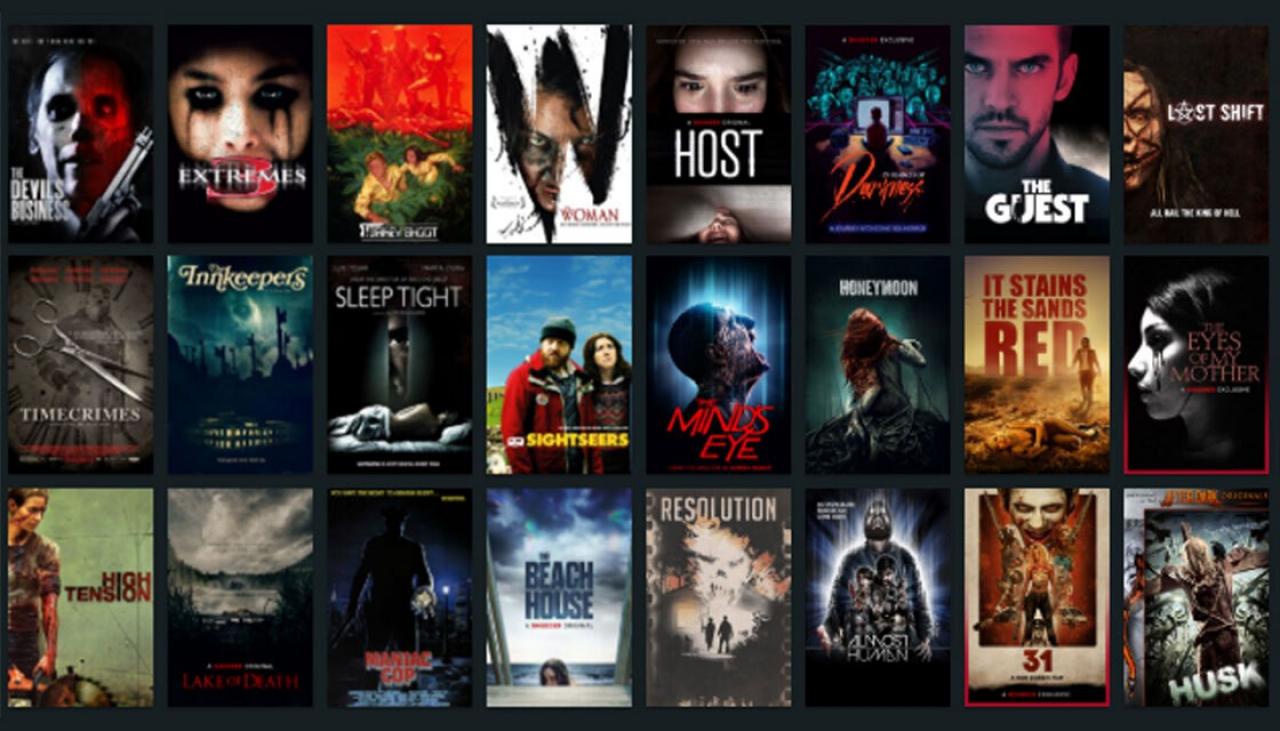
Shudder Australia is a streaming service for horror movies and TV shows. It is owned by AMC Networks, which also owns AMC, IFC, Sundance TV, and more. Initially, the service launched in Australia in 2015 with a library of over 400 titles.

The channel is a niche streaming service for horror movies that have gained huge popularity in the US. And ever since the service first started up, it has competed with a lot of streaming services.

shudder-australia

After a long delay, horror addicts in Australia can now subscribe to unending screeches. Shudder Australia is also accessible on Mac, iOS, Android, Fire TV, and other platforms, following a smooth launch.

Because of its broad selection of spine-tingling content, Shudder is often known as the Netflix of horror. Is it the best Australian streaming platform for fans of horror? 

Or should you continue exploring normal frightening scary libraries, such as Netflix, Prime Video, and Stan? All these queries will have answers shortly if you keep reading the rest of the blog.

The Pros and Cons of Shudder

Before we take a closer look at the streaming giant’s vast library of content, let’s first look at some of its pros and cons. Yet, it might help you decide whether Shudder appeals to you or not.

Pros

  • A huge selection of horror movies and TV shows
  • Enticing interface and design
  • Inexpensive
  • No advertisements.

Cons

  • Few iconic suspense and horror films are lacking
  • All content is not available in 1080p resolution.
  • No offline downloads are available on mobile devices.
  • Closed subtitles are not editable.

Shudder Price

Shudder Australia now costs $7.99 per month for a monthly subscription or $74.99 annually (equivalent to $6.25 per month). A seven-day free trial is still available, requiring a credit card to sign up. Shudder stands out by offering original content tailored to the horror genre, unlike Amazon Prime Video Australia, which provides a broader range of content for a similar price.

In comparison, Disney+ and Max (formerly HBO Max) are priced at $13.99 and $16.99 USD per month respectively, while Netflix and Stan’s Standard Tiers cost $16.99 AUD and $14 AUD per month. These services offer a much wider variety of content beyond horror.

Hulu’s ad-supported plan is also priced at $7.99 USD monthly but features a more mainstream lineup of shows. Shudder, by contrast, offers an ad-free experience. Even Apple TV+ is more affordable at $6.99 AUD per month, but its content isn’t specialized for thriller fans.

For horror enthusiasts, Shudder remains one of the best value-for-money options. Whether for Halloween or year-round spooky entertainment, it’s a worthwhile subscription.

Shudder Content

In light of the many times we’ve mentioned the awesome content offered on Shudder Australia, it’s time to delve deeper.

shudder-australia-content

Shudder Australia Vs USA Vs Canada Vs the UK

Shudder is a premium streaming service for horror, thriller, and suspense content. Interestingly, the company also expanded its services to Australia, the UK, Canada, and the USA.

This means that people in these countries can access classic and contemporary horror movies, TV shows, and documentaries. In the US, it can be accessed through an app on Apple and Android devices and on the web.

While in Canada, it is available on Apple and Android devices and the web. In the UK, it is also available through an app on Apple, Android, and IOS devices.

Critically Acclaimed Movies

Shudder is a premium streaming service with a library that has over 400 titles, with new content added every week. Many movies in the library are critically acclaimed, have been nominated for, or won awards. Plus, they also complement Shudder’s massive library.

The names include The Babadook, Tigers Are Not Afraid, Cannibal Holocaust, Let the Right One In, and many other titles to browse.

Easy-to-digest Original Movies

Shudder is a streaming service for horror maniacs, and what makes Shudder unique is its original content. Shudder originals are movies that are made for the streaming service. They’re mostly shorter than traditional movies, and they’re meant to be easy to digest.

It makes them perfect for fans who want to watch something scary without committing to a dragged, complicated movie. Its original films are particularly appealing. So we’re confident that titles like Revenge, DeadTectives, and Belzebuth will grab your attention.

Universally Beloved Series

Shudder, a streaming service devoted to horror and thriller has become one of the most beloved platforms in the horror genre.

While many streaming services offer horror content, none have been as successful as Shudder. 

They tap into the psyche of horror fans and deliver universally precious content. These include the Last Drive-In with Joe Bob Briggs, Channel Zero, and Creepshow.

Revival of Rom-Com

Romantic comedies have been around since the early days of cinema, and their popularity has only grown in recent years. The genre was once considered cheesy and cliché, but it has been given a new life in recent times.

Shudder Australia, which specializes in horror movies and thrillers, has been branching out into other genres in recent months, including romantic comedies.

To kick-start their rom-com library, they have added the best and all-time favorite romantic classics and hoping to revive the genre on their platform.

Addictive True Crime Documentaries

Besides the critically acclaimed movies and beloved series, Shudder has some true crime documentaries that are very addictive. From serial killers to cults, Shudder has it all. The documentaries are fine productions and will keep you on the edge of your seat.

shudder-australia-documentaries

If you’re a fan of true crime, you’ll love Shudder’s content. Some of the best creepiest documentaries include Horror Noire: a History of Black Horror, Never Sleep Again: The Elm Street Legacy, Lost Soul, etc.

Local Productions

Next on, Shudder’s local productions are some of the best in the service. Again, the quality of the productions is top-notch, and the stories are always engaging. 

Mainly, these local productions result from collaboration with local filmmakers from all over the world. Thus, the filmmakers have a lot of creative control over the projects, and the result is always something unique and interesting.

Thus, Shudder’s local productions vary in style and genre, but all share one common theme: they’re all horrifying. 

Choose Your Own Adventure

Shudder Australia offers a great selection of horror movies, creepy documentaries, and thrilling TV shows. But the best thing about Shudder is that it offers something different to its users – the ability to choose their adventure.

Users can select from various horror genres and then watch a curated selection of titles based on that genre. It also makes the experience more personal for users, as they can choose the types of horror movies and TV shows that they want to watch.

Shudder: Features and Improvements

Shudder is a horror movie streaming service meant for people who love the genre. Its niche content library serves the horror freaks well. Also, they won’t miss out on anything by getting lost in a library that doesn’t even interest them.

Besides its great content without ads, Shudder also has great features that make it stand out from the competitors. For starters, Shudder has an excellent user interface. It’s easy to find what you’re looking for, and you can browse through the various categories.

As a bonus, fans can leave a review. And they can rate each title out of five skulls, which is a unique feature. This site also offers trailers for all movies and TV shows, so you can get a taste of what you’re about to witness.

One of the major flaws that Shudder needs to improve is the lack of offline watching. This feature allows users to download titles to a few devices to enjoy them later when they are offline.

Shudder also needs to improve in another domain: simultaneous streams. Users can only use their accounts on one device at a time right now, which is not appealing.

Verdict: Is Shudder Worth It?

After reading this detailed review of the horror streaming platform, you might be able to decide whether Shudder deserves to be your streaming partner or not.

Yet, our verdict is that Shudder is worth it for horror fans. For Shudder offers a great selection of horror movies, TV shows, and documentaries, with new content, added.

There’s something for everyone on Shudder, whether you’re a fan of slasher movies, zombie flicks, or gothic horror. The service also offers exclusive content that is not accessible elsewhere.

Besides, if you only watch content from the horror genre rarely, getting another video-on-demand subscription would not be a good idea. Instead, we recommend that you take advantage of the seven-day free trial and make your own decision.

Fetch TV Review – Everything You Need to Know

Fetch TV review

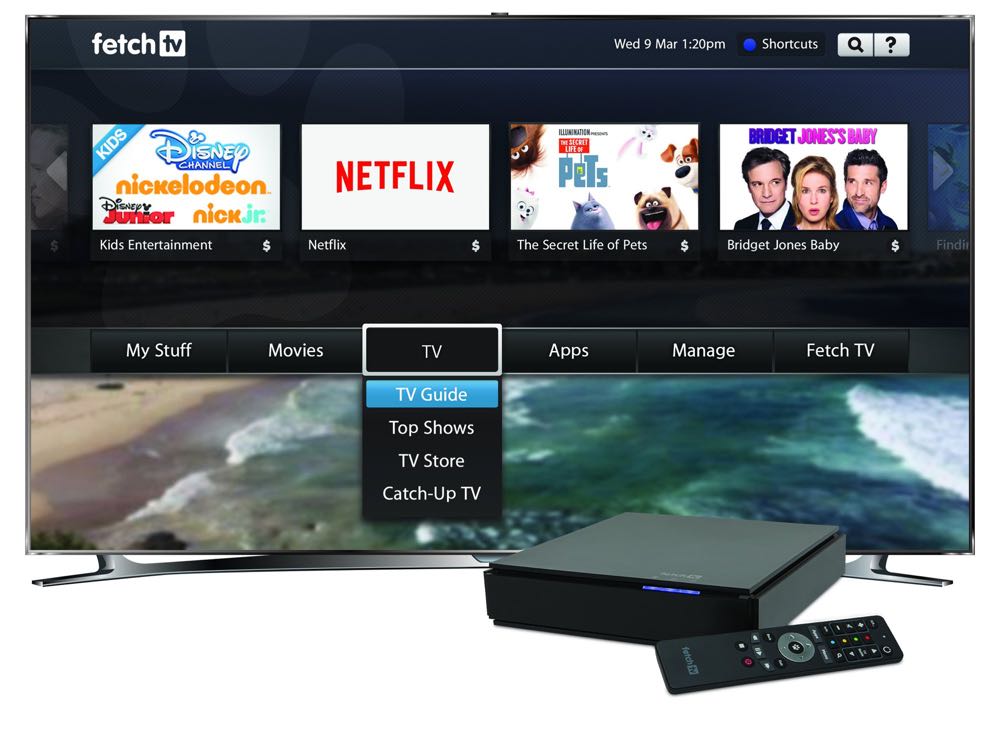
Fetch TV is a digital pay-per-view service that offers a range of subscription plans, including a digital video recorder, TV, broadband internet, and more. The service also offers a range of content, including movies, TV shows, sports, and documentaries.

fetch-tv-australia

That said, the service was founded in 2010 and has grown in popularity with a huge number of subscribers as of 2022. Moreover, the service has also become a great alternative to traditional Foxtel. Why? Because it offers the same great content at a fraction of the price.

The service is also popularly known as an Australian IPTV provider, offering a range of streaming services and catch-up TV. So after gaining popularity in the Australian market, Fetch TV’s primary competitors became Telstra, Optus, and Apple TV.

Even so, each service has its own unique set of content and features, making it important for consumers to compare them before committing to the streaming service. But there’s no doubt that the battle for market share is heating up in Australia.

Pros and Cons of Fetch TV

Fetch TV is one of the most popular IPTV providers in Australia, and there are several reasons for this. Let’s take a look at some of the pros and cons of Fetch TV.

Pros

  • Affordable alternative to traditional TV
  • Offers a massive library of content
  • PVR services allow you to record TV shows and Movies
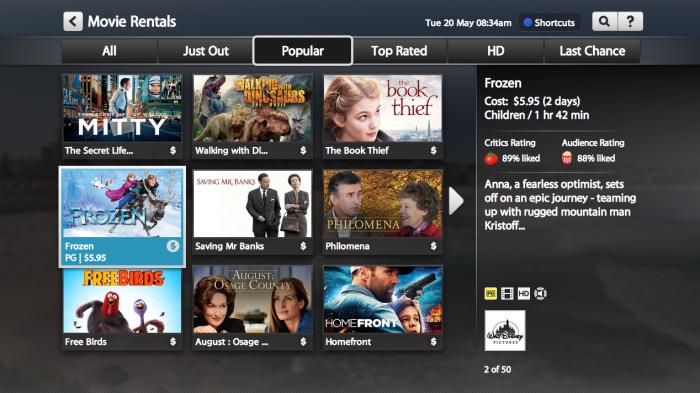
  • Allows you to rent movies
  • Rotten Tomatoes reviews make it more fun to use

Cons

  • Expensive alternative to streaming services
  • Monthly renewable payments for bundles
  • No discounts to users

Fetch TV Price

fetch-tv-price

The company’s primary product is a set-top box that allows customers to watch free-to-air channels and stream video-on-demand content. Nevertheless, the Fetch TV service also offers a range of add-on options, such as sports and movie packages. Some of them are as follows:

Fetch Mini: Fetch Mini is an affordable, entry-level streaming channel that offers a great selection of streaming channels (Netflix, Stan, Kayo) and a free-to-air TV tuner for $169/month.

Fetch Mighty: Fetch Mighty is a set-top box that enables users to watch and record live TV and access on-demand content for $449/month.

The service is also available as a standalone service or as a bundle with broadband from various providers. Hence, it bundles the set-top box through the following retailers:

Aussie Broadband: Aussie Broadband is one of Australia’s leading internet providers offering a great range of broadband plans, NBN plans, and home phone plans starting at $69. It also offers a Fetch TV bundle including (Mini $10/m, Mighty $15/m) with a 3-month Ultimate Channel Pack.

Optus: If you want to access Fetch Mini only for $0 in the first 12 months, you should consider getting a Fetch TV bundle from Optus costing $79/month. But with Optus NBN, you get to access Mini for $5/month and Mighty for $15/month with an upgrade to the Ultimate channel pack.

iPrimus: As a Fetch TV provider bundle, iPrimus starts at $86/month and offers the full experience, including a set-top box of Fetch Mighty for $10/month. With that, it also offers a range of channel packs to choose from its 3-month Ultimate Channel Pack.

iiNet: iiNet also announced access to the Fetch TV bundle as part of their product range, starting from 74.99/month. This is a great update for consumers looking to get Mini for $5/month at a low cost; however, Mighty will cost you $340/month upfront without any premium channel packs.

Fetch TV Content

fetch-tv-content

Fetch TV is a great option for those who want to ditch traditional pay TV. The service offers a range of live and on-demand content, including news, sport, kids’ shows, movies, and more. You can add premium channels to your subscription for an added cost.

Critically Acclaimed Movies

Fetch TV is a service that allows you to watch movies and television shows, both new and old. The archive of movies and TV shows is constantly updated, so there’s always something new to watch.

Some critically acclaimed movies available to watch include Parasite, Marriage Story, Joker, and Once Upon A Time in Hollywood. So with Fetch, you can enjoy these and many other great movies in the comfort of your own home.

Easy to Digest Original Movies

Original movies are a great way to keep audiences entertained. They can be a little harder to produce than TV series, but they can be a huge success with the right resources. But what makes Fetch TV’s original programming so great is that it’s easy to digest.

The movies and shows are short, sweet, and to the point. And since Fetch TV provides access to streaming services, you can watch them without committing to them separately.

Universally Beloved Original Series

A few series are considered “universally beloved,” and almost everyone has seen or heard of them. Some of them include The Office, Friends, Stranger Things, and Game of Thrones.

These original series are also available to stream on Fetch TV, which has become universally beloved by audiences. Interestingly, these shows are also a great way to attract new customers to the services.

Addictive True Crime Documentaries

One of the most popular genres on Fetch TV is true crime documentaries. There are dozens of addictive crime docu-series to stream on the platform. From serial killers to cults, it offers a range of documentaries that are truly addictive.

Some of the most popular documentaries on Fetch TV include Snapped and Killing Versace: The Hunt for a Serial Killer and a range of informative documentaries like Kemper: Inside the Mind of a Serial Killer and Killer Couples.

Revival of the Rom-Com

Romantic comedies, or rom-com, have been around since the late 1800s when they were called “screwball comedies.” They reached their peak in the 1990s but have declined in recent years. Yet, there is a revival of rom-com on streaming TV networks like Fetch TV.

The service features those movies for their users who are in for feel-good movies. Some of those titles include La La Land, Sing Street, I’m Your Man, and A Cinderella Story.

Local Productions

Fetch TV is a great way to access local programming that might not be available on other streaming services. In addition to traditional network and cable TV shows, Fetch TV also offers a variety of local programming options.

Its customers can also access a variety of live and on-demand local content. This includes news, sports, and other events. Access to local programming can be extremely valuable for customers who want to stay connected to their community.

A New Kind of Reality-TV

In a world where viewers are glued to their screens, reality TV has become a popular genre. It appears like there is a new reality TV show on every channel, and they are all vying for our attention. So Fetch TV has recognized this trend and decided to get in on the action.

This streaming service also has a library of movies and documentaries and a range of children’s programming. But the real gem of Fetch TV is its popular reality TV shows like Keeping Up With The Kardashians, Top Gear, and more.

Choose Your Own Adventure

In a world of on-demand entertainment, one company is standing out by giving its customers control. Fetch TV is a video streaming service that allows users to choose their own adventures. With its unique “pick your own path” feature, Fetch TV puts the power in the hands of its viewers.

The idea behind this feature is simple: viewers can select the shows they want to watch, and then Fetch TV builds a personalized playlist for them. This way, viewers can explore their favorite genres and discover new shows without feeling overwhelmed.

Fetch TV: Features and Improvements

Fetch TV has come a long way since its inception in 2014. It only offered a handful of channels, limited Catch-Up TV, and no recording feature. But over the years, Fetch TV has added a host of new features and improvements.

The first thing you’ll notice is the new and improved user interface. It’s now even easier to discern what you’re looking for. In addition, the menu has been streamlined, and each section has been given its dedicated page.

In recent years, Fetch TV has made a number of improvements to its service, including the addition of 4K streaming and the availability of different service packs for its users. On top of that, Fetch TV is also not coming slowly with Netflix, Stan, and Prime with a library of 5000+ titles.

Fetch TV also allows you to record and store programs on a personal video recorder (PVR) for later playback. With that, it provides an electronic program guide (EPG) to help view any upcoming programs and offers a service that lets you watch live and on-demand TV shows and movies.

Verdict: Is Fetch TV Worth It?

There are many streaming TV options on the market these days, so it can be tough to select which one is the best for you. Fetch TV is one of those options, and it can be a great choice for people who want an all-in-one package.

It offers a lot of channels, including sports and movie channels, and access to on-demand content. It also has a great Fetch Mini feature, which allows you to watch your favorite shows even when you’re not at home.

Binge Australia Review – Everything You Need to Know

Binge Australia Review

Netflix, Stan, Prime, and Foxtel are all great streaming services, but there’s a new player in town that’s worth considering if you’re looking to binge-watch some great Aussie content.

BINGE is a new streaming service created by Foxtel that is specifically for Australians. It offers a great selection of local and international content, and it’s affordable. The streaming service is available on desktop and mobile, and you can watch shows and movies offline too.

binge-australia

On that account, there’s no doubt that Netflix and Stan have had a monopoly on the streaming market for a while now, but looks like it’s about to change with the launch of BINGE. Moreover, it’s been gaining popularity because of its competitive price and a good selection of content.

Yet, the service is still in its early stages, so it doesn’t have the same selection as Netflix or Stan. But its low price and lack of ads make it a strong competitor in the streaming market. Son if Binge can keep up the momentum, it could give Netflix and Stan a run for the money.

Pros and Cons of Binge

Netflix, Stan, and Amazon Prime Video are some of the most popular streaming services in Australia. But after the launch of Binge, it has its pros and cons, which can make it difficult to decide which one is right for you.

Pros

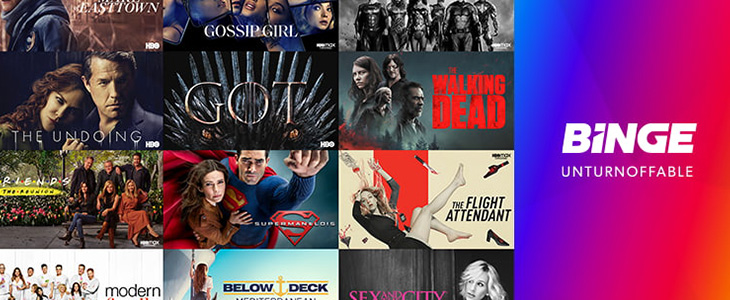
  • HBO, FX, and a variety of content are available
  • More reliable than Foxtel Now
  • Easy-to-navigate user interface
  • Affordable price milestone

Cons

  • No 4K support for video quality
  • No parental controls

Binge Price

Binge, an Australian on-demand streaming service, offers a vast library of movies and TV shows. It differentiates itself by providing a 7-day free trial to new users. As of November 1, 2024, Binge’s subscription plans are:

  • Basic Plan: AU$10 per month, allowing a single simultaneous stream in standard definition.
  • Standard Plan: AU$19 per month, allowing two simultaneous streams in high definition.
  • Premium Plan: AU$22 per month, allowing four simultaneous streams in high definition.

For those seeking long-term subscriptions, Binge introduced annual plans:

  • Basic Annual Plan: AU$79 per year.
  • Standard Annual Plan: AU$149 per year.
  • Premium Annual Plan: AU$179 per year.

These annual plans offer savings equivalent to four free months compared to monthly subscriptions.

Binge Content

binge-content

Binge’s content includes a wide variety of genres, catering to all types of viewers. It also offers a wide range of Australian content, which is great for locals. Some of the content features are elaborated as below:

Critically Acclaimed Movies

Netflix, Stan, and Foxtel are always in competition to have the best and latest critically acclaimed movies. This is also great news for Binge lovers because it means that we can now watch these movies without having to leave our comfortable living rooms.

Some of the latest critically acclaimed movies that are now available on Binge TV include The Dark Knight, Point Break, Knives Out and Arrival. If you have not seen these movies, we highly recommend that you watch them as soon as possible!

Easy to Digest Original Movies

Binge is an OTT streaming service that also offers a great selection of original movies that are easy to digest. The films are short and sweet, with a runtime of around 90 minutes, and they’re perfect for watching on a lazy Sunday afternoon.

Moreover, the selection of films changes regularly, so there’s always something new to watch. For example, some of the movies that are feel-good and inspirational include, Eat Pray Love, Eagles Vs Shark, Pitch Perfect, Drive and more.

Universally Beloved Series

Binge TV Australia is home to a range of universally beloved original series that you can watch anytime, anywhere. From comedies and dramas to documentaries and kids’ shows, we’ve got something for everyone.

And because Binge knows that you want to watch them when you want, they make them all available to stream across devices – anytime, anywhere. On that account, some of those include masterpieces like Hotel Portofino, Young Rock, Dynasty, This is Going to Hurt and so on.

The Revival of Rom-Com

Romantic comedies, or rom-com, have always been a staple in the movie industry. They are films that focus on the development of a romance between two characters, and they often have a happy ending. But over the years, they have become less popular with audiences.

Recently, however, there has been a revival of rom-com on streaming platforms such as Binge TV. This is partly due to the success of films such as The Fault in Our Stars and To All the Boys I’ve Loved Before. These films have shown that there is an audience out there waiting to watch these titles again and again!

Addictive True Crime Documentaries

Netflix has some great true crime documentaries, but for those of you that want something a little more addictive, Binge is the place to be. The Australian network has a wide variety of crime shows to keep you hooked for hours on end.

The first show that you should check out is The Wire, The Sopranos, Forensic Files, and more. Each series looks at murder cases where the perpetrator and victim are in a relationship. Moreover, each episode is filled with twists and turns, making it impossible to stop watching.

Local Productions

In recent years, Binge Australia has made a concentrated effort to produce more local content. This content is available to view on the Binge website and app and includes a variety of genres, such as comedy, drama, reality, and children’s programs.

It is the only streaming service in Australia that offers Australian content to users, and it has something for everyone. There are dramas, comedies, documentaries, and kids’ shows. Binge TV is also great for people who want to support Australian content.

A New Kind of Reality-TV

In a world where anyone can be famous, Binge TV brings you to the next level of reality TV. Watch real people with real problems living their lives in front of the camera. From dating to work drama, get an uncensored look at the highs and lows of everyday life.

Binge TV is the first network to air original reality programming 24/7. There’s always something entertaining to watch with episodes of shows from Survivor to RuPaul’s Drag Race.

Binge: Features and Improvements

Binge TV is an online over-the-top streaming service offering its users a wide range of TV shows and movies to watch. The service has been operating in Australia since May 2020 and has been steadily growing in popularity.

Binge TV offers a wide variety of content, including popular shows such as Game of Thrones, The Walking Dead, and The Big Bang Theory. Moreover, the app has recently been updated with several new features and improvements.

Some of the updates include a new design that makes it easier to find the content you want to watch and a new ‘Continue Watching’ section that allows you to pick up from where you left off. On that account, it’s similar to Netflix but has some key differences.

One of the key benefits of Binge is that it allows you to watch multiple episodes of a show in quick succession, but no offline downloading is available. This is perfect for people who want to watch their favorite shows without having to wait for another one, but only without downloading.

Binge TV is also available on various devices, including smartphones, tablets, PCs, smart TVs, and gaming consoles. Yet, there is a fluctuating lag once in a while with its device compatibility.

However, it distinctively offers a great selection of the latest Australian content.

Verdict: Is Binge Worth It?

Binge is an Australian streaming service by Foxtel that has received a lot of mixed reviews. On the one hand, it offers an impressive range of TV shows and movies for a low monthly price.

On the other hand, some users complain about the quality of the content and its limited selection of new releases.

So, is Binge worth it? In short, yes, it is. While it may not have the latest and greatest releases, Binge offers an extensive library of TV shows and movies from Foxtel that can be streamed at any time. And for just $10 a month!

Also Read: