How to Watch YouTube TV in Australia [Guide 2025]

Watch Youtube TV in Australia

Are you a YouTube TV Australia fanatic who wants to access YouTube TV in Australia? If you are, there is good news for you. It’s easy to watch YouTube TV in Australia as long as you know how to do it-that is, use a VPN.

But there’s more to using a VPN to access this premium YouTube VoD platform than meets the eye. And that’s why we’re here. In this ultimate guide, I’ll be discussing YouTube TV, how to watch it, and what VPNs to use. Let’s get going!

What is YouTube TV & Why Do You Need a VPN to Watch it in Australia?

YouTube TV is a streaming television network by YouTube, a part of Google LLC. Founded in 2017, YouTube TV offers 85+ TV channels, a VOD (video-on-demand), and a DVR (digital-video-recording) feature.

While it’s promising, YouTube TV isn’t available in Australia at the moment, it is geo-restricted to the US only. So, if you want to access YouTube TV in Australia, you need to use a VPN which will help you bypass geo-restrictions on YouTube TV easily.

Here’s how you can access YouTube TV from Australia using a VPN.

How to Watch YouTube TV in Australia?

There are two things that you will require to watch YouTube TV in Australia:

  • A VPN that can bypass YouTube TV geo-restrictions.
  • YouTube TV subscription.

We tested the most recommended YouTube TV VPNs by popular tech sites such as TechRadar, Tom’s Guide, CNET, Comparitech, and PCMag to unblock YouTube TV in Australia. And after testing, we found ExpressVPN the best among all followed by NordVPN (keep scrolling for detailed analysis).

Once you subscribe to a VPN, you need a YouTube TV subscription to stream in Australia.

How to Get a YouTube TV Subscription in Australia?

Getting a YouTube TV account in Australia is a bit tricky but not impossible. If you have a payment method that is connected to a US bank and e-payment services, it will be simple for you to get a YouTube TV subscription in Australia.

But if you don’t have a US payment method, you can follow the mentioned below steps to subscribe to YouTube TV in Australia.

Step 1: Set up PayPal US

PayPal is the most secure way of paying for a YouTube TV subscription—but it has to be PayPal US.

The first billing is a week after you purchase the subscription once your free trial ends. Now, there are two methods to do it.

One is that you go with the ‘proxy payment’ method. For this, you’ll need a friend of yours from the US who’ll pay for your subscription and you can pay him in return. I did this to purchase a Peacock Premium membership—works like a charm. 

But what if you don’t have a friend in the US? This situation brings us to method two: do-it-yourself.

Here’s how.

  1. Connect to a US server using a paid/premium/safe VPN service. I strongly recommend ExpressVPN.
  2. Sign up typically using a new email address, not an existing one.
  3. Convert your Australian postal code to a US one: If yours is A1B2C3, remove all the letters and add zeros to make it a five-digit code – 12300 – and verify it using USPS tool.
  4. Check the respective US city address for your verified postal code, enter your local street along with it, and complete the process.

Step 2: Sign Up for US Gmail

You need a US Gmail account for two reasons. Firstly, to log in to the Play Store on your Android (or to create a new Apple ID with a US address) and download the app.

And secondly, to use it with your YouTube TV app. Once you have your US Gmail (by selecting the US as your country), follow these steps:

  1. Use this account to sign up for YouTube TV.
  2. Use your new US PayPal account to make the payment.
  3. Start streaming YouTube TV in Australia.

Fairly straightforward. But not possible without an excellent VPN service.

This is how you can watch YouTube TV in Australia. Now let’s see how you can download YouTube TV on different devices in Australia.

Note: If you are a YouTube TV subscriber and want to cancel your YouTube TV subscription, read this guide.

Criteria for Choosing the Best VPN to Unblock YouTube TV in Australia?

Why not any VPN? Because most are guilty—though they would plead ‘not guilty’—of selling your private data (search histories, cookies, buying habits) to advertisers.

And sadly most of them failed to bypass the YouTube TV geo-blocking error.

All this reason puts you at risk of being hacked without getting access to YouTube TV in Australia, which is the last thing you’d want to happen to your privacy.

To get the best performance, you need the best tool. Here’s what your VPN must have to be the best VPN to watch YouTube TV in Australia:

  • Offers fast and dedicated servers for streaming with the outstanding unblocking capability to access YouTube TV, HBO Max, Peacock TV, ESPN Plus, BBC iPlayer, and Channel 4 in Australia.
  • Provides apps and software support to all mainstream devices including Windows, Mac, Apple TV, Amazon Firestick/Fire TV, Roku, PlayStation, Xbox, Smart TV, iOS, and Android.
  • Gives a smooth experience while having slow internet speed without any buffering and poor video quality issues.
  • Provides at least 5 simultaneous connections per account to stream at the same time on different devices.
  • Offers strong security protocols such as high-grade military-grade encryption, IP and DNS leak protection to keep users anonymous and safe from cyberattacks.
  • Offers 24/7 live chat support and at least a 30-day money-back guarantee.

With the amount of competition in the market, trust me, this isn’t too much to ask for.

Best VPNs to Watch YouTube TV Australia

Based on the above-mentioned criteria for choosing the best VPN, let’s look at some of the most extensive VPN services to help you watch YouTube TV Australia.

I repeatedly recommend ExpressVPN for a variety of reasons besides totally nailing the criteria above.

For instance, it has unbelievably high speeds, it’s got unlimited bandwidth, and it’s compatible with most OS (even Amazon Fire, Smart TV, Xbox, and PlayStation).

On top of that, it’s affordable and offers around-the-clock customer service. You’ll be able to stream YouTube TV in high-definition, something that’s missing in most VPNs.

Apart from YouTube TV, with ExpressVPN you can also stream other geo-blocked American video services such as ESPN+, Hulu, American Netflix, ABC, Peacock TV, DSTV, and HBO Max in Australia.

2. NordVPN

Equally as remarkable, NordVPN is massive. It has over 5,000 reliable servers in about 60 countries, with more than 1000 only in the US.

What makes NordVPN unique is its confidence in its service. By offering a 30-day money-back guarantee at a highly affordable price, Nord promises to deliver and make you feel at home once you’re connected. 

Using NordVPN, streamers can watch BT Sport, Disney+, Sky Go, ThreeNow, DStv, and Zee5 in Australia.

All that you’re paying for here is the sense of safety. Worth every penny.

3. PrivateVPN

PrivateVPN has recently played into the industry, immediately becoming the go-to VPN for many US and non-US residents helping them access streaming services like YouTube TV and Vudu in Australia.

One reason for this is how the company has chosen to stand out. By offering readily configured apps where you can stream your favorite service directly instead of connecting to the servers, PrivateVPN offers a unique proposition.

Why is YouTube TV not Available in Australia?

No, YouTube TV Australia is not available due to streaming rights. However, if you want to watch YouTube TV in Australia, you need to get a VPN with a US IP address to stream YouTube TV on your devices.

How the VPN Works to Unblock YouTube TV?

If you’re unaware, it’s crucial to fully understand what a VPN is doing when you’ve connected to a US server.

Essentially, the VPN masks your IP address from an Australian one to an American one. It does this by first redirecting your web surfs to a server in the US (or any other country you’re trying to connect to).

Once there, the server, already with a US IP address, then shows you the US resident’s search results. And that’s how you can stream YouTube TV Australia.

The reason why this is legal is privacy. While ISPs, advertisers, and hackers are continually trying to evade your privacy, these VPNs make you anonymous on the web, thus keeping you safe.

Where Can I Watch YouTube TV in Australia?

Below is the complete list of devices you can watch YouTube TV in Australia:

  • Laptop/PC (Windows/Mac)
  • iOS
  • Android
  • Apple TV
  • Roku
  • PlayStation
  • Xbox
  • Amazon Firestick/Fire TV
  • Android TV and Builtin NVIDIA TV
  • Samsung Smart TVs (2016+ models)
  • LG Smart TVs (2016+ models)
  • Vizio Smart TV
  • Sony Smart TV
  • Sharp Smart TV
  • Hisense Smart TV
  • Google Chromecast
  • Google Nest Hub

How to Get YouTube TV in Australia on Your Devices?

How to Download YouTube TV in Australia on Laptop & PC (Both Windows & Mac)

Getting YouTube TV on your laptop/PC is the easiest one. Actually, you don’t need to download the YouTube TV app on your laptop/PC since you can access it directly through the web browser.

This is how you can get YouTube TV in Australia on your laptop/PC:

  1. Connect to the US server using a VPN.
  2. Now make sure your location is off.
  3. Sign in and start streaming in Australia.
  4. Head to the web browser and visit YouTube TV.

How to Download YouTube TV in Australia on Android Devices?

To get YouTube TV in Australia on your Android device (smartphone/tablet/smart TV), you need to change your Google Play Store location from Australia to the USA. Here’s how you can watch YouTube TV on Android.

  1. Download and sign up for a VPN on your Android device if you don’t have it already.
  2. Now launch the VPN app and connect to the US server.
  3. Open the Google Play Store, tap on the hamburger menu, and go to Account.
  4. Now select the switch your region or country and set it to the US.
  5. Once your region changes to the U.S., search for the YouTube TV app and download it.
  6. Open the YouTube TV app, sign in, and start streaming in Australia.

How to Download YouTube TV in Australia on iPhone/iPad?

Like Android, you also need to change your App Store region to the USA to get YouTube TV in Australia. Here’s how you can watch YouTube TV on iPhone and iPad:

  1. First, go to “Settings” on your iOS device, and click on your profile.
  2. Now tap on “Media & Purchases”, then tap on “View Account”. It will ask for your “Passcode” or “Touch ID” for verification. Enter your “Passcode” or “Touch ID”.
  3. Now tap on “Country/Region” -> “Change Country or Region”, then select the United States as your country.
  4. Once you select the United States, the “Terms and Conditions” page will open. Select “Agree” to proceed.
  5. Now enter all the required details. In the address section, you need to provide a USA address and postal code. you can use this information (Street: 3157 Monroe Avenue, City: Palmetto, State: Florida, Postal Code: 34221, Phone number: 904-208-8753).
  6. Now enter “Done” and wait for the process.
  7. Once the process is complete, now your App Store region is changed to the USA. Go to the App Store and download the YouTube TV app.
  8. After downloading the YouTube TV app, open the VPN app, connect to the USA server and start watching!

How to Download YouTube TV in Australia on Amazon Firestick/Fire TV?

To get YouTube TV in Australia on Firestick or Fire TV, you need to change your region from Australia to the USA. Here is how you can watch YouTube TV on an Amazon Firestick or Fire TV device:

  1. Visit the Amazon website and log in to your existing account.
  2. Now click on the “Accounts & Lists” option and then click on “Your Accounts and Content”
  3. Now change your region to the USA from Australia.
  4. Connect your Firestick device with your TV and then click on “Settings”.
  5. Log out or deregister your account and then sign in again.
  6. Now download the YouTube TV app and VPN app from the App Store.
  7. Open the VPN app and connect to the USA server.
  8. Open the YouTube TV app, sign in, and start watching.

How to Get YouTube TV in Australia on Apple TV, Roku, Xbox, PlayStation, LG Smart TV, Vizio Smart TV, Sony Smart TV & Samsung Smart TV?

Getting YouTube TV in Australia on devices like Apple TV, Roku, Xbox, PlayStation & Samsung Smart TV is a bit difficult since they do not support a VPN app directly.

So, if you want to stream YouTube TV on any of these streaming devices, there are two ways to access it; either set up a Smart DNS on one of these devices or directly set up on your home router and select the USA as your location. This is what we don’t recommend to our users, especially those who don’t know much about smart DNS and VPN configuration on home routers.

Because of all this, we find two ways simple ways to get YouTube TV on the big screen while living in Australia.

First, you can use Google Chromecast to cast on the big screen and watch YouTube TV in Australia.

Second, we would suggest you go for an Amazon Firestick device to watch YouTube TV on the big screen as it supports VPN apps directly.

How Much Does YouTube TV Cost in Australia?

YouTube TV is available for $62.99/mo (96.12 AUD) for your first 3 months and $72.99/mo (110.13 AUD) thereafter for the YouTube TV Base Plan for streamers in Australia.

The cost of getting YouTube TV in Australia is based on which VPN you are using. A reliable VPN costs you $8.32/month (12 AUD/month).

This means getting YouTube TV in Australia will cost around 122 AUD (108 AUD for the first three months) per month.

*All prices are in AUD

Note: If you want to read a more detailed article on the topic, read our YouTube TV Cost in Australia Guide.

What Channels are Available on YouTube TV

Here is the complete list of channels that you can stream on YouTube TV: 

  1. ABC
  2. ESPN
  3. ESPN 2
  4. AMC
  5. ESPN News
  6. ESPN U
  7. CNN
  8. ACCN
  9. BET
  10. BET Her
  11. Bravo
  12. FOX, Fox News, (FS1) (FS2)
  13. Fox Business
  14. TNT
  15. Comedy Central
  16. CBS
  17. CNBC
  18. CNBC World
  19. Con TV
  20. Comet TV
  21. CMT
  22. Court TV
  23. Cozi TV
  24. Dabl
  25. Dove
  26. NBC
  27. Disney Channel, Disney XD and Junior
  28. Docurama
  29. E!
  30. HGTV
  31. HLN
  32. IFC
  33. NFL Network
  34. LAFC
  35. Law & Crime
  36. MSNBC
  37. Motortrend
  38. MTV, MTV 2 and Classic
  39. MyNetwork TV
  40. Animal Planet
  41. Food Network
  42. Cheddar
  43. Cheddar News
  44. Cartoon Network/Adult Swim
  45. BBC America
  46. BBC World News
  47. Paramount Network
  48. Freeform
  49. FX
  50. FXX
  51. FXM
  52. Investigation Discovery
  53. IFC
  54. Nat Geo
  55. Nat Geo Wild
  56. NBC Golf Channel
  57. NBC Universo and Sports
  58. NBCSN
  59. NBCLX
  60. NECN
  61. Sundance TV
  62. SyFy
  63. TeenNick
  64. TBS
  65. TNT
  66. Telemundo
  67. TruTV
  68. TLC
  69. USA
  70. VH1
  71. NBA TV
  72. MLB
  73. MLB Game of the Week

For a full YouTube TV Channels list click here.

Watching Key and Peele on Comedy Central? Or watching American Idol? This perk is big. Also, installing the mobile app will help YouTube TV Australia enthusiasts carry their TV in their pockets at all times.

FAQs

Is YouTube TV available in Australia?

No, YouTube TV is not available in Australia. It is currently only accessible within the United States. However, Australians can use a VPN (ExpressVPN) to connect to a U.S. server and access YouTube TV from abroad.

Does YouTube TV work in Australia?

No, YouTube TV does not work in Australia as it is only available in the United States. However, you can access it in Australia using a VPN to connect to a U.S. server.

How much is a YouTube subscription in Australia?

As of 2025, YouTube Premium in Australia costs AUD $16.99/month for an individual plan, AUD $32.99/month for a family plan (up to five members), and AUD $10.49/month for verified students. All plans include ad-free viewing, offline downloads, and background play. Prices may vary, so check YouTube’s official website for updates.

Conclusion

We are all done with the process of watching YouTube TV in Australia as if you were in the US, safely and swiftly. Here’s a quick recap:

Get a VPN, US PayPal, and US Gmail. Pay for YouTube TV, and stream it using a premium VPN service at all times. And the next thing?
How to Watch Hulu in Australia [2025 Ultimate Guide]

Access Hulu in Australia

You can watch Hulu in Australia using a VPN or Smart DNS, despite the service being geo-restricted to the US. 

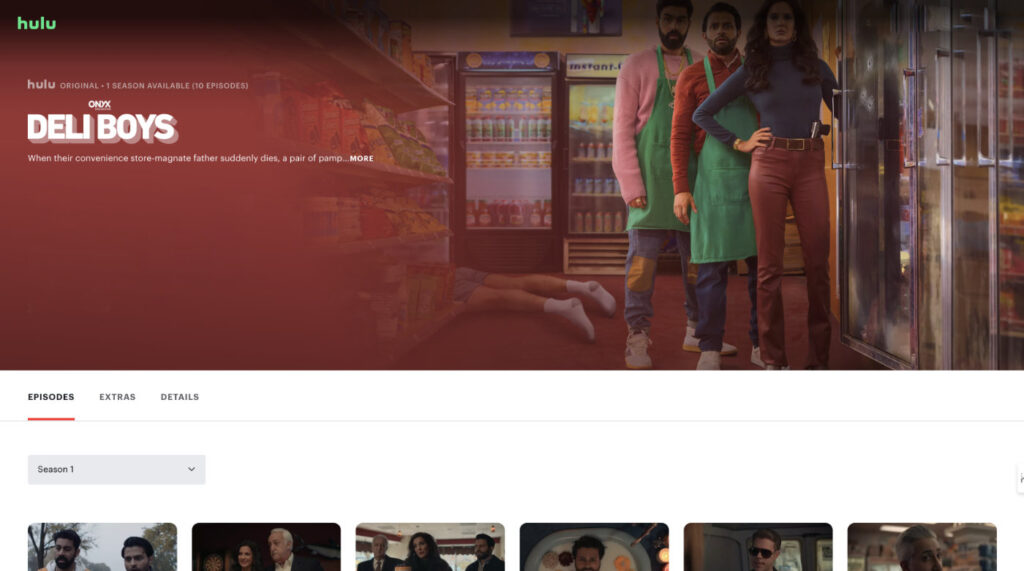
Every year, Hulu comes with such a great line up such as The Bear, The Handmaid’s Tale, ER, Deli Boys and more, but we in Australia only feel left out. 

But don’t worry, In this guide, I will share with you all the step-by-step instructions to access and watch Hulu in Australia after doing extensive testing. 

So, without any further delay, let’s dive in.  


Quick Steps to Unblock Hulu in Australia:

  • Download and subscribe to a reliable VPN for Hulu — I highly recommend ExpressVPN. 
  • Open the VPN app, sign in and connect to the US servers. 
  • Now visit Hulu, sign in or sign up and start streaming in Australia. You can use Hulu gift card, US virtual card, US PayPal or ask your American friend or family to get it for you.
Watching Hulu in Australia with a VPN

Why Isn’t Hulu Officially Available in Australia?

The primary reason Hulu isn’t available in Australia is due to content licensing and distribution rights.

Disney, Hulu’s majority owner, has opted to distribute much of Hulu’s original content in Australia through the Star hub on Disney+.

This means that while you can watch many “Hulu Originals” on Disney+, the complete Hulu library—including content from other networks like FX and ABC—remains exclusive to the US.

Therefore, to get the full Hulu experience, tools like VPN or Smart DNS are still necessary.

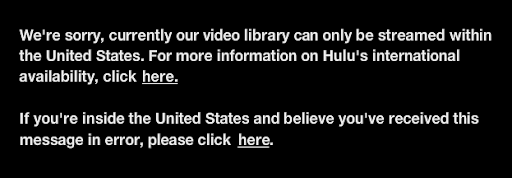
hulu-geo-location-error-while-streaming-in-australia

How to Access Hulu in Australia? [Detailed Step-By-Step Instructions]

You need to do the following things to watch Hulu in Australia:

  • Get a VPN (Virtual Private Network) that works with Hulu. 
  • Sign up for a Hulu account.
  • Download Hulu app to stream on your preferred device. 

We tested the top 10 VPNs to bypass Hulu’s geo-blocking error in Australia.

And after extensive testing, we found ExpressVPN followed by NordVPN and Surfshark are the best to watch Hulu in Australia due to their superb unblocking capability, ultrafast servers that support all mainstream devices, and 30-day money-back guarantee (we cover it in detail later in this blog).

Best VPNs for watching Hulu in Australia

Let me narrow down the list of prime suspects for you. These are the best VPN services available to watch Hulu in Australia. Shoot the one you think is the best!

ExpressVPN – Best VPN to Watch Hulu in Australia

ExpressVPN offers a wide range of fast and reliable U.S. servers that are highly effective at unblocking popular streaming platforms like Hulu, Peacock TV, and BBC iPlayer, making it ideal for accessing geo-restricted content from Australia and beyond. It supports up to 8 simultaneous device connections, allowing multiple users or devices to stream or browse securely at the same time. 

Backed by a 30-day money-back guarantee, ExpressVPN provides a risk-free way to test its streaming and privacy performance with full refund eligibility if you’re not satisfied.

What else? ExpressVPN is currently offering 61% off plus four months free. That’s a steal deal for sure! 

Features Details 
Number of servers 3000+ servers in 105 countries (300+ US servers
Unblock Hulu, HBO, Sling TV, ABC, ESPN, Peacock, Paramount+, and Disney+
Recommended ServersAtlanta, Dallas, Denver, Miami, New York, Phoenix, and San Fransico
Connections 8 Simultaneous Connections
Device SupportWindows, Mac, iOS, Apple, Android, Amazon Firestick, Fire TV, Roku, Smart TV, Samsung TV, LG Smart TV
Money-back Guarantee30 days
Best Deals61% Off – 2 Years + 4 Months Free

NordVPN – Affordable for Hulu Streaming in Australia

NordVPN offers a wide range of U.S. servers specifically optimized for streaming, making it highly reliable for unblocking geo-restricted platforms like Hulu, Peacock TV, and BBC iPlayer. 

It supports up to 10 simultaneous device connections, allowing users to protect multiple devices under one account. NordVPN is also backed by a 30-day money-back guarantee, giving users the ultimate flexibility.

Features Details 
Number of servers 6000+ servers in 111 countries (1800+ US servers
Unblock Hulu, HBO, Sling TV, TNT, ABC, ESPN, Peacock, Paramount+, and Disney+
Recommended ServersAtlanta, Dallas, Denver, Miami, New York, Phoenix, and San Fransico
Connections 10 Simultaneous Connections
Device SupportWindows, Mac, iOS, Apple, Android, Amazon Firestick, Fire TV, Roku, Smart TV, Samsung TV, LG Smart TV, Apple TV, Xbox, and routers
Money-back Guarantee30 days
Best Deals70% Off in 2-Years Plan

3. Surfshark – User-Friendly VPN

Surfshark offers a wide range of U.S. servers that are highly effective at unblocking streaming platforms like Hulu, Peacock TV, and BBC iPlayer, making it a strong choice for accessing geo-restricted content. 

It supports unlimited simultaneous connections, allowing you to use a single subscription across all your devices, including smart TVs, phones, and laptops. Additionally, Surfshark includes a 30-day money-back guarantee, giving you the freedom to try the service risk-free

Features Details 
Number of servers 3200+ servers in 100 countries (500+ US servers
Unblock Hulu, Sling TV, ESPN, Peacock, Paramount+, BBC iPlayer, and Disney+
Recommended ServersAtlanta, Dallas, Denver, Miami, New York, Phoenix, and San Fransico
Connections Unlimited
Device SupportWindows, Mac, iOS, Apple, Android, Amazon Firestick, Fire TV, Roku
Money-back Guarantee30-day and 7-day free trial for Android, iOS, and Mac
Best Deals83% Off + 4 Months Free

Once you subscribe to a VPN, it’s time to get a Hulu subscription in Australia.

How to Pay For Hulu in Australia?

For those who want to know how to pay for Hulu in Australia, there are four easy methods to subscribe and pay for Hulu in Australia:

This is another snappy way.

  1. Go to mygiftcardsupply.com and buy a Hulu gift card – use the code in your email inbox to subscribe to Hulu.
  2. Before subscribing, connect the VPN to a US-based server.
  3. Now use that Hulu gift card code to subscribe in Australia.
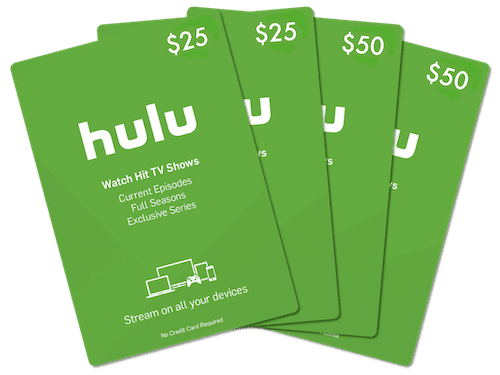
Hulu gift card

Method 2 – Use Statescard

Follow these three simple steps.

  1. Sign up with statescard.com and have your account verified (using email).
  2. Use a legal document (driver’s license/passport) and verify your identity.
  3. Transfer money into your Statescard using your bank or PayPal.

And…done, you’re ready to purchase Hulu. Isn’t it a bit too simple?

Statescard for Hulu Payment

Method 3 – Use PayPal US

This is my favorite method.

  1. Create a new PayPal US account using a VPN connection to a US server.
  2. Use a credit card that’s not being used for any other PayPal account, and sign up using the North American zip code.
  3. An address can be easily found on Google, they won’t be verifying so put whatever sounds good.

This method is my favorite because of its crispiness: it’s quick and hardly ever fails.

Method 4 – Ask Your US-based Family or Friend

A manual yet subjective way. If you’ve got a friend in the US, ask them to get a subscription for you. It’s subjective because you might not know anyone in the US.

Once you subscribe to Hulu using the above-mentioned methods, it becomes easy to watch Hulu.

Follow these easy steps to watch Hulu in Australia:

  1. Connect to a US-based VPN server using a ExpressVPN.
  2. Make sure that your device location is off.
  3. Visit Hulu, sign in, and start streaming in Australia!

If Hulu Australia devotees are willing to read a detailed guide on buying a Hulu Subscription, read our “How to Pay for Hulu Outside the US Without US Credit Card Guide“. Also, If you want to know how to troubleshoot the ‘We Can’t Verify Your Email’ error on Hulu, read this guide.

Can I Hulu in Australia with Free VPN?

While it seems like a good idea, it’s pretty bad.

A good chunk of these VPNs is already blacklisted. You’ll be at 24/7 risk as your data isn’t secure or encrypted. In fact, your data is sold to advertisers for fundraising and profiteering.

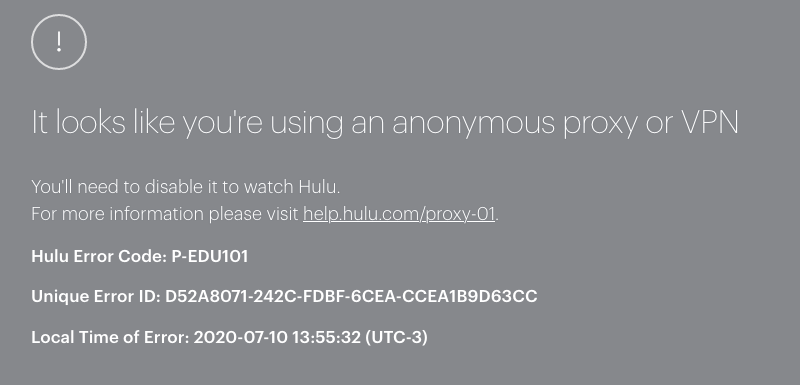
hulu-anonymous-proxy-error-while-using-a-free-vpn-service

Even if you find a decent provider, the restricted and inefficient servers would rather make you hate the ‘buffering’ Hulu. These slow speeds will, of course, bring viruses with them as well.

Are you safe? Definitely not.

Where Can I Watch Hulu in Australia?

Here is the list of devices where you can watch Hulu in Australia:

Now it’s time to know how to download the Hulu app on different devices.

How to Download Hulu on Your Devices in Australia?

There is no direct way to download the Hulu app on your devices in Australia due to app store regional availability restrictions.

However, by changing your device app store location from Australia to the US, you can download the Hulu app and stream your favourite that way you like it.

Based on your preferred device, follow these step-by-step instructions to download the Hulu app in Australia.

Hulu on Your Devices

How to Get Hulu in Australia on iPhone/iPad?

Here’s how to download Hulu on your iPhone/iPad in Australia:

  1. First, go to “Settings” on your iOS device, and click on your profile.
  2. Now tap on “Media & Purchases”, then tap on “View Account”. It will ask for your “Passcode” or “Touch ID” for verification. Enter your “Passcode” or “Touch ID”.
  3. Now tap on “Country/Region” -> “Change Country or Region”, then select the United States as your country.
  4. Once you select the United States, the “Terms and Conditions” page will open. Select “Agree” to proceed.
  5. Now enter all the required details. In the address section, you need to provide a USA address and postal code that you can easily find it on Google.
  6. Now enter “Done” and wait for the process.
  7. Once the process is complete, now your App Store region is changed to the USA. Go to the App Store and download the Hulu app.
  8. After downloading the Hulu app, open the VPN app, connect to the USA server, and start watching!

How to Get Hulu in Australia on Android?

Follow these steps to download the Hulu app in Australia on your Android devices:

  1. First, open the VPN app on your Android device and connect to the USA server.
  2. Now open the Play Store app and tap on the 3 bars located on the top left of the screen.
  3. Go to the “Account” section where you will find your name and country.
  4. Now select the USA as your country and enter all the required details.
  5. Once your region changes to the USA, you can download the Hulu app and start streaming in Australia.

How to Get Hulu in Australia Amazon Firestick/Fire TV?

Here’s how you can download Hulu in Australia on your Firestick/Fire TV device:

  1. Visit the Amazon website and log in to your existing account.
  2. Now click on the “Accounts & Lists” option and then click on “Your Accounts and Content.”
  3. Now change your region to the USA from Australia.
  4. Connect your Amazon Firestick device with your TV and then click on “Settings”.
  5. Log out or deregister your account and then sign in again.
  6. Now download the Hulu app and VPN app from the App Store.
  7. Open the VPN app and connect to the USA server.
  8. Open the Hulu app and start watching in Australia.

How to Get Hulu app in Australia on Apple TV?

If you have a Apple TV that is running on tvOS 17 or later, you can directly download the VPN app from App Store.

However, to download the Hulu app, you still need to change the App Store region from the US to Australia.

Follow these steps to download Hulu app on your Apple TV in Australia:

  1. First, go to “Settings” on your Apple TV, and click on your profile.
  2. Now tap on “Media & Purchases”, then tap on “View Account”. It will ask for your “Passcode” or “Touch ID” for verification. Enter your “Passcode” or “Touch ID”.
  3. Now tap on “Country/Region” -> “Change Country or Region”, then select the United States as your country.
  4. Once you select the United States, the “Terms and Conditions” page will open. Select “Agree” to proceed.
  5. Now enter all the required details. In the address section, you need to provide a USA address and postal code that you can easily find it on Google.
  6. Now enter “Done” and wait for the process.
  7. Once the process is complete, now your App Store region is changed to the USA. Go to the App Store and download the Hulu app.
  8. After downloading the Hulu app, open the VPN app, connect to the USA server, and start watching on your Apple TV.

How to Get Hulu App on Samsung Smart TV in Australia?

Follow these instructions to change your Samsung TV’s region and find the Hulu app.

Step 1: Reset the Smart Hub

First, you need to reset the Smart Hub to allow for a region change.

  1. On your TV, go to Settings.
  2. Navigate to Support, then Self Diagnosis.
  3. Select Smart Hub Reset.
  4. You will be prompted to enter your TV’s PIN. If you haven’t set one, the default is usually 0000.
  5. The reset process will begin.

Step 2: Change the Smart Hub Region

This is the most important part. You will need to use a specific sequence on your remote control.

  1. Open the Smart Hub by pressing the corresponding button on your remote.
  2. When the app screen is open, press the following sequence on your remote in quick succession: Fast Forward >> 2-8-9 << Rewind.
  3. A list of countries will appear on the screen.
  4. Scroll through the list and select the United States.
  5. Agree to the new Terms and Conditions. The Smart Hub will now restart.

Important Note: The remote control sequence can sometimes vary between different Samsung TV models. If the sequence above does not work, try searching online for “change region on [your specific Samsung TV model]”.

Step 3: Download the Hulu App

Once the Smart Hub has restarted, it will be set to the US region.

  1. Open the Apps section from the Smart Hub.
  2. Use the search icon to look for “Hulu“.
  3. Select the Hulu app and choose Install.

Once the Hulu app is installed, you need to set up a Smart DNS with your Samsung TV or directly or set up a VPN directly with your router.

How to Get Hulu in Australia on Roku, PlayStation, Xbox, and Nintendo Switch?

Using a VPN is a bit complex with streaming devices that do not support VPN apps such as Roku, Smart TVs (without Android), PlayStation, Xbox, and Nintendo Switch.

There are three ways to get Hulu in Australia on one of these devices. First, you can set up a Smart DNS on these devices and watch Hulu on these devices in Australia.

Or set up a VPN on your home router and then connect the home internet to stream Hulu Australia.

Or you can make your Desktop/PC virtual router and stream Hulu in Australia on these devices.

However, if you would rather not get into this VPN setup hassle, you can cast through Chromecast, AirPlay, or use Amazon Firestick to stream Hulu on a big screen in Australia.

What is the Cheapest Way to Watch Hulu in Australia Using a VPN

Here’s a streamlined summary of the cheapest Hulu plans, free trial options, and the most economical VPN to pair for streaming:

Hulu Plans & Free Trials

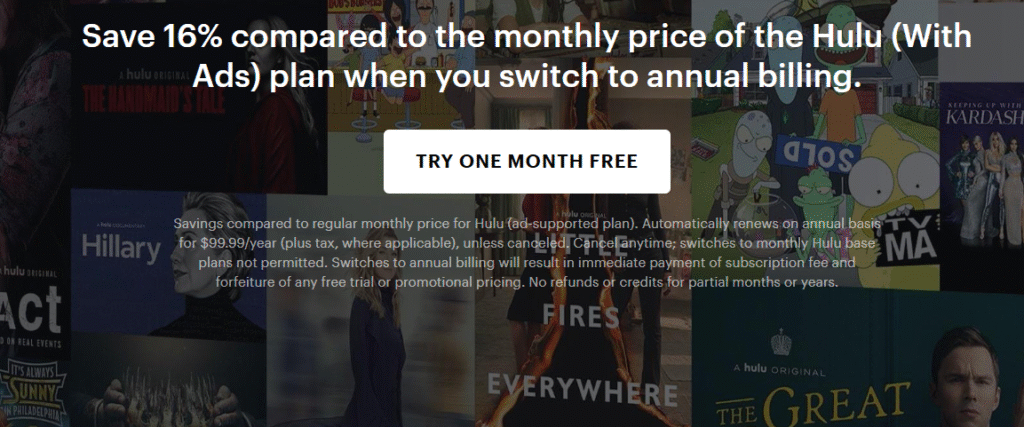
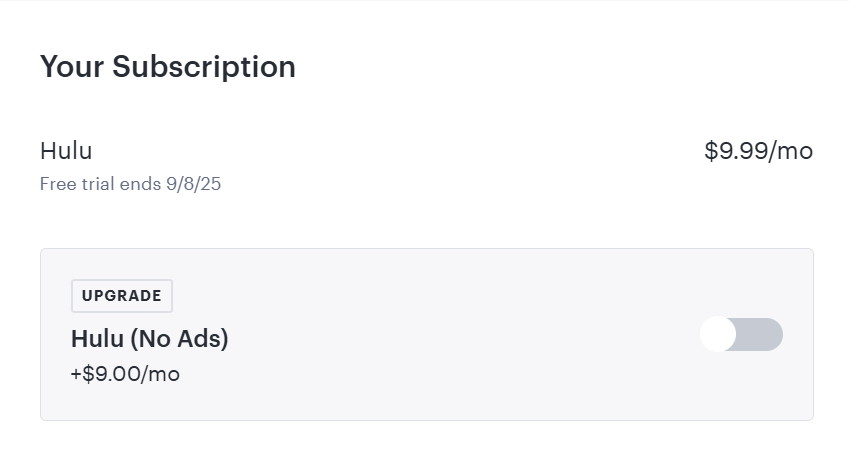
  • Hulu (With Ads) – US$9.99/month or US$99.99/year – Free 30-day trial available for new and eligible returning users 
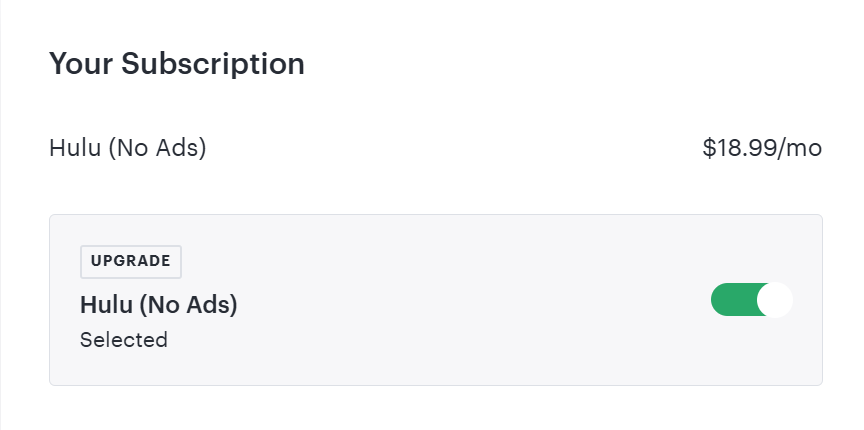
  • Hulu (No Ads) – US$18.99/month – No free trial 
  • Student Deal – Hulu (With Ads) for US$1.99/month (college students via Sheer ID) 
  • Annual Plan – Hulu (With Ads) at US$99.99/year (~US$8.33/mo) includes 30‑day trial

If we talk about VPN, ExpressVPN is offering the most economical VPN plan. ExpressVPN’s bi-annual plan is about 61% off, plus four months free. So combine your favourite Hulu plan and ExpressVPN’s steal deal to watch your favourite shows on Hulu without breaking your bank.  

Streaming Services Available in Australia Similar to Hulu 2025

Here are the best Hulu-like streaming options available in Australia in 2025 – covering general entertainment, originals, and niche content:

  1. Disney+ (with STAR hub)
  • Official Hulu equivalent in Australia: includes many Hulu originals via the STAR hub (e.g Solar Opposites, Helstrom) 
  • Pricing: AU $15.99/mo (HD) or $20.99/mo (4K + Dolby).
  • Why it’s like Hulu: Broad content slate, family-friendly movies, plus mature & FX/Hulu-style programming.
  1. Max (HBO’s home)
  • Launched 31 March 2025 in Australia 
  • Offers HBO blockbusters (The Last of Us, Euphoria), DC, Warner Bros., and Max originals.
  • Pricing: Ad tier ~AU $9.99/mo, Ad‑Free ~AU $16.99/mo 
  • Ideal for: Viewers seeking premium drama and cinematic storytelling (HBO style).
  1. Stan
  • Australia’s top local SVOD with strong originals (No Activity, Bump) and licensed US/UK dramas 
  • Pricing: Starts around AU $12/mo for HD theatre quality and no ads.
  1. Paramount+
  • Offers US content from CBS, Showtime, Nickelodeon, plus live sports 
  • Plans: Multiple tiers in Australia—Basic with ads, Standard, Premium (4K, live TV) 
  • Best if: You want a budget-friendly plan with a diverse library and some live entertainment.

Compare the Cost of Using a VPN to Watch Hulu vs. Subscribing to a Local Alternative

If you’re after US-exclusive content and don’t mind extra setup, VPN + Hulu can be worth it, especially with the cheaper ad-supported plan. The breakdown is as follows:

Option 1: VPN + Hulu

What You Need:

  • VPN Subscription (ExpressVPN costs about $14.99/month)
  • Hulu Subscription

Cost Breakdown (Monthly):

VPN: AUD $5–$15/month (average is around AUD $8–$10/month for reputable VPNs like NordVPN, ExpressVPN, or Surfshark)

Hulu:

  • With Ads: USD $7.99 ≈ AUD $12/month
  • No Ads: USD $17.99 ≈ AUD $27/month

Total Monthly Cost:

  • With Ads: ~$20–$25 AUD
  • No Ads: ~$35–$40 AUD

Option 2: Australian Streaming Alternatives

Stan:

  • Basic: $12/month
  • Standard (HD): $16/month
  • Premium (4K): $21/month

Binge:

  • Basic (SD, 1 stream): $10/month
  • Standard (HD, 2 streams): $18/month
  • Premium (HD, 4 streams): $22/month

Netflix Australia:

  • Standard with ads: $6.99/month
  • Standard (HD): $16.99/month
  • Premium (4K): $22.99/month

What Content Hulu Offers in 2025?

Hulu has great content (shows as well as movies), and that’s probably why you’re so interested in acquiring a subscription. Here are a few titles that have helped Hulu set the bar high:

  • Oscars
  • Devil in the Family: The Fall of Ruby Franke
  • Will Trent (through ABC)
  • Rick & Morty
  • The Rookie (through ABC)
  • Abbott Elementary (through ABC)
  • The Conners (through ABC)
  • Not Dead Yet (through ABC)
  • The Handmaid’s Tale
  • Culprits
  • Fargo
  • Anora
  • The Kardashians
  • ER
  • Black Cake
  • Reservation Dogs
  • Betrayal: The Perfect Husband
  • The $100,000 Pyramid
  • Celebrity Family Feud
  • Flamin’ Hot
  • A Small Light
  • Dying for Sex
  • Deli Boys
  • Am I Being Unreasonable
  • It’s Always Sunny in Philadelphia
  • It’s a Wonderful Binge
  • Back in The Groove
  • Matriarch
  • Grimcutty
  • Hellraiser
  • Best in Dough
  • The Murders Before The Marathon
  • The Patient
  • Woke
  • The Hardy Boys
  • Love, Victor
  • The Housewife and the Hustler
  • Under The Banner of Heaven
  • Good Luck to You, Leo Grande
  • The Bear
  • Not Okay
  • The Great
  • Fyre Fraud

And trust me, a lot more. Hulu is just a gift that keeps on giving—literally.

Troubleshooting Hulu Connection Issues in Australia Using a VPN

Hulu Detects the VPN (Error Code BYA-403-011 or Proxy Detected)

Hulu actively blocks VPNs, so this is the most common issue.

Fixes:

  • Switch Servers: Try a different US server within your VPN app.
  • Use a Streaming-Optimized Server: Many VPNs (like NordVPN, ExpressVPN, Surfshark) label servers optimized for Hulu or streaming.
  • Clear Cookies & Cache: Hulu may store location data in your browser. On Chrome: Settings > Privacy > Clear browsing data
  • Try Incognito Mode: This avoids cached data and extensions that may leak your real IP.
  • Contact VPN Support: Ask for the best Hulu-compatible server.

VPN Works, but Hulu Buffers or Loads Slowly

VPNs can slow down your connection, especially if you’re on distant or overloaded servers.

Fixes:

  • Connect to a Faster Server: Choose a server closer to the US West Coast for Australians.
  • Switch VPN Protocols: Try WireGuard (fastest), OpenVPN, or IKEv2 in your VPN settings.
  • Upgrade Your Plan: Lower-tier VPNs or ISPs may throttle your speed.

Hulu App Not Working on Smart TV or Device

Most Smart TVs, Firesticks, Apple TVs, etc. don’t support VPN apps directly.

Fixes:

  • Use Smart DNS (if your VPN supports it): This routes only streaming traffic through a US IP.
  • Set Up VPN on Your Router: This covers all devices but is more advanced.
  • Cast from a VPN-connected Device: Use Chromecast or AirPlay from your phone/laptop.

Payment or Account Access Issues

Hulu requires a US-based payment method.

Fixes:

  • Use a Hulu Gift Card: Buy from a reputable site like MyGiftCardSupply or PayPal Digital Gifts.
  • Set Up a US Apple/Google Account: For Hulu on mobile apps.

Use a Virtual US Card: Some services offer US billing addresses (e.g., Wise, Revolut).

Will Hulu Offers the same Content as the US Version?

Hulu cannot legally stream its content in Australia. Hulu’s US library includes many shows and movies licensed from other studios (like NBC, FX, HBO, etc.). In Australia, those rights are often already owned by local services like Stan, Binge, or Amazon Prime Video. If you’re after the full US Hulu experience, using a VPN will still be the only way.

What is the difference between Hulu and Disney Plus?

The main difference between Hulu and Disney+ is the type of content and target audience each platform serves. Plus, in Australia, Disney+ is available directly. Hulu requires a VPN and a U.S. payment method. The comparison is as follows:

FeatureHuluDisney+
Content FocusTV shows, network content, mature themesFamily-friendly, Disney-branded, franchise-heavy
Target AudienceAdults and general viewersFamilies, kids, Disney/Marvel/Star Wars fans
Content RatingIncludes TV-MA and R-rated contentMostly PG, PG-13, with some mature titles (US only)
OriginalsThe Handmaid’s Tale, Only Murders in the BuildingLoki, The Mandalorian, WandaVision
Live TV OptionYes (via Hulu + Live TV)No
Add-ons (HBO, etc.)AvailableNot available
Bundling OptionsBundled with Disney+ and ESPN+Bundled with Hulu and ESPN+
Geographic AvailabilityU.S. only (unless using a VPN)Available in 60+ countries (including Australia)

When is Hulu Coming to Australia?

Hulu essentially is a US-based TV streaming and video-on-demand (VOD) service with over 38.8 million users. Since its inception in 2007, Hulu has made its way through the fierce competition of Netflix and the likes by creating great content.

Disney – Hulu’s owner – announced in December 2020 that they’ll be rolling out Hulu’s content through Disney+ using a side channel called Star. This clears the air for one thing at least: Hulu isn’t coming anytime soon.

Still, if you’re comfortable with this brand – which after all is a part of Disney+, just like Star – you can use the VPN services above and stick to watching Hulu!

FAQs

Is Hulu on Disney Plus in Australia?

No, Hulu is not directly available on Disney Plus in Australia. However, some Hulu content is accessible through the Disney Plus Star library.

Is the Hulu channel free?

No, Hulu is not free. It offers subscription plans starting at $9.99 USD/month with ads, or $15.79 USD/month for an ad-free experience.

Is it necessary to use a VPN to access Hulu in Australia?

Yes, without a VPN you cannot access Hulu in Australia. The service is not available outside the USA. Changing the IP address using a VPN would enable you to access Hulu in Australia.

Does Hulu have a free trial?

Hulu has a 30-day free trial for new users. You can avail by using VPN to appear from the region (i.e., USA), and enjoy the free trial of the streaming service.

Conclusion

Had a fun ride? Well, now it’s time to relax. But before that:

Go to Expressvpn.com and get your membership ASAP. Head over to statescard.com and get your Hulu subscription.

Furthermore, once done with that, grab a cold one, lean back on your couch, turn on your VPN, and enjoy watching Hulu from Australia in the most legitimate way possible!

How to Watch ABC America in Australia [2025 Guide]

Watch ABC America in Australia

To watch ABC American in Australia, you need a stable internet connection, a device, and the cherry on top: a VPN.

In this article, I’ll guide you through the process by which you can unblock ABC from Australia or anywhere in the world. VPN is the one ring to rule them all.

What is ABC and is It Available in Australia?

The American Broadcasting Company or ABC is a channel owned by Disney. Launched in 2009, ABC is a top brand, broadcasting shows like American Idol, The Rookie, Gray’s Anatomy, and 20/20, which have substantial international audiences.

Watch ABC American in Australia

ABC is a free channel to access – it’s not subscription-based. It makes money via advertisements, mostly as people aren’t paying anything. The audience can even get themselves registered, though it’s not a compulsion.

The unfortunate part is that ABC broadcasts its stellar content in the US only – it’s geo-restricted due to licensing issues, mainly. 

Of course, this causes frustration among international audiences who want to watch shows like Jimmy Kimmel Live. Sometimes, they’re not even foreign nationals. They’re the same Americans sitting outside the US and just don’t want to miss their favourite shows.

There’s only one reliable unblock geo-blocked content; let’s look at it.

How to Watch ABC in Australia Online with a VPN

So, it happens to be that there’s this secret charm that can bring ABC from the US to you in Australia in seconds if done right. This charm is, as your smart self has already guessed, the Virtual Private Network or VPN.

Here’s a step-by-step walkthrough for this charm:

  1. Purchase a VPN subscription. ExpressVPN works best with ABC.
  2. Download the VPN app and sign in.
  3. Now connect to a US-based server.
  4. Visit abc.com to stream content directly (may require a U.S. cable provider login).
  5. Alternatively, sign up for Hulu, YouTube TV, or Sling TV to access ABC through their platform.

Offers 30-day money-back guarantee!

Also Read: How to Watch Hulu in Australia

Let’s look at some of the best VPNs to watch ABC in Australia.

Best VPN for ABC in Australia

These picks depend on their ability to form multiple connections, server speed, and most importantly, their customer feedback and trust. You’ll understand why each is important.

ExpressVPN will always be my top choice, given their extraordinary speedy servers and integrity in handling sensitive information about their users’ search history. Many free VPN services are careless and sell user data to sustain their business.

ExpressVPN, however, offers foolproof security. It has:

  • an ability to form 5 multiple connections (5 different devices at once)
  • more than 30,000 IP addresses to supplement your online privacy
  • more than 3000 servers in 94+ countries
  • a strict no-log policy (not saving your search history and personal info)
  • a highly rated consumer satisfaction for streaming HBO Max, Peacock TV, Hulu, and more
  • a loved 24/7 customer support

The best thing about ExpressVPN is that its servers are efficient and expensive ones. Free VPNs connect you to their busy servers, slowing down video streams.

Offers 30-day money-back guarantee!

2. NordVPN

NordVPN is an equally respectful service. With extra-tight security using a ‘Double VPN’ feature, supersonic servers, and the following list of features, NordVPN is a promising candidate:

  • highly affordable annual rates (most affordable brand)
  • ability to connect up to 6 devices at once
  • 5000 servers in 52 locations (a massive worldwide network)
  • a ‘Quick Connect’ button that connects you to the fastest server in a second
  • a proven no-log privacy (confirmed)

Is ABC America Available in Australia?

No, ABC America isn’t available in Australia due to streaming rights. However, if you want to access ABC America in Australia, you can do it using a quality VPN like ExpressVPN.

How a VPN Lets You Watch ABC in Australia

When you try to connect to ABC’s website, it satisfies all the provisions in its algorithm then lets you access its content. Like you can program almost anything, some websites are programmed to be region-specific – or have a region requirement.

If you’re from the allowed region, the site grants you access. If you’re an outsider, the site denies access – some nicer websites apologize for this by displaying a message.

So, how does ABC’s website know your location? It looks at your IP address that contains information about your location – VPN is just the tool for that. It masks your Australian IP as an American IP, which satisfies ABC’s region requirements.

Your VPN connects you to a US-based server, which masks your IP. You can use this method to unblock any streaming service or banned site safely – however, only as long as you’re using a paid and trusted VPN service.

Along with putting you at risk of getting caught by law enforcement or your ISP, a free VPN does a million bad things. For safety, let’s look at them, too.

Offers 30-day money-back guarantee!

Can I Watch ABC America with Free VPN?

While businesses can’t sustain themselves without money, free VPNs claim to do so. The reality behind this claim is that they sell your information to advertisers, ISPs, and other businesses in exchange for money.

This way, you keep using it for free; they keep gaining your info and selling it for profit. What a wretched and lucrative business, right? Yes, for them, it is. But for you, it’s absolute destruction.

Even if you choose to disregard this fact as a conspiracy theory, visible performance differences will frustrate you to the point where you will have no choice but to purchase a premium VPN service.

The two most significant downsides of using a free VPN are a disappointingly massive number of ads and extremely slow servers.

This speed issue is mostly because of the enormous traffic on their servers. Server connections are widely unstable and unreliable, leaving you with a bad streaming experience. 

What Devices Support ABC in Australia?

Like the VPNs above (ExpressVPN, NordVPN, and PrivateVPN), the ABC app is also available on a lot of devices such as:

  • Windows and Android devices
  • MacOS, iOS, and Apple TV
  • Samsung SmartTV (Tizen)
  • Amazon Fire TV
  • Chromecasts

While there’s a 99% chance that you’ll be using one or more of the above devices, you can still access ABC content on their website using a web browser on any operating system.

By the way, before purchasing the VPN subscription, ensure its availability on the device that’s going to play ABC for you.

Best Shows/ Movies to Watch on ABC in Australia Online

Alright – we have purchased the VPN, downloaded it, and opened the site. What next? It’s watch time.

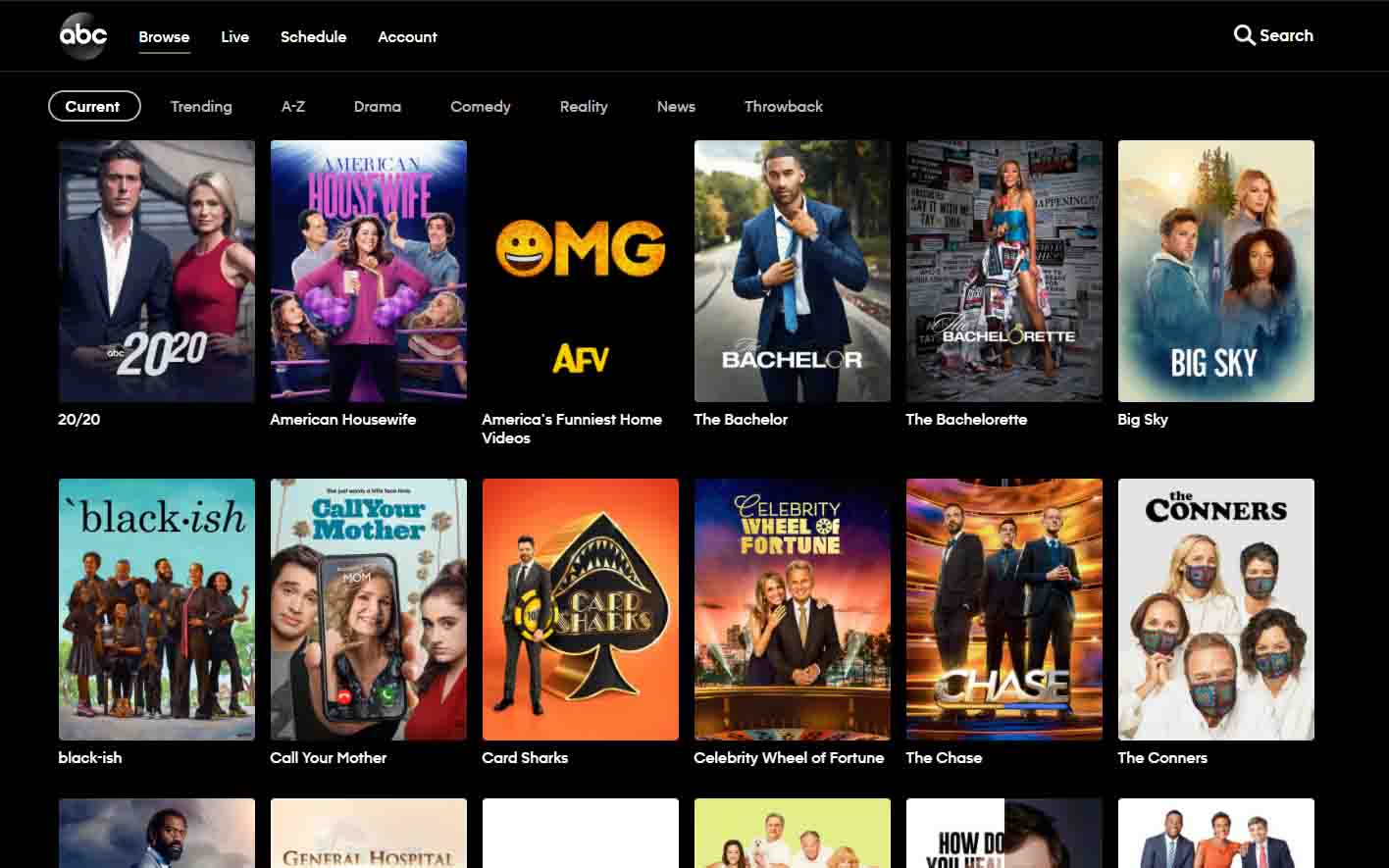
There’s a good chance that you already have a lot in mind to watch, but in case not, here are my suggestions for the best ABC content:

  1. 9-1-1
  2. The Rookie
  3. Will Trent
  4. Abbott Elementary
  5. The Conners
  6. Not Dead Yet
  7. 2023 iHeartRadio Jingle Ball
  8. CMA Awards
  9. The $100,000 Pyramid
  10. Celebrity Family Feud
  11. The Chase
  12. The Wonder Years
  13. Jimmy Kimmel Live 
  14. The Bachelorette
  15. Gray’s Anatomy
  16. Station 19
  17. Black-ish
  18. The Bachelor
  19. American Housewife 
  20. The Good Doctor
  21. Celebrity Family Feud
  22. The Goldbergs
  23. Oscars

Like Gray’s Anatomy, ABC originals will entice you to the point where you will want to unwatch it and then re-watch it.

FAQs

How do I stream ABC for free?

ABC America is not directly available in Australia. To stream it, use a VPN to connect to a U.S. server and access the ABC website or app. Some ABC shows may also be available on Australian streaming platforms like Stan or Binge, which require a subscription.

Where can I watch season 7 of The Rookie in Australia?

You can watch The Rookie Season 7 in Australia on ABC via a VPN by connecting to a US server. Alternatively, stream it on Hulu or Disney+ Star, depending on availability. A reliable VPN ensures seamless access to these platforms.

Can I get ABC app without TV provider?

No, the ABC America app requires a U.S. TV provider for full access. In Australia, use a VPN to access free content on the app or watch ABC shows on local platforms like Stan or Binge.

Conclusion

Congratulations, you now know the process to watch ABC in Australia.

You can call this process straightforward because it was. Let’s recall it: Purchase an ExpressVPN subscription, then go to ABC.com, and then finally start watching.

Just be sure not to go for a free VPN otherwise, you will be risking your private information and data – something you don’t want to do in 1,000,000 years.

Be safe and have fun!

How to Get Hulu Free Trial in Australia [2025 Guide]

Get Hulu Free Trial

Tired of finding out the ways to get Hulu free trial in Australia? So it is possible to watch a 30-day free trial of Hulu. You just have to subscribe to a VPN on your device and get registered on Hulu for a 30-day free trial only for new users.

In this blog, you will find ways to watch a free trial of Hulu in Australia along with all the deals. Hulu is the best service from an American platform. Where you can watch all your favourite movies and shows.

It is important for you to know that Hulu is unavailable in Australia, that’s why you have to register yourself on a premium VPN like ExpressVPN.

Is There a Free Trial for Hulu in Australia in 2025?

No, Hulu does not offer a free trial directly in Australia in 2025. Its service remains officially restricted to the US. However, there is a way to access a 30-day Hulu free trial in Australia indirectly with a high- quality VPN like ExpressVPN, Surfshark, or NordVPN. 

New users can activate a 30-day free trial of Hulu (ad-supported plan) after entering a U.S. IP, U.S. ZIP code, and a valid U.S. payment method such as a virtual card or gift card.

How long is Hulu Free Trial?

Hulu is an American streaming service that offers you a wide list of content and it offers you a 30-day free trial.

Hulu 30 Day free Trial

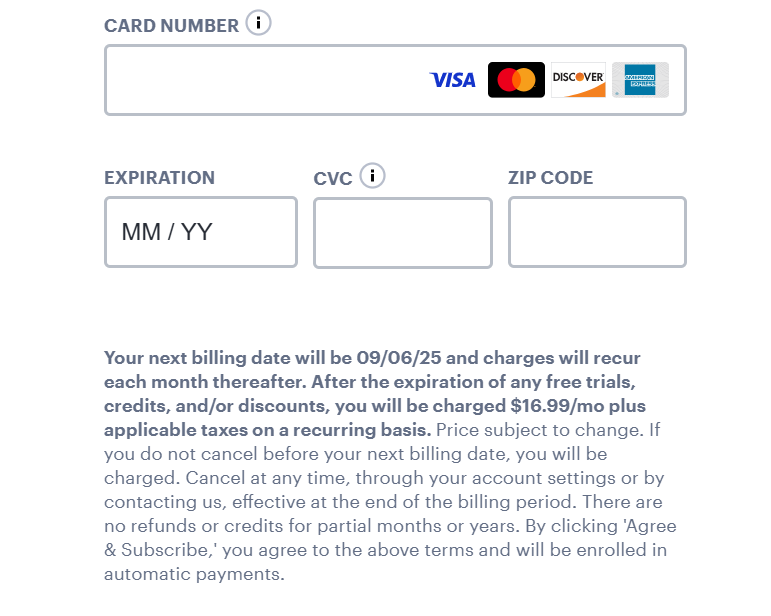
After signing up for Hulu, the new subscribers can enjoy the best Hulu movies, Hulu shows, and even everything new on Hulu for free for 30 days. Once the free trial of Hulu is over, users are charged on a monthly basis as per their subscribed plan.

How to Get a Free Hulu Trial in Australia?

To try Hulu for free from Australia, you’ll need to connect via a VPN and sign up using the U.S. site. You will have to enter US billing info like a U.S. IP, U.S. ZIP code, and a valid U.S. payment method such as a virtual card or gift card.

How to Sign Up for Hulu Free Trial in Australia

To sign up for a Hulu free trial, follow these steps:

  • Register yourself with a VPN i.e. ExpressVPN and change your IP address to a US server.
  • Visit the Hulu website (www.hulu.com) on your web browser.
  • Click on the “Start Your Free Trial” button on the homepage.
  • Select a plan: Hulu (with ads), Hulu (no ads), or Hulu + Live TV.
  • Enter your email address, a strong password, and your personal details, including your name and birth date.
  • Choose your payment method. You will need to provide a valid credit card or PayPal account.
  • Review and confirm your information and agree to the terms and conditions.
  • Click on “Submit” to start your free trial.

Once you complete the signup process, you can start streaming movies and TV shows on Hulu right away. You will not be charged for the first 30 days of your subscription.

After the free trial period ends, your subscription will automatically renew at the regular monthly price unless you cancel it before the trial ends.

Hulu Free Trial

Best Hulu Plans with Free Trial Australia 2025

Here are the best Hulu plans that come with free trials in 2025—ideal if you’re signing up from outside the U.S. (using a VPN):

Hulu (With Ads) – 30-Day Free Trial

  • Free Trial: Yes – 30 days
  • Monthly Cost After Trial: $7.99 USD
  • What’s Included: Access to Hulu’s full on-demand library (TV shows, movies, originals) with ads
  • Best For: Budget users who want to test Hulu’s content at the lowest cost
  • Note: Can use Hulu gift cards or virtual U.S. cards for signup internationally

Hulu + Live TV (With Ads) – 3-Day Free Trial

  • Free Trial: Yes – 3 days
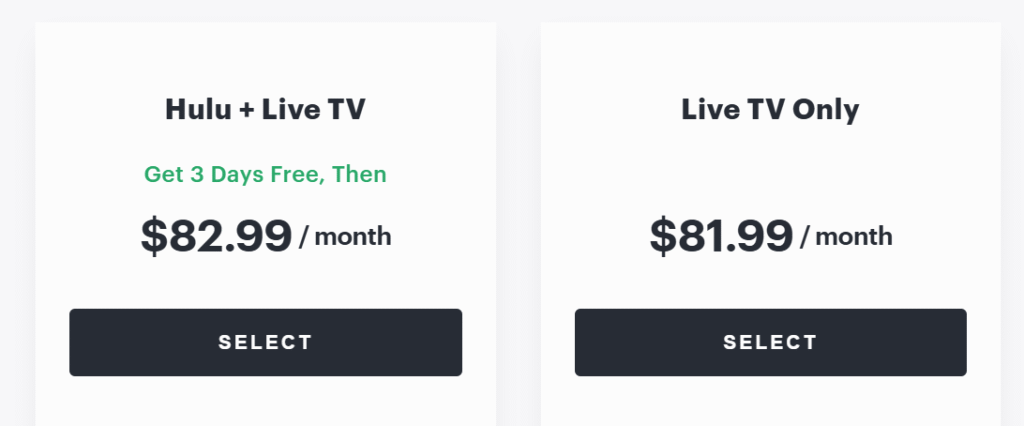
  • Monthly Cost After Trial: $76.99–$82.99 USD (price varies with bundling)
  • What’s Included: Hulu (on-demand) + 90+ live U.S. TV channels + Disney+ and ESPN+
  • Best For: Users who want both on-demand content and U.S. live TV
  • Note: Available only with the ad version

What Plan Should you Choose to Get Hulu Free Trial in Australia?

To get a Hulu free trial, you can choose any of the available plans on the Hulu website during the signup process. Hulu typically offers a 30-day free trial for new subscribers, regardless of the plan they choose. The available plans are:

  • Hulu (with ads): This plan costs US$9.99 (AUD 15.35) per month and includes access to the entire Hulu streaming library with limited ads.
Hulu (with ads) Plan
  • Hulu (no ads): This plan costs US$18.99 (AUD 29.17) per month and includes access to the entire Hulu streaming library without ads.
Hulu (no ads) Plan
  • Hulu + Live TV: This plan costs US$82.99 (AUD 127.75) per month and includes access to the entire Hulu streaming library, along with live TV channels from major networks.
Hulu + Live TV Plan

Regardless of which plan you choose, you will be able to enjoy the free trial for 30 days. After the free trial period ends, your subscription will automatically renew at the regular monthly price unless you cancel it before the trial ends.

But remember that you have to subscribe for a premium VPN like ExpressVPN to use Hulu in Australia.

Offers 30-day money-back guarantee!

What is the Cheapest Hulu Pricing Plan After Free Trial?

The cheapest Hulu pricing plan after the free trial is the “Hulu (with ads)” plan, which costs $79.99 (118.3 AUD) for a year.

This plan includes access to the entire Hulu streaming library with limited ads. If you are on a budget and don’t mind watching some ads, this plan can be a great option for you.

However, please note that Hulu’s pricing and plan offerings are subject to change, so the cheapest pricing plan may be different in the future. It’s always a good idea to check Hulu’s website for the most up-to-date pricing and plan information.

What Content Can I Stream on Hulu Free Trial in Australia?

With a Hulu free trial, you can stream a wide range of movies, TV shows, and original programming available on the platform. The specific content available to you will depend on the plan you choose, but all plans include access to Hulu’s extensive library of TV shows and movies.

Here are some examples of popular TV shows and movies you can stream on Hulu:

TV Shows:

  • The Handmaid’s Tale
  • Brooklyn Nine-Nine
  • It’s Always Sunny in Philadelphia
  • Atlanta
  • Fargo
  • The Good Place
  • This Is Us
  • The Mindy Project
  • Family Guy
  • South Park

Movies:

  • Parasite
  • Palm Springs
  • The Social Network
  • Booksmart
  • Little Women
  • Bridesmaids
  • The Matrix
  • The Shawshank Redemption
  • Goodfellas
  • The Princess Bride

Hulu also offers original programming, including series like The Handmaid’s Tale, Shrill, Pen15, and many more.

How to Cancel Hulu Subscription During Your Free Trial

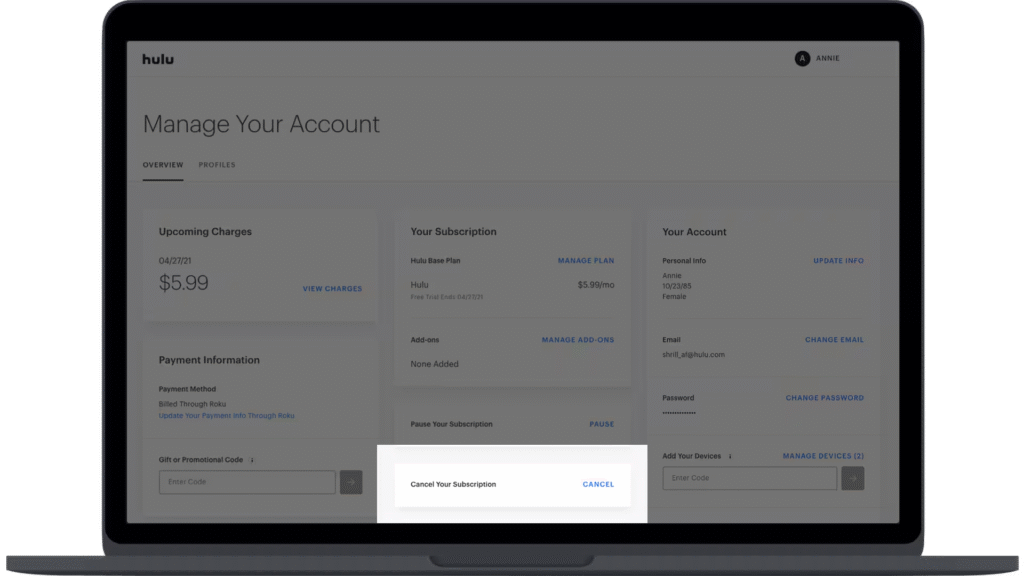
To cancel your Hulu subscription during your free trial, follow these steps:

  • Go to the Hulu website and log in to your account.
  • Click on your account name or profile picture in the top right corner of the screen.
  • Select “Account” from the drop-down menu.
  • Scroll down to the “Cancel Your Subscription” section and click on “Cancel” next to “Your Subscription”.
  • Follow the instructions on the screen to confirm that you want to cancel your subscription.

Once you cancel your subscription, you will still be able to access Hulu content until the end of your free trial period. After that, you will no longer have access to Hulu’s streaming library or services.

Compare the Hulu free trial vs. Netflix free trial in Australia.

If you’re looking for a free trial in Australia, Hulu via VPN is the only major option. Netflix is easy to access but has no free trial.

FeatureHulu (US-only)Netflix (Australia)
Free TrialYes (30 or 3 days)No
Requires a VPN in AustraliaYesNo
Trial Available in AUOnly via VPN workaroundYes (but no trial)
Payment MethodU.S. method/gift cardAny AU credit/debit card
Content AccessU.S. TV & Hulu OriginalsInternational + local

Is there a Hulu free trial Australia cancellation policy?

Hulu’s free trial cancellation policy allows immediate cancellation without charges, but access ends immediately upon cancellation. So it’s best to wait until the final day of the trial before canceling if you want to make the most of it.

ScenarioAccess Ends Immediately?Avoid Charge?
Cancel during a free trialYesYes (no charge)
Cancel after a trial has convertedNo (service continues)No refund

What are the different alternatives to Hulu with free trials in Australia?

If you’re exploring streaming in Australia in 2025 and would like a trial-based option, go with Stan (30-day trial) or Prime Video (30-day trial via Prime). For low-cost streaming offering exclusive network content, Paramount+ is an excellent trial-friendly choice.

PlatformFree Trial LengthMonthly Price (Lowest Tier)Content Highlights
Stan30 daysA$12 (Basic, ADS) / A$17+Local originals, starter international shows
Binge7 daysA$10 (Basic, with ads)HBO content (excluding new Max exclusives), reality, movies
Amazon Prime Video30 daysA$9.99 (Prime includes VOD)Originals, movies, shopping perks
Paramount+7 daysA$6.99 (Basic, ads)CBS/HBO/Warner content, live sports & originals
Apple TV+7 days (or 3 months with device)A$12.99High-quality original series
BritBox7 days~A$13.99British dramas and classics
Hayu7 daysA$7.99Reality TV (Real Housewives, docu-series)
Shudder7 daysA$7.99Horror and thriller titles
Kayo Sports14 daysA$25–35Live sports streaming—AFL, cricket, etc.

Frequently Asked Questions

What are the Hulu free trial eligibility requirements in Australia?

There are no eligibility requirements as Hulu is unavailable in Australia.

Is there a Hulu free trial available in Australia for students?

No, Hulu does not currently offer a free trial specifically for students, including in Australia. However, eligible U.S. college students can access Hulu’s student discount, which reduces the ad-supported Hulu plan to just USD $1.99/month. This discount does not include a free trial.

Can I get a Hulu free trial if I already had one before in Australia?

If you’ve already enjoyed a Hulu free trial, you’re unlikely to qualify for another, even via a U.S. access route. To sign up, you’ll have to pay immediately unless you’re eligible through a bundle or other promotion.

Ending Note

To get a Hulu free trial in Australia, you’ll need to use a reliable VPN to connect to a U.S. server, then sign up on Hulu’s official site. Hulu typically offers a 30-day free trial for its ad-supported plan to new users. You’ll also need a valid U.S. payment method like a Hulu gift card or virtual prepaid card to complete registration.

How to Get ITVX (ITV Player) on Android in Australia

Watch ITVX on Android in Australia

Are you stuck and looking for ways how to get ITVX (ITV Player) on Android in Australia? 

I know it’s a bit of a problem, and requires some attention. But don’t worry as I have just the solution to your worry. 

ITV is a British television network that operates several channels, including ITV, ITV2, ITV3, ITV4, and CITV. It offers a catch-up service called ITVX, which allows viewers to watch recently aired programs on-demand. 

ITVX provides access to a wide range of content from ITV’s channels, including TV shows, movies, and sports events.

Regrettably, in Australia, accessing ITV is limited due to geographical restrictions. To overcome this, you’ll need to obtain a VPN subscription and adjust your App Store Region to the UK. 

Let’s delve deeper for additional details.

How to Get ITVX (ITV Player) on Android in Australia?

Here’s how you can get ITVX in Australia on your Android:

  1. First, choose a reliable VPN and Install and connect to the UK server.
  2. Change your Play Store region to the UK.
  3. Open the Google Play Store on your Android device.
  4. In the search bar at the top, type “ITVX” and press Enter.
  5. From the search results, locate the official ITVX app. It should be listed as “ITVX – The Home of ITV” and have the ITV logo.
  6. Tap on the app to open its page.

Offers 30-day money-back guarantee!

How Do I Install ITVX on My Android Device?

To install ITV Player on Android:

  • Click the “Install” button to download and install the ITVX app on your Android device.
  • Once the installation is complete, you can find the ITVX app on your device’s home screen or in the app drawer.
  • Launch the ITVX app by tapping on its icon.
  • Upon opening the app, you may need to create an account or sign in using your existing ITV account.
  • Once signed in, you can browse through the available shows, catch up on recent episodes, and access other content provided by ITV.

Which Android Version Will You Need to Watch ITVX (ITV) in Australia?

To ensure compatibility with the latest apps and services, it is generally recommended to have a relatively recent Android version installed on your device.  

Android versions like Android 9 (Pie), Android 10, and Android 11 were commonly used.

FAQs

Yes, the official app for accessing ITV’s catch-up service on Android is called ITVX. It allows you to watch recently aired programs on-demand.

To download the ITVX app on your Android device, follow these steps:

  • Open the Google Play Store.
  • Search for “ITVX” in the search bar.
  • Locate the official ITVX app and tap on it.
  • Tap the “Install” button to download and install the app on your device.

Conclusion

In summary, successfully getting the ITVX player on your iPhone from Australia involves following a simple process. 

Utilizing a VPN service allows you to virtually link to a UK-based server, effectively circumventing location-based limitations and providing you with a seamless experience of ITVX’s content.

How to Get ITVX on iPhone/ iPad in Australia

Watch ITVX on Iphone/Ipad in Australia

Are you trying to know how to get ITVX (ITV Player) on iPhone/iPad in Australia? The streaming service with its great content lineup is a must-have! 

But integrating it on Apple devices can be extra pain. What if we told you we would take care of all your worries in this read? 

ITVX, formerly known as ITV Player, is an online streaming service provided by ITV, a popular television network in the United Kingdom. It allows viewers to watch a wide range of content. 

It includes TV shows, movies, and sports events, from ITV’s channels on-demand. The service is available on various platforms, such as smartphones, tablets, smart TVs, and web browsers.

The most important thing to remember is that you have to subscribe to a VPN and change some settings in the App Store Region. Let’s drive in for more information.

How to Stream ITVX (ITV Player) on iPhone/iPad in Australia?

To access ITVX (ITV Player) on your iPhone or iPad, you can follow these steps:

  • To open it in Australia choose a safe VPN and change your server to the UK.
  • Change your App Store region to the UK.
  • On your iPhone or iPad, locate and open the App Store. The App Store icon resembles a blue “A” made from a pencil, paintbrush, and ruler.
  • Tap on the search tab at the bottom of the screen and enter “ITVX” or “ITV Player” in the search bar.
  • Look for the official ITVX app in the search results. It should have the ITV logo and the name “ITVX” listed. Tap on the app to view more details.

Offers 30-day money-back guarantee!

How Do I Install ITVX (ITV Player) on My iPhone or iPad?

Here are the steps to install the ITVX app on your iPhone or iPad:

  • Locate and open the App Store on your iPhone or iPad. You can find the App Store icon, which resembles a blue “A” made from a pencil, paintbrush, and ruler.
  • Tap on the search tab at the bottom of the screen and type “ITVX” into the search bar.
  • Look for the official ITVX app in the search results. It should display the ITV logo and the name “ITVX.” Tap on the app to view more details.
  • On the app’s page, tap the “Get” or “Install” button. You might be prompted to enter your Apple ID password or use Touch ID/Face ID to authenticate the download. Once verified, the app will begin downloading and installing on your device.
  • Once the installation is complete, you can find the ITVX app on your home screen or in your app library. Tap on the app icon to launch it.
  • When you open the ITVX app for the first time, you will be asked to sign in or create a new account. Follow the instructions on the screen to sign in using your existing ITV account or create a new account if you don’t have one.
  • After signing in, you can explore the available content within the ITVX app and begin streaming your preferred shows, catch-up episodes, or live broadcasts on your iPhone or iPad.

Which iPhone or iPad Version Will You Need to Watch ITVX (ITV Player) in Australia?

The ITVX app is compatible with a wide range of iPhone and iPad models. 

The specific device requirements may vary depending on the version of the app and any updates released since my knowledge cutoff.

Generally, the app should be compatible with iPhones and iPads running iOS 11 or later.

How to Fix if ITVX (ITV Player) is Not Working on the iPhone or iPad in Australia?

  • Check your internet connection: Ensure that your iPhone or iPad is connected to a stable internet connection, either through Wi-Fi or cellular data. Try accessing other websites or apps to confirm if the issue is specific to the ITVX app or related to your internet connection.
  • Restart the app: Close the ITVX or ITV Hub app completely and relaunch it. This can help resolve temporary glitches or issues with the app.
  • Update the app: Check if there are any available updates for the ITVX app. Outdated versions of the app may encounter compatibility issues or bugs. Open the App Store, go to the “Updates” tab, and check if there is an update available for the ITVX or ITV Hub app. If an update is available, tap the “Update” button to install it.
  • Restart your device: Restarting your iPhone or iPad can help resolve various software-related issues. Try turning off your device, wait for a few seconds, and then turn it back on.

Conclusion

To conclude, accessing the ITV player on your iPhone while in Australia can be achieved through a few straightforward steps. 

By using a VPN service, you can virtually connect to a server in the UK, effectively bypassing geographical restrictions and enabling you to enjoy ITVX’s content seamlessly. We hope this article is worth reading.

How to Cancel ITVX Subscription in Australia

Cancel IVTX subscription in Australia

Are you wondering about the procedure how to cancel ITVX (ITV Player) subscription in Australia? 

Fret not, as we’re here to address your concerns in this blog. This article outlines the necessary steps for cancelling your ITVX (ITV Player) subscription.

ITVX (formerly referred to as ITV Player) stands as a video-on-demand (VOD) platform delivered by the UK-based ITV television network. 

This service enables UK audiences to access a range of ITV’s content, encompassing television series, films, and sporting occasions, on their computer, handheld device, or smart TV.

The offering is accessible at no cost, though viewers are required to sign up for an account and furnish their postal code to verify their UK location. Additionally, the service presents a premium subscription alternative known as ITVX premium.

The premium plan allows users to watch ad-free content and download shows for offline viewing.

How to Cancel ITVX if subscribed through ITV Website in Australia?

If you subscribed to ITVX Premium through the ITV website and wish to cancel your subscription, you can follow these steps:

  • Go to the ITVX website and sign in to your account.
  • Click on your name in the top right-hand corner of the screen and select “My Account” from the drop-down menu.
  • Under the “ITVX Premium” section, click on “Cancel my subscription.”
  • Follow the on-screen instructions to confirm the cancellation of your subscription.
  • Once you have cancelled your subscription, you will still have access to the ITVX Premium service until the end of your current billing period.

How to Cancel ITVX if Subscribed through Apple TV in Australia?

If you subscribed to ITVX Premium through Apple TV and wish to cancel your subscription, you can follow these steps:

  • On your Apple TV, go to the home screen and select “Settings.”
  • Select “Users & Accounts” and then select your account.
  • Select “Subscriptions” and then select “ITVX Premium.”
  • Select “Cancel Subscription” and follow the on-screen instructions to confirm the cancellation.

How to Cancel ITVX Subscription on iPhone in Australia?

To cancel your ITVX Premium subscription on an iPhone, you can follow these steps:

  • Go to the “Settings” app on your iPhone and tap on your name at the top.
  • Tap on “Subscriptions” and select “ITVX Premium.”
  • Tap on “Cancel Subscription” and follow the on-screen instructions to confirm the cancellation.
  • Once you have cancelled your subscription, you will still have access to the ITVX Premium service until the end of your current billing period.

How to Cancel an ITVX Subscription through the Google Play Store in Australia?

To cancel your ITVX Premium subscription through the Google Play Store, you can follow these steps:

  • Open the Google Play Store app on your Android device.
  • Tap on the three horizontal lines in the top left corner of the screen and select “Subscriptions” from the menu.
  • Select “ITVX Premium” from the list of subscriptions.
  • Tap on “Cancel Subscription” and follow the on-screen instructions to confirm the cancellation.

How do I Cancel My Subscription on ITVX with Amazon Fire TV Stick in Australia?

To cancel your ITVX Premium subscription on Amazon Fire TV Stick, you can follow these steps:

  • From the home screen of your Amazon Fire TV Stick, navigate to the “Settings” menu.
  • Select “Applications” and then select “Manage Installed Applications.”
  • Scroll down to “ITVX or ITVX Premium” and select it.
  • Select “Clear data” and confirm the action when prompted.
  • Once you have cleared the data, restart the ITVX app.
  • Sign in to your ITVX account and select “My Account” from the menu.
  • Select “Cancel my subscription” and follow the on-screen instructions to confirm the cancellation.

Frequently Asked Questions

Conclusion

ITVX is easily accessible in Australia. There are a vast number of channels which you can subscribe to after cancelling ITVX (ITV Player). We will be grateful if these steps work for you.

How to Get Channel 4 on Android in Australia

Watch Channel 4 on Android in Australia

You’re probably exhausted from trying to figure out how to get Channel 4 on Android in Australia.

But don’t stress! 

Today, you’ll discover all the details you need to get Channel 4 on your Android.

Channel 4 is a British public-service television broadcaster that has been operating since 1982. It is one of the main terrestrial television channels in the United Kingdom and is known for its diverse and innovative programming. 

To access it in Australia you need to register yourself with a safer VPN and also you have to change your Play Store location to the UK. Let’s move on to further information.

How to Get Channel 4 on Android in Australia?

To access Channel 4 in Australia on Android, you can follow these steps:

  • Register yourself with a VPN and change the location to the UK.
  • Open Google Play Store and change region to UK.
  • Open the Google Play Store app on your Android device.
  • Search for the “All 4“ App: In the search bar, type “All 4” and press enter. The search results will display relevant apps.

Offers 30-day money-back guarantee!

How Do I Install Channel 4 on My Android Device?

To install Channel 4 on your Android device, you can follow these steps:

  • Locate and open the Google Play Store app on your Android device. The Play Store app is typically pre-installed on most Android devices.
  • In the search bar at the top of the Play Store, type “Channel 4” and press the enter key or tap the search icon. The search results will display relevant apps.
  • Look for the official Channel 4 app, which is provided by Channel Four Television Corporation, and tap on it to open the app’s page in the Play Store.
  • On the Channel 4 app’s page, you will see an “Install” button. Tap on it to initiate the installation process. The Play Store may ask for necessary permissions before proceeding with the installation. Review the permissions and tap “Accept” to continue.
  • The Play Store will download and install the Channel 4 app on your Android device. The installation progress will be displayed, and once it’s complete, the “Install” button will change to an “Open” button.
  • Tap the “Open” button to launch the Channel 4 app on your Android device. You can also find the Channel 4 app icon in your app drawer and tap on it to open the app.
  • Once the app is launched, you can browse through the available Channel 4 shows, documentaries, movies, and other content. 
  • The app provides various categories and recommendations to help you discover interesting programs. Simply select the content you want to watch, and it should start playing.

Which Android Version Will You Need to Watch Channel 4 in Australia?

The Channel 4 app requires Android version 5.0 (Lollipop) or later. However, it’s important to note that requirements can change over time as app developers update their software. 

To ensure compatibility, I recommend checking the Google Play Store listing for the Channel 4 app on your specific Android device. 

The Play Store will indicate if your device is compatible with the latest version of the app.

Conclusion

A VPN service can be used to successfully access Channel 4 on your Android device while you are in Australia. 

It is important to utilize a reliable VPN that will enable you to virtually connect to a server in the UK, which results in effectively getting around geo-limitations and enabling uninterrupted access to Channel 4 content. 

To improve your viewing experience, be sure to choose a reputable VPN provider, carefully follow their setup instructions, and maintain a secure and consistent internet connection. 

You can watch Channel 4 programs on your Android device wherever you are by following these instructions.

How to Get Channel 4 on iPhone/ iPad in Australia

Watch Channel 4 on Iphone/Ipad in Australia

Are you trying to know how to get Channel 4 on iPhone/iPad in Australia? 

This blog will guide you all through the information to watch Channel 4 on iPhone/iPad in Australia. 

Unfortunately, Channel 4 is geo-restricted in Australia. You would need to subscribe to a dependable VPN service,  and you have to change the region from Australia region to the UK in the App Store.

Channel 4 is a British public-service television broadcaster. It was launched on November 2, 1982, and is owned and operated by Channel Four Television Corporation, a publicly owned corporation. 

It is known for its distinctive programming, which includes a wide range of content such as documentaries, drama series, comedy shows, news, and current affairs. Let’s move forward on the blog to find your solution.

How to Get Channel 4 on iPhone/iPad in Australia?

To get Channel 4 on your iPhone or iPad in Australia, you can follow these steps:

  • VPN: You have to subscribe to a safe VPN to get access to channel 4 in Australia.
  • App Store: Open the App Store on your iPhone or iPad.
  • Region: In the App Store, you have to change your region to the UK.
  • Search: In the search bar, type “All 4” (Channel 4’s official streaming app) and tap on the search result when it appears.
  • Download: Tap the “Get” or “Download” button next to the All 4 app.

Offers 30-day money-back guarantee!

How Do I Install Channel 4 on My iPhone or iPad?

To install the Channel 4 app on your iPhone or iPad, you can follow these steps:

  • Unlock your iPhone or iPad, go to the App Store, and change regions from Australia to the UK.
  • Tap on the “Search” tab located at the bottom-right corner of the screen.
  • In the search bar at the top of the screen, type “Channel 4” and tap the “Search” button.
  • From the search results, locate the official “All 4” app developed by Channel 4 and tap on it.
  • On the app’s page, tap the “Get” or “Download” button.
  • If prompted, enter your Apple ID password or use Touch ID/Face ID to initiate the download.
  • Wait for the app to finish downloading and installing on your device. You can monitor the progress on your home screen.
  • Once the installation is complete, you will find the Channel 4 app icon on your home screen.

Which iPhone or iPad Version Will You Need to Watch Channel 4 in Australia?

Your iPhone or iPad should be running iOS 11.0 or later. This means that most iPhone and iPad models released in recent years should be compatible.

It’s worth noting that the specific version of the Channel 4 app available on the App Store might have its own compatibility requirements. It’s always a good idea to check the app’s page on the App Store for any specific requirements.

How to Fix if Channel 4 is not Working on the iPhone or iPad in Australia?

If you are experiencing issues with the Channel 4 app not working on your iPhone or iPad in Australia, you can try the following troubleshooting steps:

  • Ensure that you have a stable and reliable internet connection. Try opening other apps or visiting websites to verify that your internet connection is working properly.
  • Close the Channel 4 app completely and relaunch it. Double-press the home button (or swipe up from the bottom of the screen on iPhone X or later models) to view the app switcher. Then, swipe left or right to locate the Channel 4 app and swipe it up or off the screen to close it. Finally, tap on the app icon to relaunch it.
  • Make sure you have the latest version of the Channel 4 app installed on your device. Open the App Store, go to the “Updates” tab, and check if there is an update available for the Channel 4 app. If an update is available, tap the “Update” button next to the app to install the latest version.
  • Make sure that you are using a safe VPN to open it in Australia, and make sure that your App Store region is changed to the UK.
  • Sometimes, restarting your iPhone or iPad can help resolve temporary issues. Press and hold the power button until the “Slide to power off” slider appears. Slide the power off slider, wait for a few seconds, then press and hold the power button again until the Apple logo appears. This will restart your device.
  • Ensure that your iPhone or iPad is running the latest version of iOS. Go to the “Settings” app, navigate to “General,” and tap on “Software Update.” If an update is available, follow the on-screen instructions to download and install it.
  • If none of the above steps work, you can try deleting the Channel 4 app and reinstalling it. Press and hold the app icon until it starts shaking, then tap the “X” in the corner of the app icon to delete it. Go to the App Store, search for “Channel 4,” and reinstall the app.

Conclusion

It’s possible to access Channel 4 on your iPhone or iPad while in Australia by using VPN services. 

Choosing a reputable VPN will allow you to virtually connect to a server in the UK, essentially getting around geographical restrictions. This enables you to enjoy Channel 4’s programs without difficulty. 

It is critical to pick a reputable VPN provider, follow their installation instructions, and ensure a secure and dependable internet connection to maximize your viewing experience. 

No matter where you are, you may access Channel 4’s content on your iOS devices by following these instructions.

How to Cancel Channel 4 Subscription in Australia

Watch Channel 4 Subscription in Australia

The fact that you are looking for a way how to cancel Channel 4 subscription in Australia would be for some unfortunate reasons. 

You may not be able to find time in your daily schedule or travelling recently – no matter what the reason, we feel for you!

Channel 4 is a British public-service television broadcaster, which was launched in 1982. It is funded by advertising and operates as a public service broadcaster, with a remit to provide programming that is innovative, diverse, and of high quality.

Some of Channel 4’s most popular and influential programs include the reality TV show “Big Brother,” the investigative journalism series “Dispatches,” the comedy sketch show “The IT Crowd,” and the drama series “Black Mirror.” 

It is geo-restricted content, to watch in Australia you have to subscribe to a VPN like ExpressVPN and change your server to the UK. When you have access to a VPN, you would be able to cancel Channel 4 subscription in Australia. 

How To Cancel Channel 4 Account in Australia Using a Website

To cancel your Channel 4 account in Australia, you will need to follow these steps:

  • Go to the Channel 4 website and log in to your account.
  • Once you are logged in, click on the “My4” button located in the top-right corner of the website.
  • Click on the “Settings” option from the drop-down menu.
  • Scroll down to the bottom of the page and click on the “Delete account” button.
  • You will be prompted to enter your password to confirm the deletion of your account.
  • Enter your password and click on the “Delete account” button again to confirm.

Note: Cancelling your Channel 4 account will also delete any saved shows or preferences associated with your account, and you will no longer be able to access the content on the Channel 4 website.

How to Cancel Channel 4 Account in Australia Through Email?

  • Open your email account related to your Channel 4 account.
  • Click compose and add Channel 4 email: support@Channel 4.com as the recipient.
  • On the subject, write: “Request To Delete My Account”
  • Write an email to the Channel 4 support team requesting them to delete your account. Clarify that they should wipe all your information in their database.
  • Click “Send” to submit your request.

Why is it Better to Cancel Channel 4 Account?

There are several reasons why you might want to delete your Channel 4 account:

  • Privacy concerns: If you are concerned about your privacy or data being shared with third parties, deleting your account can give you peace of mind that your personal information is no longer stored on the Channel 4 website.
  • Unwanted emails: If you no longer want to receive emails from Channel 4, deleting your account will ensure that you no longer receive any promotional emails or updates from them.
  • Unused account: If you have not used your Channel 4 account in a while or no longer watch their content, deleting your account can free up space and help you declutter your digital life.
  • Limited content access: Channel 4 may restrict access to some content based on your location or subscription status. If you are not able to access the content you want, deleting your account can free you from any restrictions or limitations.

What Should I Watch on Channel 4 Before Cancelling it?

  • “The Great British Bake Off”: This popular cooking competition show has been a hit with audiences in the UK and around the world. If you enjoy baking and cooking shows, this is one to check out.
  • “It’s a Sin”: This powerful drama series about a group of friends navigating the AIDS crisis in the 1980s has received critical acclaim for its emotional performances and engaging storyline.
  • “Taskmaster”: This comedy game show features a group of comedians competing in absurd challenges and is known for its hilarious moments and memorable contestants.
  • “The Circle”: This reality TV show features contestants living in an apartment building, communicating with each other only through a social media platform called “The Circle.” It’s a fascinating look at how social media can shape our perceptions and interactions with others.
  • “The End of the F***ing World”: This dark comedy-drama follows two teenagers as they embark on a road trip and get caught up in a series of violent and unexpected events.

Conclusion

This is important so subscribe to a VPN service for cancelling Channel 4 in Australia and change your location to the UK. It is not available in Australia directly. Maybe these steps will be useful for you.