How to Watch Hacks Season 4 in Australia

Watch Hacks Season 4 in Australia

Hacks have been turning the heads of critics and audiences with each season. The show airs on Max and makes you wonder how to watch Hacks season 4 in Australia.

Max, formerly known as HBO Max, is no more geo-restricted streaming service. In March, Max spread its regions and added Australia in it’s service range.

The streaming service is home to such great content. Recently The White Lotus season three was a massive success.

Then there is When No One Sees Us, The Pitt, Somebody Somewhere, Dune: Prophecy, The Last of Us, True Detective, Games of Thrones, and Succession.      

Now that Max is available in Australia, here is how you can get the subsrcription of Max in Australia.

Steps to Watch Hacks Season 4 in Australia ǀ Easy Guide

HBO Max has been rebranded as Max. The content has become bigger and better. With these simple steps, you can stream Hacks season 4 in Australia.

  • Look for the HBO Max application from your phone or TV.
  • Register and pay for the subscription.
  • Once paid, go back to the application, and stream Hacks season 4 in Australia.

Price and Plans of Max  

  • Basic With Ads Plan: $7.99 per month/ $79.99 for the year (launch price for the first year.
  • Standard Plan: $11.99 per month/ $119.99 for the year (launch price for the first year.
  • Premium Plan: $17.99 per month/ $179.99 for the year (launch price for the first year.

What is Hacks season 4 release date?

Hacks season 4 will air on Max at 6 pm PT/ 9 pm ET with the first two episodes. The show is slated to have 10 episodes. The network drops an episode every week.

What is Hacks About?

Hacks revolve around two powerful women – Ava and Deborah. Deborah is a seasoned comedian and hates how people nowadays do not have the stomach for jokes.

Ava is a writer for Deborah’s show. The generation gap is evident, but Ava and Deborah handle the situation with utmost grace and great chemistry.

Around season 2, Deborah’s show picks up, helping both Ava and Deborah’s career take off. In season three, they parted ways to pursue their careers, but they realized that without each other, they were incomplete.

At the end of season three, there was a major power struggle, with both women trying to assert their power over each other.

At the end of the show, they are finally back together for Deborah’s show, with Ava as the head writer.     

Cast of Hacks Season 4

  • Jean Smart as Deborah Vance
  • Hannah Einbinder as Ava Daniels
  • Rose Abdoo as Josefina
  • Kaitlin Olson as DJ
  • Megan Stalter as Kayla Schaeffer
  • Julianne Nicholson
  • Michaela Watkins
  • Bresha Webb
  • Robby Hoffman
  • Eric Balfour
  • Danny Jolles
  • Gavin Matts
  • Jasmine Ashanti
  • Carol Burnett  

What is the Release Date of Hacks Season 4?

Hacks season 4 releases on April 10, 2025. The show will air on Max at 6 pm PT/ 9 pm ET with the first two episodes. Then, each episode drops weekly.

Frequently Asked Questions

Where can I Stream Hacks Season 4?

You can stream Hacks Season 4 on Stan in Australia. However, if you don’t have Stan subscription you can watch the show on Max by using a reliable VPN with U.S. IP address.

Where to Watch Hacks Season 4 in Australia?

Hacks Season 4 is set to premiere in Australia on April 11, 2025, exclusively on Stan.

Where to Watch Celebrity Big Brother 2025 in Australia

Celebrity Big Brother had a comeback last year after a small break.

And wham! It was a Wowzer!

With all the fun and drama that spewed last year, no one in Australia can imagine missing out on it.

You may be wondering how to watch Celebrity Big Brother UK 2025 in Australia when it will be on ITVX, which is only available in the UK.

Well, if you continue reading, you will learn some great tips and tools. Don’t waste your time, as the show airs on ITVX and ITV1 on April 7, 9 pm BST.

This year, the show is all set for its big reveal of the new set. And then all the speculations of the guest list, cannot wait for the drama!  

Steps to Watch Celebrity Big Brother UK 2025 in Australia ǀ Easy Guide

Do you know ITVX is a free-to-use service for the resident of UK – lucky duck?

In Australia, there is a way to watch the reality show, that too, for free.

Follow these steps to watch the Celebrity Big Brother UK 2025 in Australia:

  • Subscribe to a reliable VPN – I recommend ExpressVPN.
  • Download the app and register an account.
  • Log in and connect to UK servers.
  • Visit ITVX and create your free account.
  • Search and stream CBB 2025 in Australia.

Pro Tip: You can stream ITVX for free with its ad-supported plan.   

Price and Plans of ITVX

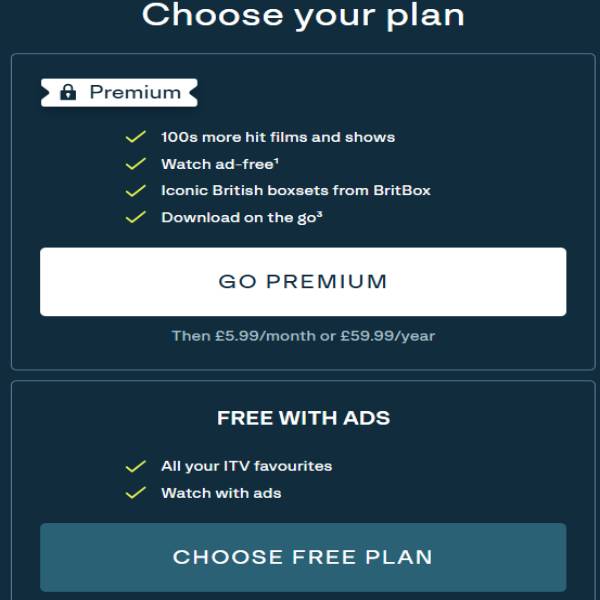
  • ITVX Free Account (with ads)
  • ITVX Premium at £5.99 per month – £59.99 yearly (ad-free)

Celebrity Big Brother UK 2025 release date

The reality drama will begin airing on April 7, 2025 with its launch show on ITVX at 9 pm BST.

What is Celebrity Big Brother UK About?

The drama, which started in 1997, has several spinoffs to its name. Big Brother franchise is available in many countries, but all follow the same format.

The guests/contestants who are selected to enter the Big Brother House live inside the house for a couple of days.

They remain disconnected from the outside world without any peripherals and devices.

All contestants take part in daily chores and spend time in the lounge together.

During the stay, some contestants may not agree with each other and develop unpleasant feelings towards each other. Big Brother shows thrive on such dramas.

The audiences tune into the show to watch the contestants live in the house. There are several cameras installed inside the house.

After a day or two, depending on the format, a house member is asked to leave. The decision is made through audience polls, which Big Brother enterprise receives via calls, texts, and polls on the website.

In 2018, the reality drama was discontinued (by the previous sponsor channel) until ITVX announced the comeback in 2023. Same format, same show, but this, with celebrities.

Celebrity Big Brother UK was a massive hit last year, and this year, the speculations are that it’s going to get punchier and saucier.  

Cast of Celebrity Big Brother UK 2025

  • JoJo Siwa – singer and former child star
  • Michael Fabricant – Former Tory MP
  • Daley Thompson – Olympic gold winner
  • Donna Preston – actor
  • Mickey Rourke – actor
  • Angellica Bell – actor
  • Chesney Hawkes – singer and actor
  • Patsy Palmer – actor  
  • Trisha Goddard – show host
  • Jack P Shepherd – actor
  • Ella Rae Wise – actor
  • Chris Hughes – reality TV star
  • Denny Deard – RuPaul’s Drag Race Winner and radio presenter
  • Ella Morgan – reality TV star

Disclaimer: These casts are rumored to be guests. The accurate guest list has not been revealed by the ITVX.  

Who Will Host Celebrity Big Brother in 2025?

AJ Odudu and Will Best are slated to be the host of Celebrity Big Brother UK 2025.  

Frequently Asked Questions

How Can I Watch Celebrity Big Brother UK 2025 in Australia?

Accessing ITVX and ITV1 is impossible in Australia, as the streaming service is geo-restricted. Unless you use a tool like ExpressVPN and by-pass the geo-restrictions.

How to Watch Celebrity Big Brother for Free?

ITVX and ITV1 have ad-supported free plan. Once you have bypassed the geo-restriction using ExpressVPN, you can watch the Celebrity Big Brother UK 2025 for free in Australia.

How to Watch Celebrity Big Brother for Free?

ITVX and ITV1 have ad-supported free plan. Once you have bypassed the geo-restriction using ExpressVPN, you can watch the Celebrity Big Brother UK 2025 for free in Australia.

How to Watch When Hope Calls Season 2 in Australia

Watch When Hope Calls in Australia

The hit Hallmark series, When Calls the Heart’s spinoff When Hope Calls, is available to watch on Pureflix.

The series was aired on a US-based cable TV service. Of course, you cannot access a US cable TV service in Australia.

But now, being available on Pureflix, you can stream it in Australia too.  

When Hope Calls is an adaptation of Janette Oke’s book series “When Calls the Heart.”

Pureflix is an amazing US-based streaming service with some unconventional and creative content. It has some great shows like Average Joe, Someone Like You, and County Rescue.

However, you will find you can’t access Pureflix in Australia because of geo-restrictions, content licensing, and tons of other hoops.

No worries..

With some out-of-box tricks, not only can you watch the service, but you also get it for free.  

Want to know more? Here is how.

Steps to Watch When Hope Calls Season 2 in Australia ǀ Easy Guide

Pureflix is only available to stream in the USA. But if you think smart and use this recommended tool (see below), you can get the service in no time. Here is how:

  • Subscribe to a reliable VPN – I recommend ExpressVPN.
  • Download the app and register an account.
  • Log in and connect to US servers.
  • When connected, look for Pureflix and stream When Hope Calls Season 2 in Australia.

Pro Tip: You can stream Pureflix for free with its free trial on a new subscription.  

What is When Hope Calls Season 2 About?

The famous book series When Calls the Heart by Janette Oke is a Hallmark series. The series has been running successfully and enters its twelfth season this year.

When Hope Calls is the spin-off of the series with Lilian and Grace, the sisters as the arc. It revolves around some of the past incidents of the orphan sisters.

Mostly, the series delves into the present time when the sister duo reunite and start an orphanage. As they get to know each other, their life takes a few tumultuous turns.

As they brave the challenges, romance also makes it easier to face new challenges head-on.

What is the Release Date of When Hope Calls Season 2?

When Hope Calls Season 2 will begin airing on Pureflix from 3rd April 2025.

However, the series is also available to stream on Great American Family channel from 6 April, 2025.

Cast of When Hope Calls Season 2

  • Morgan Kohan as Lilian Walsh
  • Jocelyn Hudon as Grace Bennett
  • Ryan-James Hatanaka as Constable Gabriel
  • Greg Hovanessian as Charlie Stewart ‘Chuck’
  • Wendy Crewson as Tess Stewart
  • Hanneke Talbot as Maggie Parsons
  • Marshall Williams as Sam Tremblay
  • Neil Crone as Ronnie Stewart
  • Lori Loughlin as Abagail Stanton  
  • Kevin McGrarry as Nathan Grant

Frequently Asked Questions

Where can I watch When Hope Calls Season 2?

When Hope Calls season 2 available to stream on Great American Family Channel. In Australia, you can use VPN to watch the show on Hulu + Live TV online.

How to Watch When Hope Calls Season 2 for Free?

Pureflix offers a free trial for new subscriptions. You can watch When Hope Calls Season 2 for free using a limited-time free trial by Pureflix.

How to Watch ITVX in Australia [2025 Ultimate Guide]

Watch ITVX in Australia

ITVX is not available outside the UK due to content licensing, but you can still access it in Australia with the help of a VPN or smart DNS. 

As a digital nomad who refuses to miss out on my favourite British telly, from the latest season of Love Island to compelling dramas like Mr Bates vs The Post Office. 

I’ve years of experience to find the best way for UK streaming services from abroad. 

When ITV Hub rebranded to the much bigger and better ITVX, I was thrilled, but the geo-restrictions remained.

If you’re in Australia and see that frustrating “not available in your location” error, don’t worry. I’ve got you covered.

ITVX not available in Australia

The good news is that with a high-quality Virtual Private Network (VPN)—you can set up and stream ITVX for free in Australia in less than five minutes. 

This guide will walk you through the exact steps I use, recommend the VPNs I’ve personally tested and trust, and answer every question you might have.

Quick steps to access and watch ITVX in Australia:

  • Subscribe to a reliable VPN. My top pick is ExpressVPN.
  • Install VPN app on your device and connect to UK server.
  • Visit ITVX, create your free account and start streaming online..

Is ITVX Available in Australia?

In 2025, ITVX is not available in Australia due to content distribution policies. However, if you want to watch ITV Hub Australia, you can use a reliable VPN like ExpressVPN.

How to Watch ITVX in Australia (Detailed Step-by-Step Guide)

  1. You need the following to access and watch ITVX in Australia
  2. Steps to create free ITVX account

Once you pick a VPN, it’s time to create a ITVX free account and stream in Australia:

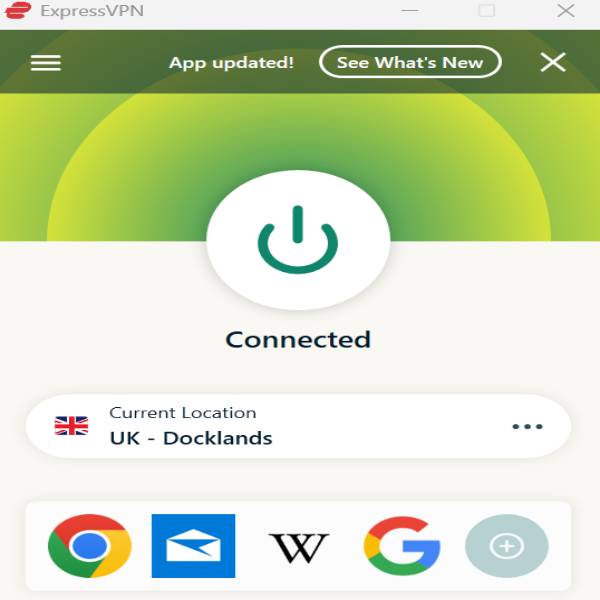
  • Open the VPN app, sign in and connect to the UK server. I used ExpressVPN’s Docklands server. 
Connect ExpressVPN
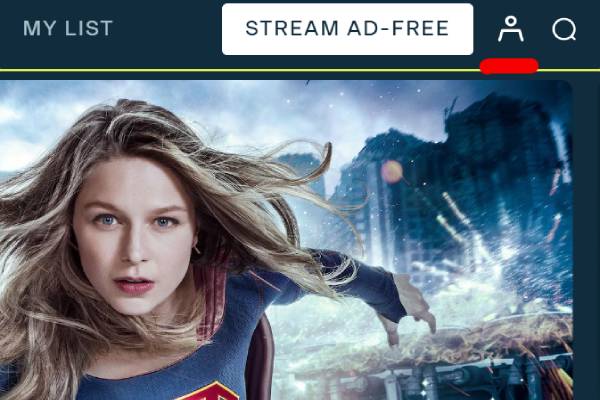
  • Go to the ITVX website and click on Sign up icon or Stream Ad-free.
Click on ITVX Sign Up
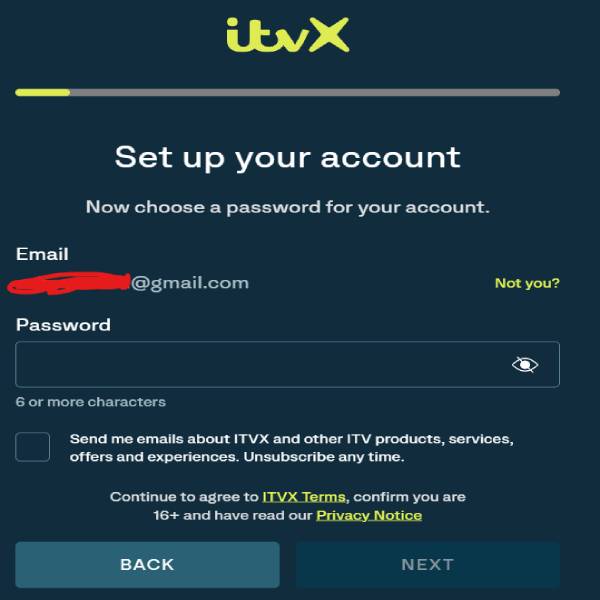
  • Enter an email and password for set up your account
Set up your ITVX account
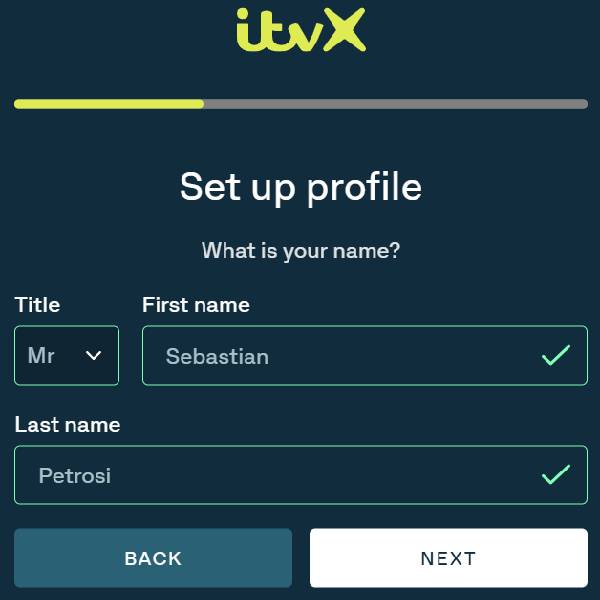
  • Enter your name for set up your profile.
Set up ITVX profile
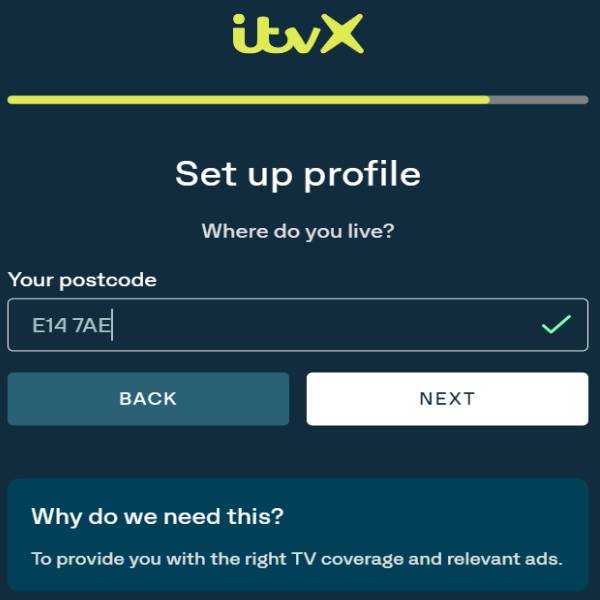
  • Enter Docklands postcode “E14 7AE”. (If you are using different server like Midlands or London, find postal code on google to use there).
Enter UK Docklands Postcode
  • Choose your Plan. I tried Free with Ads.
  • That’s it! Find a show you want to watch and start streaming ITVX in Australia.
Streaming ITVX in Australia with VPN

See how easy it is to unblock ITV Hub in Australia with a VPN. Likewise, you can also access other geo-block video services, including HBO Max, YouTube TV, BBC iPlayer, Channel 4, Hulu, Freevee, and more.

Note: If you want to know how to cancel your ITVX subscription in Australia, read this “ITVX Subscription Cancellation in Australia Guide“.

Choosing the Best VPN to Access ITVX in Australia

Not all VPNs are created equal, especially for streaming. After testing 15 VPNs on my travels through Australia and New Zealand, I’ve found that only a handful can reliably bypass ITVX’s geo-blocks while providing the speed needed for buffer-free HD streaming. These are my top 3 picks for 2025.

Testing devices: MacBook Air M1, iPhone 14 pro, Pixel 8a, Apple TV and LG smart TV

Internet speed: 200–209 Mbps

1. ExpressVPN – Best VPN to Watch ITVX in Australia

This is my daily driver and the one I recommend most highly. It’s never let me down. ExpressVPN’s proprietary Lightway protocol is built for speed, which means I can watch live sports on ITVX without any lag or buffering. 

Its UK servers (located in London, the Midlands, and Docklands) are optimized for streaming.

The MediaStreamer (Smart DNS) feature is another huge plus, letting me watch ITVX on devices that don’t natively support VPNs, like my Apple TV and PlayStation 5, by simply changing the DNS settings. It’s the most reliable and user-friendly option on the market.

2. NordVPN – Reliable VPN to Watch ITVX in Australia

NordVPN is a close second and a fantastic all-rounder. It boasts a massive network of over 440 servers in the UK, so if one server ever gets blocked or is slow, you have hundreds of others to choose from. 

I’ve found its NordLynx protocol to be exceptionally fast, making it perfect for streaming.

What I particularly like about NordVPN is its built-in Threat Protection, which blocks ads and trackers on the ITVX site, making for a cleaner viewing experience even on the free tier. It’s a powerhouse of security and speed.

3. SurfShark – Budget-Friendly VPN to Stream ITVX in Australia

For those on a budget or who need to cover a whole family of devices, Surfshark is the undisputed champion. 

Its biggest selling point is that it allows unlimited simultaneous connections on a single subscription. 

I can have it running on my laptop, phone, and tablet, and my partner can use it too, all at the same time.

While it’s the most affordable of the three, it doesn’t skimp on performance. During my tests from a cafe in Sydney, Surfshark had no problem unblocking ITVX and delivering a smooth stream. It’s incredible value for money.

VPN Comparison

Feature ExpressVPN NordVPN Surfshark
Unblocks ITVX Yes, Consistently Yes, Consistently Yes
Average UK Speed Excellent Excellent Very Good
Number of UK Servers Multiple locations 440+ servers Multiple locations
Simultaneous Devices 8 10 Unlimited
Smart DNS Feature Yes (MediaStreamer) Yes (SmartPlay) Yes (Smart DNS)
User-Friendliness Easiest for beginners Easy to use Very simple interface
Money-Back Guarantee 30 days 30 days 30 days
Best For Overall performance & reliability Speed & security features Budget & unlimited devices

What is the Cost of ITVX in Australia?

ITVX offers both free and paid subscription options. The basic service is free with ads, allowing access to catch-up TV and live-streaming of ITV channels. 

For an ad-free experience and access to the BritBox library (including BBC and Channel 4 content), there’s ITVX Premium, which costs £5.99 per month (12.27AUD/month) or £59.99 per year (122.86AUD/month).

How VPN Unblocks ITVX in Australia?

A VPN or Virtual Private Network is a kind of software that can mask your local IP address and replace it with a country or location server of your choice.

And since video streaming services allow you to watch their content based on your IP address with the IP detecting tool, they block you immediately if you are not in the available country.  

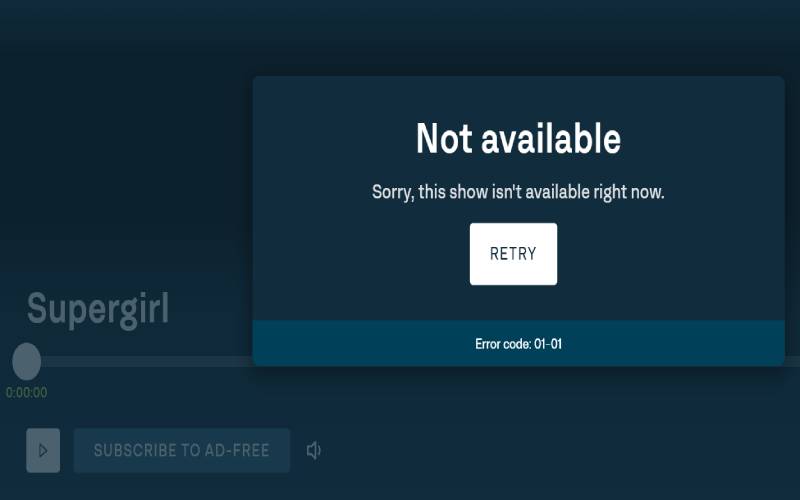
For example, when you try to access ITVX in Australia, instead of playing the content, you will see this error on your screen, which says “Sorry! This video isn’t available right now. Check out our Shows section for more great programmers.”

This is where a VPN comes in to rescue you. When you connect the English server via a VPN, it hides your Australian IP address and changes with a UK IP address. After that, when you access ITVX, based on your Australian IP address, the streaming service thinks that you are in the UK and thus allows you to watch the content.

What Channels Can I Watch on ITVX?

With ITVX, you can watch British on-demand content on ITV, ITV2, ITV3, ITV4, ITVBe, and CITV.

Shows/Movies to Watch on ITVX

ITVX offers popular British dramas, reality shows, and exclusive content including:

  • The Dry
  • Extraordinary
  • G’wed
  • Joan
  • Kid Sister
  • Grantchester
  • After the Flood
  • Jeopardy UK
  • Mr Bates vs The Post Office
  • Celebrity Big Brother UK
  • Love & Death
  • A Spy Among Friends
  • Love Island UK
  • Brit Awards
  • Six Nations

Where Can I Watch ITVX?

You can watch ITV Hub or ITVX or ITV Player on the following devices through its official app or website:

Download ITVX app on your Devices

How to Download ITV App on Your Devices

Getting ITV Hub on different devices is simple. All you need is to follow the steps below:

Desktop (Windows and Mac)

Windows and Mac users can get ITV Hub by using its official website. But make sure that you must connect to a VPN before accessing ITV Hub from Australia. Otherwise, it won’t let you stream the content.

iPhone/iPad

The best way to get ITV Hub (Rebranded as ITVX) on an iOS device in Australia is by downloading its official app. To do this you need to change your App Store country or region from Australia to the UK. Follow these steps to get the ITV Hub app on your iPhone/iPad in Australia:

  1. First, open “Settings” on your iPhone/iPad device and tap on your profile ID.
  2. Now tap on “Media & Purchases” > “View Account” > “Country/Region” and then select the “Change Country or Region” option.
  3. Now select the UK from the list of countries > “Agree”, and enter the required information. If you don’t have a UK address, you can use this information: (Street: 88 Jed burgh Road), (City: Letham), (Zip Code: DD8 7PF), (Phone: 077 0415 1748).
  4. Now press “Next” and wait until your region changes to the UK.
  5. Head to App Store, search for ITVX, and download it.

Android

To get ITV Hub on Android, you need to create a UK Google Play Store account. Here is how you can do it:

  1. First, open this link on your preferred device to create a new Google account.
  2. Now enter all the required information and select the UK as your country.
  3. Now on your Android device, open the VPN app and connect to the UK server.
  4. Open the Google Play Store, sign out from your existing account, and sign in again with the new one that you just created.
  5. Once you log in, search for the ITVX app and download it.

Amazon Firestick/Fire TV

In order to get ITV Hub on Amazon Firestick/Fire TV device, you need to change your account country. To do so:

  1. Log in to your Amazon account associated with your Fire TV or Firestick device.
  2. Now hover over “Accounts and Lists” and then select the “Your content and devices” option.
  3. Now tap or click on the “Preferences” tab.
  4. Click on “Country/Region Settings” and then select the “Change” option that is located next to your current country.
  5. Now enter all the UK addresses and click on the “Update” option.
  6. Once your account details are updated, open your Amazon Firestick/Fire TV, sign out of your account, and restart the device.
  7. Now sign in to your account on your Amazon Firestick/Fire TV device and download the ITV Hub app.  

access ITVX from Australia using a Smart TV

To access ITVX from Australia on a Smart TV, you’ll need to bypass the UK-only restriction using either a VPN-compatible router, Smart DNS, or a streaming device workaround. Here’s how:

Option 1: Use Smart DNS (Simplest for Smart TVs)

  • Subscribe to a Smart DNS service (e.g., ExpressVPN).
  • Go to your TV’s network settings and manually enter the Smart DNS IP provided by the service.
  • Change your TV region to the UK.
  • Open the ITVX app (or install it if region allows) OR visit www.itv.com via the TV browser.

Option 2: Use VPN on a Router

  • Get a VPN that supports router installation (e.g., ExpressVPN).
  • Install the VPN on your home router or use a pre-configured VPN router.
  • Connect the VPN to a UK server.
  • Connect your Smart TV to that router’s Wi-Fi.
  • Now your Smart TV appears to be in the UK and can run ITVX.

Note: Not all Smart TVs support the ITVX app—even with a UK location—especially models outside the UK.

Watch ITVX on Apple TV in Australia

The great news is Apple TV running on tvOS 17 or later, you can download the VPN app directly. 

Here’s how to download and access ITVX on Apple TV in Australia: 

  1. First, open “Settings” on your Apple TV device and tap on your profile ID.
  2. Now tap on “Media & Purchases” > “View Account” > “Country/Region” and then select the “Change Country or Region” option.
  3. Now select the UK from the list of countries > “Agree”, and enter the required information. If you don’t have a UK address, you can use this information: (Street: 88 Jed burgh Road), (City: Letham), (Zip Code: DD8 7PF), (Phone: 077 0415 1748).
  4. Now press “Next” and wait until your region changes to the UK.
  5. Head to the App Store, search for ITVX, and download it.

How Can I Watch ITV Hub on My TV?

Getting ITV Hub on TV devices like Roku, Apple TV, and Smart TV is a very complex thing to do. This is because all these devices do not support VPN directly. Therefore, if you want to get ITV Hub on these devices in Australia, you need to set up a VPN on your router first. That is what we don’t recommend to our users because not all routers support VPN.

If you are using a Smart TV that does not run on Android OS, we would recommend using a Firestick device to get ITV Hub in Australia.

Compare subscription costs and content library of ITVX, Binge, Stan, and Netflix

Here’s a concise comparison (as of mid‑2025) of subscription cost and content offerings for major streaming services in Australia:

Service Monthly Price (AUD) Library Highlights
Netflix Basic ~A$14.99 / Standard ~A$21.99 / Premium ~A$28.99 Massive global catalog: original series, US/UK movies, kids, documentaries. Local Aussie titles growing. Broad appeal.
Stan $11.00 (Stan Basic) / $19.00 (Stan Standard) Strong local content + HBO-branded shows (e.g. Succession, The Last of Us), movies, exclusives. Limited international originals.
Binge $12.99 (Standard HD) / $19.99 (4K) Focused on US TV: HBO, Showtime, TNT, Warner series, movies; next-day US episodes. Minimal originals.
ITVX (UK) Free Tier (with ads) / £6.99 for ITVX Premium (~A$13) UK dramas, reality, current ITV content. No original Australian shows; limited film content. For UK-centric viewers.

Compare ITVX and BBC iPlayer.

ITVX is great for UK reality TV, dramas, and BritBox integration, but its free tier has ads and less prestige content than BBC.

Feature ITVX BBC iPlayer
Official Availability in Australia Not directly available (UK-only) Not directly available (UK-only)
Access Method VPN or Smart DNS + UK account VPN or Smart DNS + UK account
Free to Use Yes (free tier available) Yes (fully free; UK TV licence required in UK)
Premium Option ITVX Premium (£5.99/mo) for no ads + BritBox No premium tier (all content is ad-free)
Ads Yes (unless Premium) No ads
Live Channels Available ITV1–4, CITV, etc. BBC One–Four, CBBC, CBeebies, BBC News, etc.
On-Demand Content ITV Originals, dramas, reality TV, BritBox BBC Originals, documentaries, news, education
Exclusive Content ITVX Originals, BritBox, reality TV (e.g. Love Island) BBC dramas, comedies, and documentaries (e.g. Doctor Who, Blue Planet)
Offline Viewing Premium only (mobile apps) Available via iPlayer mobile app
Supported Devices Apple TV, Fire TV, Smart TVs, browsers, mobile Same (Apple TV, Fire TV, Smart TVs, mobile, etc.)
Geoblocking Strength Moderate (can work with Smart DNS or major VPNs) Strong (needs reliable VPN, e.g., ExpressVPN)
Payment Required? No, for a free tier
Yes, for Premium
No (publicly funded)

What are the troubleshooting tips for ITVX connection issues in Australia (2025)?

Here are the top troubleshooting tips for ITVX connection issues in Australia (2025), especially when using a VPN to access ITVX Premium from outside the UK:

Issue 1: “Sorry, this content isn’t available in your location”

Cause: ITVX detects your real location (Australia)

Fix:

  1. Connect to a UK VPN server (e.g., London or Manchester)
  2. Use a reliable VPN: ExpressVPN, NordVPN, Surfshark, or CyberGhost
  3. Clear browser cache, cookies, and local storage
  4. Use Incognito/Private Mode to reduce tracking
  5. Make sure your device isn’t leaking DNS or IPv6 (enable DNS Leak Protection in VPN)

Issue 2: Video buffering or won’t play

Cause: Slow VPN connection or blocked server

Fix:

  1. Try a different UK server from your VPN app
  2. Switch to a wired (Ethernet) connection for better speed
  3. Use the ITVX website (via Chrome or Firefox) rather than the app for smoother access
  4. Lower the streaming quality to reduce buffering

Issue 3: ITVX app won’t open or crashes

Cause: Regional app restriction or outdated version

Fix:

  1. Don’t use the ITVX app from the Australian Play Store/App Store (it’s region-locked)
  2. Access ITVX via desktop browser (www.itv.com) instead
  3. If you insist on app use:
  • On Android: Sideload UK ITVX APK + spoof location
  • On iOS: Use a UK Apple ID to download the app

Issue 4: Payment method declined (ITVX Premium)

Cause: ITVX Premium requires UK-based billing

Fix:

  1. Use a UK PayPal account (works with many VPN users)
  2. Try a virtual UK debit card (e.g., Wise, Revolut)
  3. Buy ITVX Premium via Amazon Prime Video UK (if you have a UK Amazon account)

Issue 5: Logged in but shows limited content

Cause: ITVX knows you’re abroad despite login

Fix:

  1. Ensure you’re actively connected to a UK VPN
  2. Log out, clear cookies, restart browser, log in again
  3. Disable any GPS/location services if enabled

Frequently Asked Questions

ITVX Australia:  Is a trial available in 2025?

ITVX’s free tier is always available, offering a broad selection of on-demand content and live TV streaming. However, if you are signing up for ITVX premium, its new subscribers get a 7-day free trial.

Is ITVX compatible with Chromecast in Australia?

Yes, as of 2025, ITVX is officially compatible with Chromecast (including Chromecast with Google TV) in Australia, as long as you first bypass the UK geo-block using a VPN or Smart DNS.

Wrapping it up

To watch ITVX in Australia in 2025, use a reliable VPN or Smart DNS to connect to a UK server, then access ITVX via its official website or app on supported devices. ITVX is free with ads, but Premium removes ads and enables offline downloads on mobile. No direct access is available without location masking.

We hope this guide will cover all your queries regarding ITVX Australia. However, if you still want to ask something you can ask us by mentioning your query below in the comment section.

How to Watch iHeartRadio Music Awards 2025 in Australia  

Watch iHeart Radio Music Awards in Australia

A music lover cannot imagine missing Billie Eilish and Bad Bunny perform live!

Are we on the same page? Here is how to watch iHeartRadio Music Awards 2025 in Australia.

iHeartRadio Music Awards will air on the FOX channel on 17th March. The star-studded event will commence live from Dolby Theater, Los Angeles.

At home in Australia, you can stream it live on FOX TV via YouTube TV or Hulu TV free trial by using a reliable VPN like ExpressVPN.

There is a speed breaker though..

FOX TV is a US-based streaming service. You can stream FOX TV using services like Hulu + Live TV, Sling TV, FuboTV, YouTube TV, and DirecTV Stream.

These services are inaccessible in Australia.

Only a reliable tool can solve the problem.

Here is how you can watch iHeartRadio Music Awards 2025 in Australia.

Steps to Watch iHeartRadio Music Awards 2025 for Free

It’s only practical to watch the event without paying for a month’s subscription. It’s a one-day event, and purchasing a subscription for a month of any service sounds like a stretch.

This is when a sensible user would take benefit from the free trial of services, and stream the awards for free.

You can stream iHeartRadio Music Awards 2025 on FOX TV using the following services:

While these services have subscription plans, you cannot watch these services without a VPN in Australia. Here is how you can stream:  

  • Get a plan with a reliable VPN. I recommend ExpressVPN.
  • Log in and change the IP address to USA (FOX TV is a US-based service).
  • Now create account of any US based service to avail free trial. I recommend Hulu.
  • Subscribe for Hulu and avail free trial to stream the awards in Australia.

Note: Make sure to cancel your subscription before its end otherwise you will be charged for monthly cost.

Who are Performers of iHeartRadio Music Awards About?

The music heard on iHeartRadio for a year is celebrated and recognized through these awards. The celebration was initiated by iHeartRadio in 2014.

Winners are decided through carefully collected cumulative performance data. Public can also vote in various categories. Artists are awarded in the categories of pop, alternative rock, hip-hop, R&B, Latin, and regional Mexican music.      

Performers of iHeartRadio Music Awards 2025

  • Bad Bunny
  • Billie Eilish
  • GloRilla
  • Gracie Abrams
  • Kenny Chesney
  • Muni Long
  • Nelly

Who Will Host iHeartRadio Music Awards 2025?

LL COOL J will host the iHeartRadio Music Awards 2025 from Dolby Theater, Los Angeles.

What Time Will iHeartRadio Music Awards 2025 Start?

The awards show will begin at 8 pm ET and 12 am GMT.  

iHeartRadio Music Awards Nominations 2025

  • Taylor Swift
  • Post Malone
  • Sabrina Carpenter
  • Kendrick Lamar
  • Billie Eilish
  • Morgan Wallen
  • Tate Mcrae
  • Chappel Roan

Innovator Award Recipient

  • Lady Gaga

Icon Award Recipient

  • Mariah Carey

FAQs

Where can I stream iHeartRadio Music Awards in Australia?

The 12th iHeartRadio Music Awards will air on FOX TV. You can stream the awards via Hulu + Live TV, Sling, FuboTV, YouTube TV, and DirecTV.

Where can I watch iHeartRadio Music Awards for free in Australia?

While the awards will officially air on FOX TV in the USA, you would need subscription of cord-cutters on a free trial. With the help of reliable VPN like ExpressVPN, you can stream iHeartRadio Music Awards for free.

How to Watch Channel 5 in Australia [2025 Guide]

Watch Channel 5 in Australia

Channel 5 (My5) is blocked in Australia due to licensing policies, but you can still access it using a VPN that masks your location with a UK IP address. 

Channel 5 or My5 is a British streaming service that consists of various genres like suspense, drama, thriller, comedy, romance, action, etc. These English series and movies can become your favourite pastime. 

However, you need a workaround to access Channel 5 in Australia. But there is nothing to worry, in this guide I will provide you easy to follow step-by-step instructions to unblock Channel 5 (My5) in Australia for free with the help of a VPN.

So without any further, let’s dive in.

Quick Steps to Access Channel 5 (My5) in Australia:

Here’s how to access and watch Channel 5 (My5) in Australia:

  1. Install and subscribe to an outstanding VPN – I highly recommend ExpressVPN.
  2. Launch your VPN app on the preferred device and sign in.
  3. Connect to the UK-based server. 
  4. Fire up its official website or Channel 5 app, log in, and begin streaming

Why Can’t You Get Channel 5 in Australia?

Channel 5 is a geo-restricted streaming platform only accessible by UK residents. Besides British users, outsiders cannot access it because of the licensing restrictions and content rights policies. 

These restrictions create the need for using a VPN. A Virtual Private Network will help you bypass rigid geo-guards that do not allow access to the outlanders.

Offers 30-day money-back guarantee!

How to Access and Watch Channel 5 (My5) in Australia? [Detailed Step-by-Step Guide]

To access Channel 5 (My5) in Australia, you need two things: 

  • A reliable VPN that unblocks Channel 5 (My5) from Australia.
  • Sign up for Channel 5 (My5) for free 

Step 1: Choosing the Best VPN to Access Channel 5 (My5) in Australia

Not every VPN is powerful enough! After testing over a dozen providers from Sydney across different devices (MacBook Pro M2, Firestick, iPhone 14 pro, Pixel 8a, and Android TV), I found only three VPNs that consistently unblocked Channel 5 without buffering, proxy errors, or lag.

My #1 Pick – ExpressVPN

ExpressVPN should be your go-to VPN provider if you want to unblock UK platforms like Channel 5, Channel 4 (All4), BBC iPlayer, or ITVX without fail. I used their East London server and streamed Dexter and Lie With Me on My5 in full HD with no buffering, even during peak hours. The MediaStreamer DNS feature worked flawlessly on my Apple TV.

It offers:

  • 3000+ servers in 90+ countries
  • Rock-solid encryption
  • Pre-configured routers and Smart DNS
  • Five simultaneous connections

In my experience, it’s the only VPN that never triggered the dreaded “this content is not available in your region” error.

Reliable VPN – NordVPN

NordVPN is an excellent runner-up. I tested it across Android TV and Windows and found it to be fast and dependable. The app’s Quick Connect button usually picked a working UK server, and I only had to clear cookies once to get My5 to load correctly.

Highlights include:

  • 5000+ servers in 60+ countries
  • Double VPN security and fast streaming
  • Pre-configured routers and SmartDNS

If you’re a frequent streamer and value speed with a slightly more advanced UI, NordVPN is a strong option.

Budget Friendly VPN – Surfshark

Surfshark impressed me with its unlimited device support. I installed it on three phones, a Fire TV, and a laptop—all streaming Channel 5 at the same time. While I had to retry a few UK servers to find a working one, once connected, playback was smooth.

It offers:

  • 3200+ servers in 100+ countries
  • Military-grade encryption
  • Smart DNS and CleanWeb (ad blocker)

For budget-conscious users or large households, Surfshark delivers solid performance without the premium price tag.

A VPN tricks Channel 5 and hides your location. How? Let’s discuss it in detail. Your IP address is composed of location. When you connect to the UK-based server, the VPN hides your precise Australian location and converts it into a UK one.

When you try to access Channel 5, your IP address shows that you live somewhere in the UK. Thus, these geo-blockers, instead of stopping you, welcome you wholeheartedly.

That’s how a VPN helps you unblock Channel 5 in Australia!

Here’s a comparison table of the top 3 VPNs based on speed, reliability, ease of use, and smart TV support:

Feature ExpressVPN (Top Pick) NordVPN (Reliable Alternative) Surfshark (Best Value)
Unblocks My5 ✅ Instantly, no issues ✅ Works after clearing cookies ✅ Works, may require switching servers
Streaming Quality HD & 4K – smooth and buffer-free HD with occasional reconnect HD stable; 4K buffers at times
UK Server Locations Midlands, Docklands, East London Manchester, London London, Edinburgh
Speed (AU to UK) 90–110 Mbps 85–100 Mbps 70–90 Mbps
Smart DNS ✅ MediaStreamer for Samsung Smart TV (Tizen OS), LG Smart TV webOS, Roku, PlayStation, Xbox etc. ✅ SmartDNS supported ✅ SmartDNS included
Simultaneous Devices 8 10 Unlimited
App Support iOS, Android, Firestick, Smart TVs, Apple TV (tvOS 17+), Windows, Mac All major platforms All major platforms
Money-Back Guarantee 30 days 30 days 30 days
Bonus Offer 61% off + 4 months free + 5GB eSIM Free Threat Protection Built-in ad blocker
Approx. Price (AUD) ~$7.60/month (61% Off + 4 months free + 5GB eSIM) ~$6.70/month ~$3.10/month

Step 2: Sign Up and Access Channel 5 (My5) in Australia?

Signing up for Channel 5 (My5) is free and takes just a few minutes. Here’s exactly how I did it from Australia using ExpressVPN:

  1. Launch your VPN – I opened the ExpressVPN app on my MacBook and connected to the UK Midlands server.
  2. Visit the My5 website – I went to https://www.channel5.com/ while still connected to the VPN.
  3. Click on Sign In – In the top-right corner, I clicked “Sign In” and then “Register Now.”
  4. Fill out the details – I used a UK-based postal code (I used “SW1A 1AA” from Westminster), added my email, created a password, and unchecked marketing preferences.
  5. No payment required – Channel 5 is completely free, so no credit card or billing info was needed.
  6. Verify & Log In – Once registered, I received a confirmation email. After clicking the link, I logged into my My5 account.
  7. Start Watching – I opened the My5 app (or site) and started streaming Lie With Me and Bad Mothers — both loaded smoothly and played in HD.

Offers 30-day money-back guarantee!

How a VPN Lets You Access Channel 5 (My5)?

A VPN tricks Channel 5 and hides your location. How? Let’s discuss it in detail. Your IP address is composed of location. When you connect to the UK-based server, the VPN hides your precise Australian location and converts it into a UK one. 

When you try to access Channel 5, your IP address shows that you live somewhere in the UK. Thus, these geo-blockers, instead of stopping you, welcome you wholeheartedly.

Offers 30-day money-back guarantee!

What Happens If You Use a Free VPN to Access Channel 5 (My5)?

Free VPNs fail to unblock Channel 5 reliably and compromise your privacy by selling your data to third parties.

Moreover, free VPN servers are extremely slow and will not let you watch any content without buffering issues. Hence, these lagging problems will destroy your mood while streaming your favourite content on Channel 5. 

What’s more, these free VPN services are not entirely encrypted. Hence, they will not guarantee you 100% privacy and security. As a result, all your private information can get leaked and misused by cybercriminals. 

So you see, there are more cons than pros when using a free VPN. If you are concerned about your private information, buying a premium and reliable VPN is better.

Once you subscribe to a VPN, it’s time to sign up and access Channel 5 (My5) from Australia.

How to Watch Channel 5 on Your Devices

Installing Channel 5 on different devices requires specific steps depending on your platform, but all require an active VPN connection first. I tested each method myself from Sydney using ExpressVPN to make sure the instructions work smoothly.

How to Watch Channel 5 on iPhone/iPad in Australia

  1. I installed ExpressVPN on my iPhone and connected to the UK server (East London).
  2. Then I went to Settings > Apple ID > Country/Region and switched to the United Kingdom.
  3. I created a new UK Apple ID, signed in, and opened the App Store.
  4. Downloaded the Channel 5 app (My5), launched it, and logged in.
  5. The stream worked flawlessly on both Wi-Fi and mobile data.

How to Watch Channel 5 on Android, Smartphones, Tablets/TV

  1. I installed the ExpressVPN app on my Android TV and connected to the UK server.
  2. Then I logged out of my Google account and created a new one with the UK region.
  3. After that, I accessed the Play Store, found the My5 app, and installed it.
  4. Signed in with a free account, and Channel 5 started streaming in HD without lag.
  5. On my Android phone, I had to clear the Play Store cache once to force the region change

How to Watch Channel 5 on Amazon FireStick/Fire TV

  1. I installed ExpressVPN directly from the Amazon Appstore.
  2. Then I deregistered my Firestick and changed my Amazon region to the UK via my Amazon account settings.
  3. After signing back in, I searched and downloaded the My5 app.
  4. With VPN connected, I launched the app and streamed The Arrangement with no buffering.

Make sure your location settings are turned off on the Firestick for this to work

    How to Download and Access Channel 5 (My5) on Apple TV, Roku, and Samsung, LG Smart TVs (Non-Android Based) in Australia?

    Apple TVs running tvOS 17 or later now support native VPN apps. I installed the ExpressVPN app directly on my Apple TV, connected to a UK server, and downloaded the My5 app without needing Smart DNS.

    If you’re using older Apple TV, Roku, or non-Android Smart TVs, here’s what I tested:

    • Configured Smart DNS using ExpressVPN’s MediaStreamer feature.
    • Set the location to the UK during device setup.
    • Alternatively, I also set up ExpressVPN on my home router and connected my Roku via WiFi.

    Both setups worked well, and I was able to stream Channel 5 shows like Manifest and Dexter in HD.

    Offers 30-day money-back guarantee!

    Compare prices of streaming services with Channel 5 in Australia in 2025.

    While Channel 5 isn’t directly available in Australia, BritBox and Acorn TV offer similar UK content at these prices:

    Platform or Method Channel 5 Shows Available? Cost (Australia) Notes
    BritBox Australia Yes (licensed UK dramas) A$13.99/month or A$139.99/year (7-day free trial) Legal, local access; includes some Channel 5 titles like Endeavour or Broadchurch
    Acorn TV (via Amazon Channels) Yes (select UK dramas) ~A$6.99/month or A$69.99/year Also features Channel 5 content available via licensing
    Channel 5 (My5) via VPN Full catalog Free (ad-supported) + VPN cost UK IP and account needed; VPN required

    What are the alternatives to Channel 5 (My5) in Australia, offering similar programming in 2025?

    The top 4 alternatives to Channel 5 in Australia are BritBox, Acorn TV, BBC First, and SBS On Demand.

    BritBox Australia

    Content: A joint venture by BBC and ITV, BritBox delivers a wide array of UK dramas, soaps (like EastEnders), crime series, period pieces, and some reality programming.

    Why it’s similar: Offers the same genre mix as Channel 5—gritty dramas, mysteries, and current affairs shows.

    Acorn TV

    Content: Specializes in British and international mysteries, crime shows, and dramas (Midsomer Murders, Vera).

    Why it’s similar: Ideal for fans of Channel 5’s dramatic and investigative storytelling formats.

    BBC First (via Foxtel, Binge, Fetch TV)

    Content: Premieres high-quality UK dramas and thrillers like Line of Duty, Luther, and Doctor Foster.

    Why it’s similar: While a bit more premium, it offers strong British narrative programming.

    SBS On Demand

    Content: Free streaming service with a variety of UK documentaries, dramas, and reality content.

    Why it’s similar: Great for fans of Channel 5 documentaries and current affairs without a subscription.

    What to Watch on Channel 5?

    Channel 5 massive catalogue will let you stream: 

    • Dexter
    • Pillars of The Earth
    • Ted Lasso
    • The Arrangement
    • Noggin the Nog
    • Lie With Me
    • The White Lotus
    • The Handmaid’s Tale
    • Crossing Lines
    • Noggin the Nog
    • Old Bear Stories
    • Bad Mothers
    • Anne Boleyn
    • Manifest

    What are the common troubleshooting issues when watching Channel 5 (My5) in Australia in 2025?

    The 5 most common issues are: geo-blocking errors, playback problems, app crashes, device compatibility, and login issues.

    Geo-blocking Errors

    • Issue: Channel 5’s official streaming service, My5, is only available in the UK.
    • Solution: Use a reliable VPN to bypass geo-restrictions and access My5 from Australia. Make sure the VPN server is based in the UK and supports streaming.

    Playback Errors or Buffering

    • Issue: Video may freeze, buffer frequently, or fail to play.
    • Solution: Check your internet speed (minimum 5 Mbps for SD, 10+ Mbps for HD), switch to a wired connection, or change your VPN server to a less congested one.

    App Crashes or Glitches

    • Issue: My5 app may crash or behave erratically on smart TVs or streaming devices.
    • Solution: Restart the app or device, ensure the app is updated, or reinstall the app. Clear cache if available.

    Device Compatibility Issues

    • Issue: Some smart TVs and streaming devices in Australia may not support the My5 app.
    • Solution: Use a browser via PC/laptop or cast to TV using Chromecast or Apple AirPlay.

    Account or Login Issues

    • Issue: Users may encounter sign-in problems or region-based account restrictions.
    • Solution: Register using a UK address and access via VPN to maintain consistency with your account region.

    FAQs

    Is Channel 5 available in Australia?

    Channel 5 is not directly available in Australia due to geo-restrictions. However, you can access it using a VPN connected to a UK server.

    Is Channel 5 available on Australian streaming services?

    Channel 5 (My5) content is not officially available in Australia in 2025. To stream its catalog, including shows like Dexter, The White Lotus, Ted Lasso, and various soaps and documentaries, Australian users have to rely on a VPN.

    Is Channel 5 available on Foxtel in Australia in 2025?

    No, Foxtel in Australia does not include Channel 5 (My5) programs in its official channel lineup or streaming platforms.

    Compare Binge, Stan, and Foxtel for Channel 5 access in Australia?

    Binge, Stan, and Foxtel do not contain the Channel 5 catalogue. The only way to access My5 content catalogue is by subscribing to ExpressVPN and connecting to the UK server.

    Bottom Line

    To watch Channel 5 in Australia, the most reliable method is using a VPN service to access the My5 streaming platform, which is geo-restricted to the UK. By connecting to a UK server through a trusted VPN like ExpressVPN, you can visit the My5 website or use the My5 app, sign up for a free account with a UK postcode, and stream Channel 5 shows at no cost.

    How to Watch American Idol Season 23 in Australia  

    How to watch American Idol in Australia

    Favorite time of the year, when contestants are flocking for the auditions to be the next American Idol.

    Season 23 kicks off in March 2025, and Aussies feel left out without information about how to watch American Idol season 23 in Australia.

    The series only airs on ABC, an American streaming service, geo-restricted to air only in the USA.

    Carrie Underwood comes back, not as a contestant, but as a judge this time.

    Bloody oath! Katie Perry will be missed. Meanwhile, Carrie Underwood would be a refreshing addition to the team.

    Wouldn’t want to knacker with anticipation, here is how you can watch American Idol season 23 in Australia.

    Where Can You Watch American Idol Season 23 in Australia?

    Of course, it’s not available to watch on any streaming services in Australia. Season 23 of American Idol will air on the following services in the USA:

    • ABC.com
    • Hulu
    • YouTube TV
    • DirecTV Stream
    • Fubo TV
    • Sling

    You can get a free trial for Hulu, DirecTV and FuboTV.

    But how can an Aussie stream these services outside USA?

    All you need is a reliable VPN to change your IP address and stream American Idol season 23 in Australia.

    Getting Hulu is easy, but paying for the subscription – completely bogged!

    But if you read this guide on how to pay for a Hulu subscription in Australia, it may not be such a problem anymore.

    How to Watch American Idol Season 23 in Australia

    The most anticipated and (digital) life-altering change would be getting a VPN service. A reliable VPN like ExpressVPN is just like solving 90% problem.

    Here is how you can watch American Idol season 23 in Australia:

    • Subscribe to a reliable VPN – I recommend ExpressVPN.
    • Download the app and register an account.
    • Log in and connect to US servers.
    • Visit ABC website and create account.
    • Now stream the American Idol season 23 in Australia.

    Pro Tip: You can stream ABC via Hulu for free using the 30-day free trial. Similarly, you can stream DirecTV and FuboTV with its free trial plan.

    What is the Release Date of American Idol Season 23?

    The reality show airs on March 2, 2025. It will air on ABC. You can stream ABC via Hulu, DirecTV, and FuboTV.

    What is American Idol About?

    Simon Fuller was inspired by the British competition series Pop Idol. He created the series for USA. American Idol.

    American Idol Streaming

    Every year, Idol season kicks off with auditions. People from all over the country audition for the show. Judges pick the top contestants who can participate in the show.

    Later, the contestants continue to showcase their singing prowess with a series of complex challenges. In each episode, contestants who did not perform well are eliminated.

    As the contestants reach the semi-finals, the fate of the contestants doesn’t lie in the hands of four judges. Now, audiences can take part using website, texts, and calling on a toll-free number.

    The voting starts right after the episode ends for the next four hours.

    The final contestant, aka the American Idol for the year, wins a contract deal with Hollywood Records, records their first album with the label, and 250,000 USD.

    Carrie Underwood, who now is coming to season 23 as a judge, was a season 4 winner of American Idol.

    It is a full-circle moment for the show.

    Who Will Host American Idol Season 23?

    As the tradition follows, Ryan Seacrest will host the 23rd season too.  

    Who Are the Judges of American Idol Season 23?

    This year, the judges are Luke Bryan, Lionel Richie, Kris Pooley, and Carrie Underwood.  

    Frequently Asked Questions

    Where can I watch American Idol Season 23?

    American Idol season 23 will air on ABC. You can stream ABC via Hulu, YouTube TV, DirecTV Stream, Fubo TV, and Sling. You can use a reliable VPN to access ABC and stream the show online.

    Where Can I Stream American Idol Season 23 for Free?

    The only way you can watch the competition for free is by taking advantage of the trial version of Hulu.

    How to Watch Peacock TV in Australia [2025 Guide]

    Watch Peacock TV in Australia

    Wondering how to watch Peacock TV in Australia? While Peacock is only available in the US, you can access it using a VPN in Australia. 

    By connecting to a U.S. server, you can unlock its vast library of shows, movies, and live sports on your device, bringing the full Peacock experience to Australia.

    In this article, I will show you how Australians can stream Peacock TV – or anywhere else in the world, too – sit tight and don’t blink, let the Kangaroo fight the Peacock!

    Is Peacock TV Available in Australia 2025?

    No, Peacock TV is entirely geo-locked and exclusively available in the United States. As of yet, there’s only little speculation that the parent company, NBCUniversal, will expand outside the US.

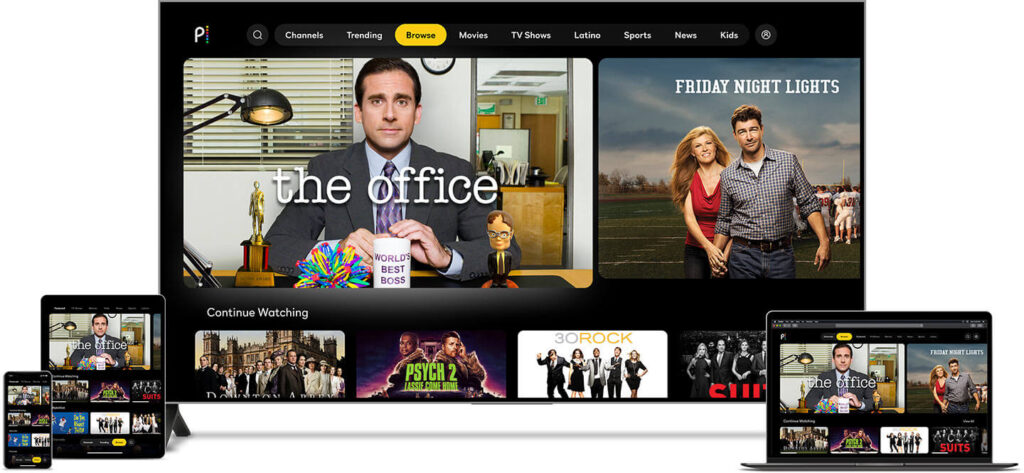
    This video-on-demand service that NBCUniversal launched in mid-2020 streams both original and industry-produced content. Some of the famous title include The Office, American Psycho, Bourse Trilogy, The Dark Knight, Watch Days Of Our Lives: Beyond Salem, Love Island USA, Marry Me, The End is Nye, Vampire Academy, The Voice (USA), A Friend of The Family, and, I Love You, You Hate Me.

    What is Peacock TV and how to watch it in Australia

    How to Watch Peacock TV in Australia

    To watch Peacock TV in Australia you need two things:

    • A reliable VPN with superb unblocking capability
    • Peacock TV account

    The Howtowatch.com.au testing team tested top VPNs for streaming recommended by reputable websites like Comparitech, TechRadar, Tom’s Guide, and PC Mag to find out the best VPN to get and watch Peacock TV in Australia. 

    And after extensive testing, we found ExpressVPN, the best among all, followed by NordVPN and Surfshark. (Keep reading for detailed analysis).

    Once you sign up for a VPN, it’s time to get a Peacock TV account in Australia.

    Sign Up for Peacock TV in Australia

    To pay for Peacock TV in Australia, you need a payment method that is linked with US banks and payment services such as US debit/credit card, American PayPal account etc.

    If you already have an American payment method, you can skip the following part and directly jump to “how to watch Peacock TV in Australia”.

    But if you don’t have any American payment method, you can follow the easy to follow instructions below.

    Here you can learn the process to sign up and watch Peacock TV in Australia quickly:

    1. Connect to the US server using a VPN.
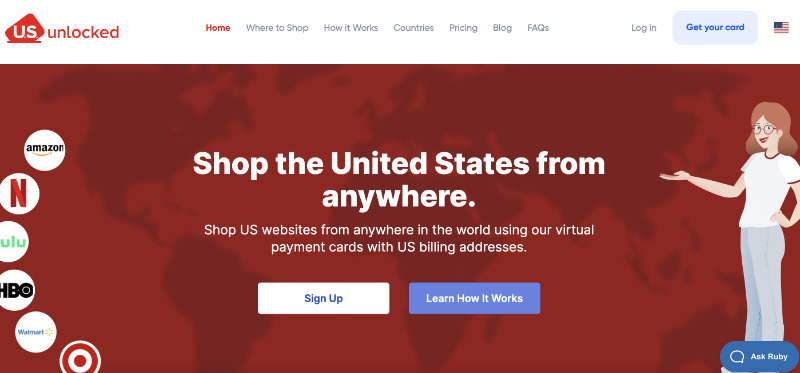
    2. Visit usunlocked.com and tap/click on the “Get your card” button.Click on Get You Card Button
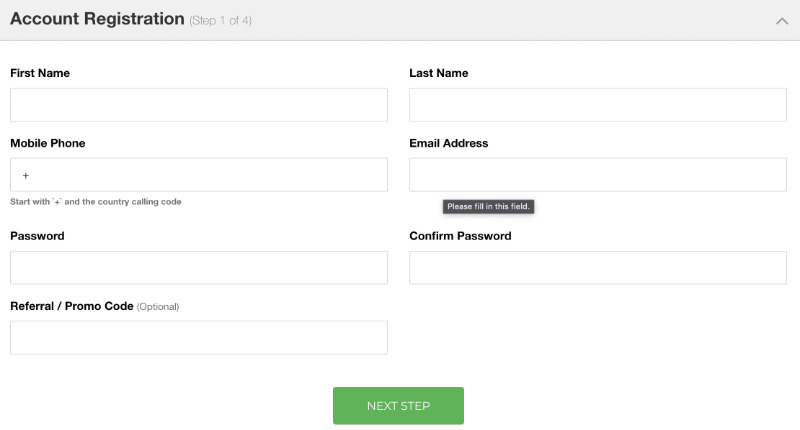
    3. Now enter all the required details and click/tap on the “NEXT STEP” button. Enter all the required details to create US unlock virtual prepaid card
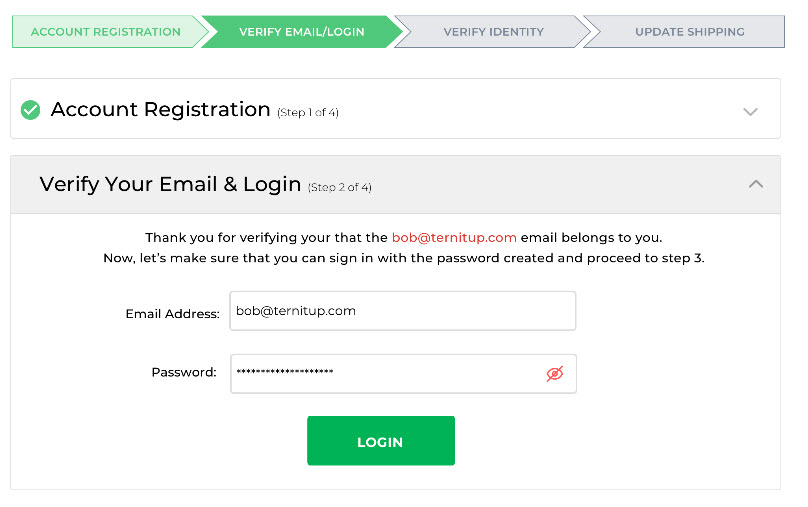
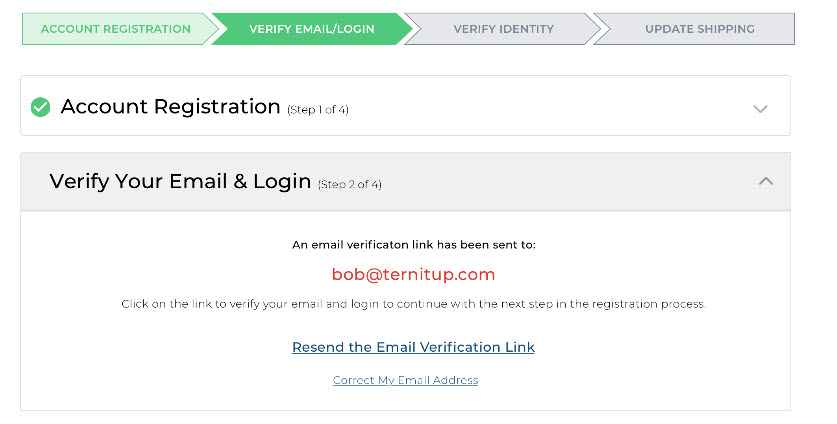
    4. You will get the verification link on the email address. Verify your email address. Verify your email address
    5. Once the verification is complete, it will ask you to log in to your account. Now log in with your email and password.login with your email and login
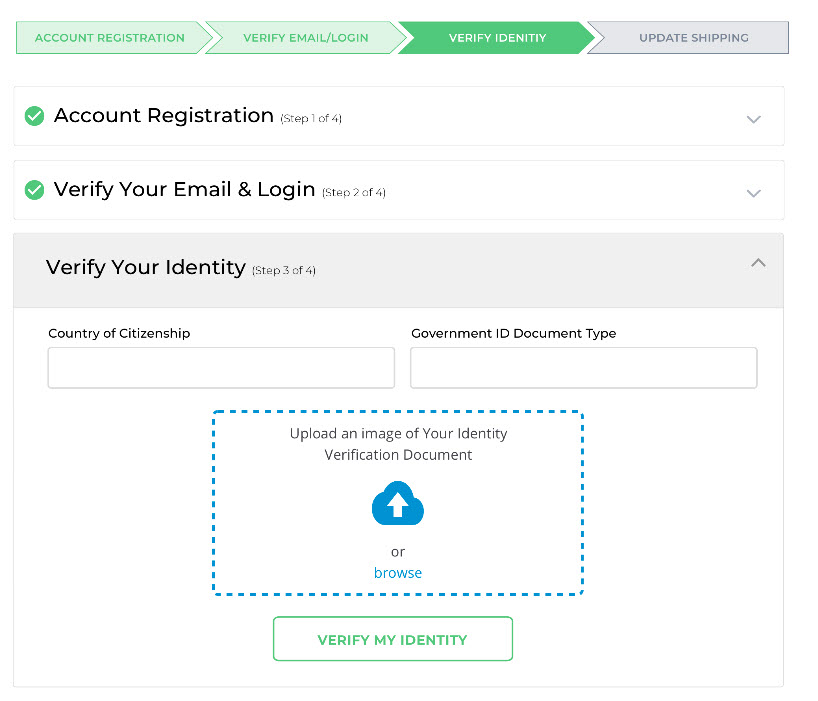
    6. Verify your identity. Fill out your Country, ID Type, and upload an image of your Identity Document, and click/tap the “VERIFY MY IDENTITY” button.Verify your identity
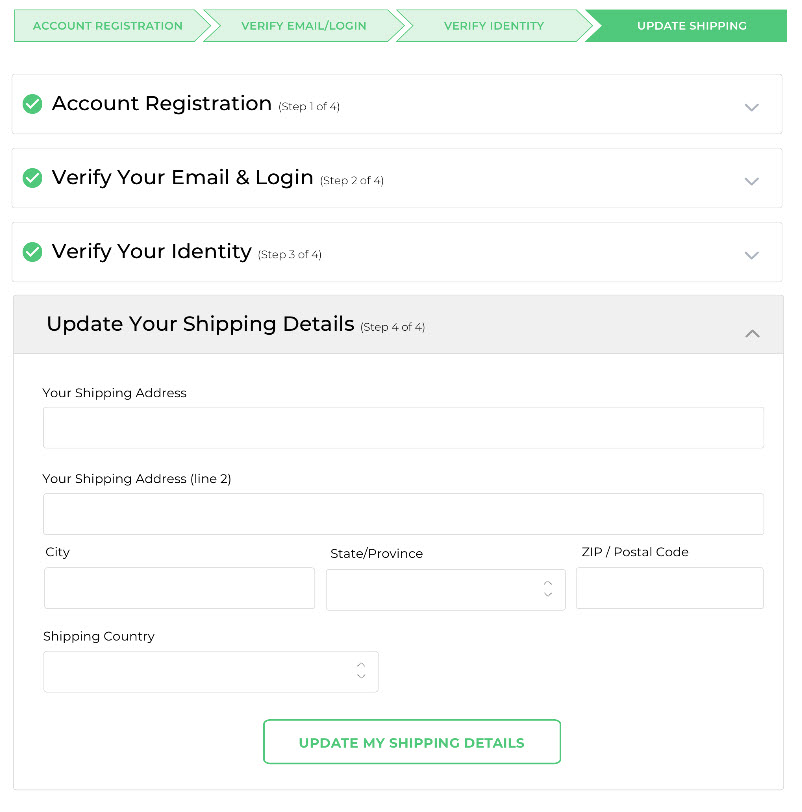
    7. Now enter your shipping address. This must be your home address where you want the card delivery and then tap/click on the “UPDATE MY SHIPPING DETAILS” button.Enter your shipping address
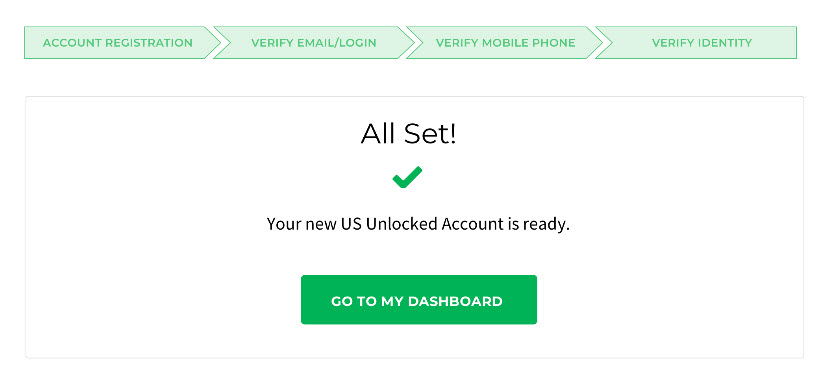
    8. Once the shipping details are updated, a new screen will appear that says, “All Set ✅ your new US Unlocked Account is Ready.” Click/tap on the “GO TO MY DASHBOARD” button.Go to Dashboard
    9. Now load your account using your debit/credit card. You can load any amount between $50 USD to $3500 USD. Add funds in to your us unlocked virtual prepaid card
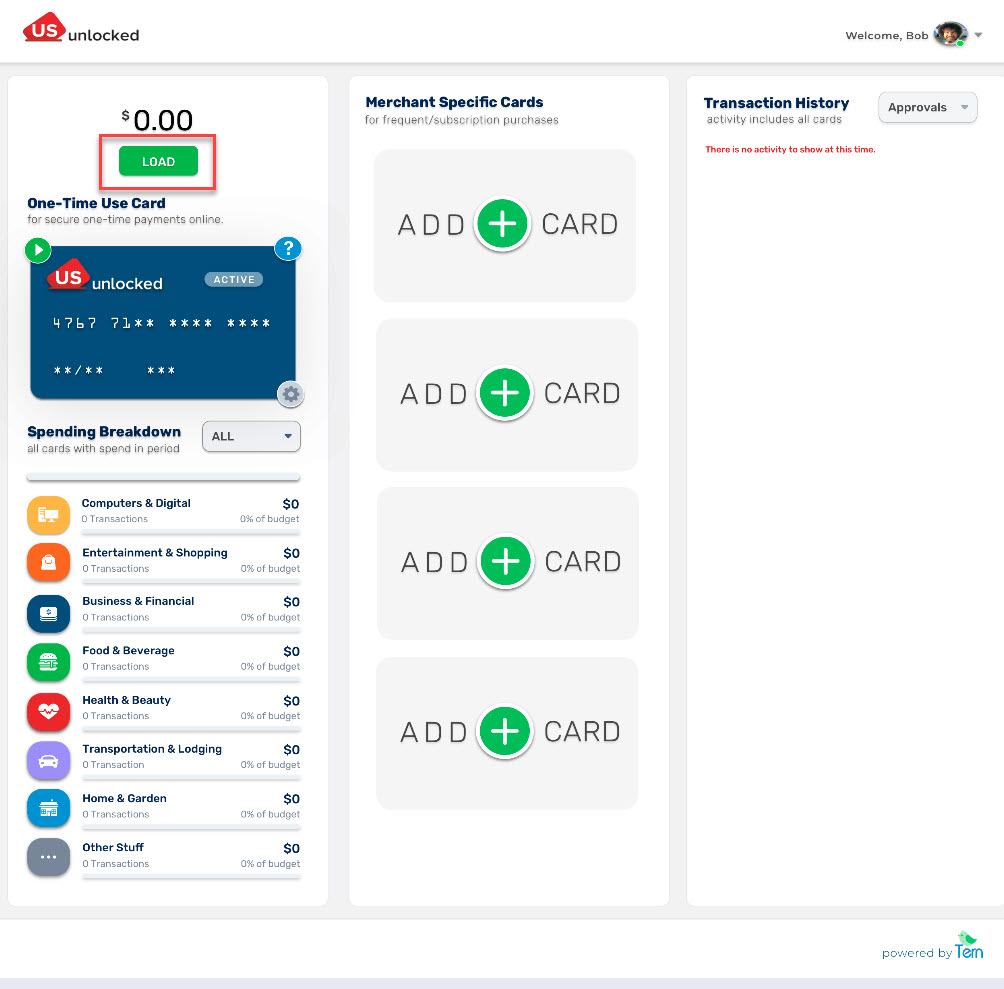
    10. Once you add funds to your US virtual prepaid card it will take 3-5 days max to show the fund.
    11. After the funds are added to your US virtual prepaid card it’s ready to use.
    12. Now visit Peacock TV and click on “PICK A PLAN.”
    13. Choose a plan by clicking on it. 
    14. Now enter all the required details and click on “Create Account”. You can easily find the US Zip Code on Google. enter all the details and click Create Account
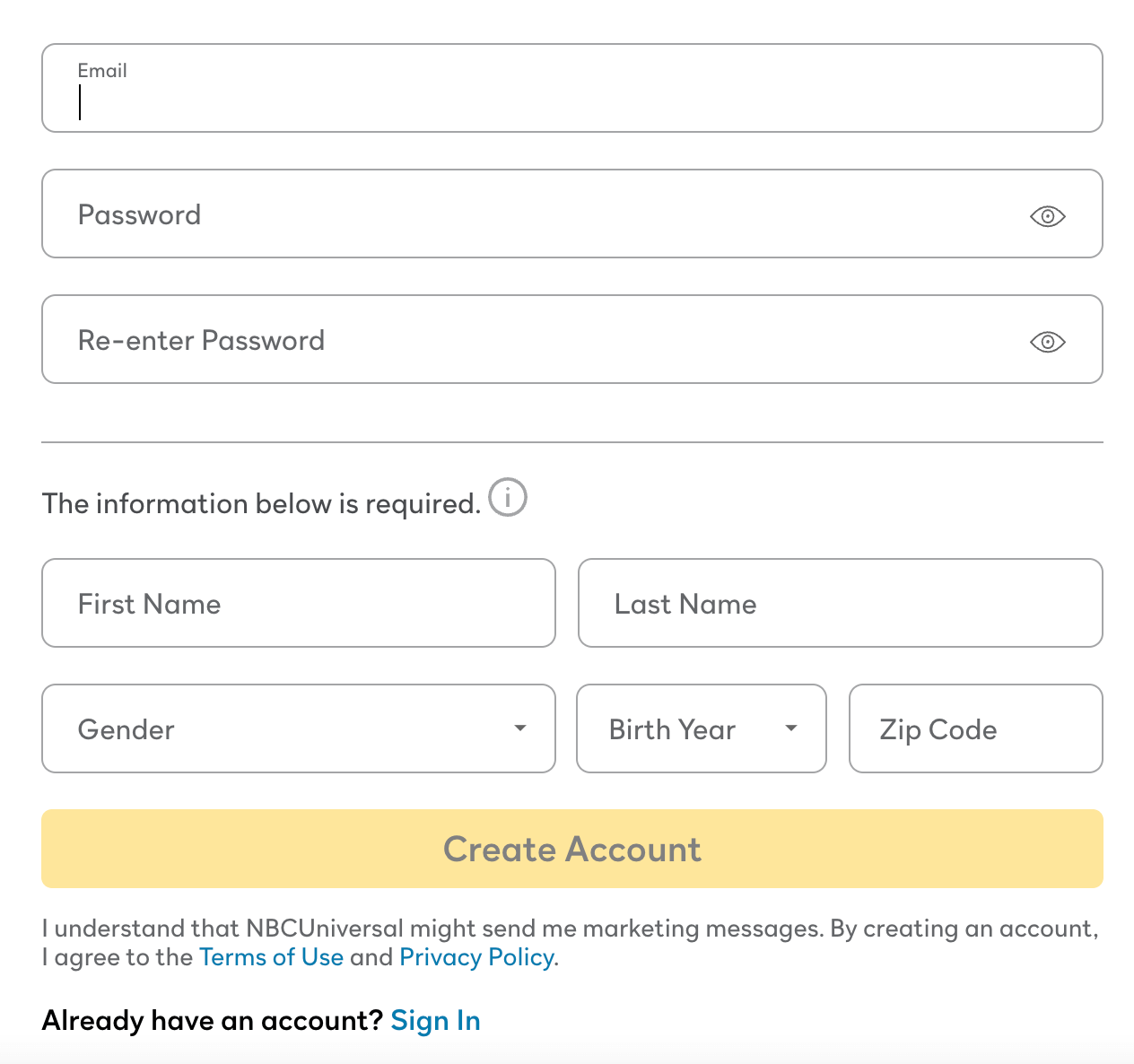
    15. Once the process is done, you will get a verification email. Verify your account by clicking on the link in the verification email.
    16. Now sign in with your email address and password on the Peacock TV website and pay through the US Virtual Prepaid Card you just created.

    Once you sign up for Peacock TV, it is effortless to watch your favorite content in Australia.

    Now follow these 3 easy steps to watch Peacock TV in Australia:

    1. Connect to the US server using a VPN if you haven’t already.
    2. Now make sure your device location is off.
    3. Visit Peacock TV and start watching in Australia.

    That’s how Peacock TV Australia fans can watch all their favorite shows and movies on Peacock TV in Australia.

    If you are a Peacock TV Australia enthusiast looking for a way to get a Peacock TV free trial, read this guide. If you are looking to cancel your Peacock TV subscription, read this guide.

    Best VPN for Peacock TV in Australia

    Here are the best VPNs to watch Peacock TV in Australia:

    ExpressVPN is a hyper-successful, workaholic VPN with lightning-fast servers that retain all your internet speed, which is essential if you want to stream Peacock TV in Australia.

    This provider’s noteworthy features are:

    • Above 3000 servers in 160 locations (94+ countries)
    • Offers apps and software support for Mac, Windows, Amazon Firestick/Fire TV, Apple TV, Roku, iOS, Android, Smart TV, PlayStation, and Xbox.
    • Proven security and privacy features like 256-AES military-grade encryption, kill switch button, IP, and DNS leak protection.
    • an ability to connect to 5 devices at once
    • Unblocks popular streaming services, including Hulu Australia, American Netflix, HBO Max, YouTube TV, BBC iPlayer, Hotstar, Channel 4, TV Player, ABC, ESPN+ in Australia, and others.
    • 24/7 excellent chat support.
    • 15 months in the first-year plan (3 extra months) with a 30-day money-back guarantee

    And the steal? It’s got 30,000 different IP addresses – you will be untraceable.

    2. NordVPN (Affordable)

    NordVPN is the Apple of VPNs – the largest market in the VPN industry. Nord has been particularly promising in the user-friendly area:

    • UI is easy to use with the ‘Quick Connect‘ button
    • has more than 5000 servers, 62 locations (and 62 countries)
    • has the lowest yearly rates
    • can form six simultaneous connections

    The jewel in Nord’s crown is Double VPN – meaning double encryption, double security.

    3. SurfShark

    Surfshark is a reliable and budget-friendly VPN, perfect for streaming Peacock TV in Canada with strong privacy and speed.

    Its best features are:

    • 3,200+ servers in 100 countries (including multiple U.S. locations)
    • Unlimited device connections with a single account
    • Works on all major platforms (Windows, Android, iOS, macOS, Fire TV, more)
    • Built-in Smart DNS for devices that don’t support VPN apps
    • Fast speeds and NoBorders mode to bypass VPN blocks easily
    • Affordable plans with a 30-day money-back guarantee

    These three VPNs are my top choices as they’ve stood steadfast to their brand. They’re consistently providing optimum security and have always dealt ethically with user data – unlike free VPNs.

    Peacock TV vs. Other Streaming Services in Australia 2025

    Peacock TV is still not available as a standalone streaming service in Australia in 2025. NBCUniversal currently distributes its content through local platforms like Hayu, 7Bravo, Foxtel, and others.

    Service Price (AUD/mo) Highlights
    Peacock Premium (VPN) ~9.33 (ads) Full US library with commercials
    Peacock Premium Plus (VPN) ~18.68 (mostly ad-free) Adds downloads & live NBC
    Netflix (ads) 6.99 Large global catalogue, 1 stream
    Netflix (HD) 16.99 Ad-free, 2 streams, downloads
    Netflix (4K) 22.99 4 streams, Ultra HD
    Disney+ 15.99 (HD, ads) / 20.99 (4K) Huge family/Marvel/Star content
    Max (HBO) 11.99 (ads), 15.99 (HD), 21.99 (4K) HBO originals, blockbusters, Discovery/TLC bundles
    Binge 10–22 HBO-style dramas, some sports
    Stan 12–21 (+ sports extras) Aussie originals + US content
    Prime Video 9.99 Broad library + Amazon perks
    Paramount+ ~13 CBS, Star Trek, Yellowstone-style series

    Alternatives to Peacock TV in Australia Offering Similar Content

    Here’s a comparison of the top alternatives in Australia that offer content similar to Peacock.

    AU Service Price/Month (AUD) Peacock-Style Content Notes
    Binge $10–22 NBCUniversal series, dramas (e.g. The Office, Chicago Fire, Law & Order), reality TV Licensed via Foxtel, large US back catalogue
    7plus / 7Bravo Free (ad-supported) Some Peacock & NBC shows (Below Deck, Real Housewives, Saturday Night Live) Delayed releases, not full library
    Hayu $6.99 Reality shows (Below Deck, The Real Housewives, Keeping Up with the Kardashians) Peacock-style reality, but no scripted content
    Stan $12–21 Some NBCU shows (Girls5Eva, Younger, The Bold Type) + originals Mix of Australian & US content
    Foxtel / Foxtel Now $25+ Full NBCUniversal partnerships, HBO-style dramas, reality TV Expensive but most comprehensive for US content
    Paramount+ ~$13 Drama, crime, and reality (CBS, Showtime – some Peacock tonal overlap) Lacks NBC-specific shows
    Netflix $6.99–22.99 Peacock-style originals (The Good Place, Brooklyn Nine-Nine, The Fall of the House of Usher) Doesn’t carry true NBC/Peacock exclusives
    Amazon Prime Video $9.99 US comedy, crime, drama (The Office US, Psych, Bosch) Strong catalogue of Peacock-like shows

    Peacock TV Australia Device Compatibility 2025

    Here is the complete list of devices on which Australians can watch Peacock TV:

    Web Browsers:

    • Chrome 75+ (Windows/Mac)
    • Firefox 88+ (Windows/Mac)
    • MS Edge 80+ (Windows/Mac)
    • Safari 12+ (Mac)

    Mobile and Tablet Devices:

    • Android: 6.0 or above
    • iOS: 14 or above

    Connected TVs, Game Consoles and Streaming Devices:

    • Amazon: Peacock is supported on Fire TV and Fire Tablet devices with Fire OS 6 and above.
    • Android TV: Peacock is supported on a wide variety of Android TV-enabled Smart TVs, such as Sony Bravia, and set-top boxes, including NVIDIA Shield, running Android OS 5.1 and above.
    • Apple TV: Apple TV HD (4th Generation or above) with tvOS 13 or above
    • Chromecast: 1st Generation or above, including Chromecast with Google TV
    • Hisense VIDAA: Peacock is supported on Hisense VIDAA powered 2021 devices and newer.
    • LG Smart TV: LG WebOS 3.5 or above
    • PlayStation 4 & 5
    • Roku 2 (4210X model only)
    • Roku 3 & 4 (model 4200X or later)
    • Roku Streaming Stick (model 3600X or later)
    • Roku Express/Express+ (model 3900X or later)
    • Roku Premiere/Premiere+ (model 3920X or later)
    • Roku Ultra/Ultra LT (model 4640X or later) 
    • Roku TV and Smart Soundbar (model 5000X or later)
    • Samsung Smart TV: Peacock is supported on models from 2017 or later. If you’re unsure, you can check your model number and year here.
    • VIZIO Smart TV: SmartCast 2.0 or 3.0 (from 2016 and newer)
    • Xbox One, S, and X

    These are the devices where you can Peacock TV on. However, if you want to download Peacock TV on any of these devices in Australia, you need to use a VPN.

    How Much Does a Peacock TV Subscription Cost in Australia 2025?

    Peacock offers two plans: Premium, and Premium Plus – basically two different price categories. Premium (with ads) costs US $5.99 or AU $9.04 a month, and Premium Plus (no ads) costs US $11.99 or AU $18.11 a month.

    From early 2023, Peacock ends both the free plan and free trial for its new subscribers.

    The Premium plan offers 80,000+ hours’ worth of content to the library – in fact, the complete Peacock library. Also live sports, events, current NBC and Bravo shows, and 50+ always-on channels with ads.

    Peacock’s Premium Plus plan, on the other hand, offers all the content that is available with the premium plan plus live NBC 24/7 channel with limited ads and download shows and movies to watch offline.

    Watching Peacock TV in Australia Using a Smart TV 2025

    Watching Peacock TV in Australia on a smart TV in 2025 is possible, here’s a step-by-step guide to make it work.

    OPTION 1: Use a Smart TV + VPN Router + Peacock App (US Version)

    What You’ll Need:

    • A smart TV that supports the Peacock app (Samsung, LG, Android TV, etc.)
    • A VPN that works with streaming (e.g., NordVPN, ExpressVPN, Surfshark)
    • A VPN-compatible router OR a PC with virtual router setup
    • A Peacock account with a U.S. billing method

    How to Set It Up:

    Step 1: Install a VPN on Your Router

    • Log into your VPN provider’s dashboard and install it on your home router (or use a dedicated VPN router).
    • Set the VPN server location to the United States.

    Step 2: Connect Your Smart TV to the VPN Network

    Go to your smart TV’s network settings and connect it to the VPN-enabled Wi-Fi.

    Step 3: Install the Peacock App

    • On Android TV / Google TV: Search and install Peacock directly (if location spoofed as U.S.).
    • On Samsung/LG: You may need to change the region of your TV to the U.S. in the settings, then install the Peacock app.
    • Alternative: Sideload the app on Android TV using APKMirror or similar trusted sites.

    Step 4: Sign In

    • Use your U.S.-registered Peacock account (created using a VPN on a mobile or browser).
    • You should now be able to stream the full US Peacock catalogue.

    OPTION 2: Use a Streaming Device (Easier)

    • If you don’t want to tinker with your TV’s settings:
    • Buy a Fire TV Stick, Roku, Chromecast with Google TV, or Apple TV
    • Set up the device using a VPN (via router or smart DNS)
    • Download the Peacock app from the U.S. app store
    • Log in and stream

    Many users find this route simpler and less risky than modifying the TV itself.

    How to Download the Peacock App in Australia

    How to Download the Peacock TV App in Australia on a Laptop/PC (Windows & Mac)?

    If you are looking to watch Peacock TV on your laptop or PC (Windows/Mac) in Australia, there is no need to download the app since you can stream it on Peacock’s official website through an internet browser.

    Here’s how you can watch Peacock TV in Australia on your Laptop/PC:

    1. Connect to the US server using a VPN.
    2. Make sure your laptop/PC location is off.
    3. Visit Peacock TV website and sign in.
    4. look for the show, movie, or live sports and start streaming Peacock in Australia.

    How to Download the Peacock TV App in Australia on iPhone/iPad?

    Here’s how you can download the Peacock TV app in Australia on your iPhone/iPad:

    1. First, go to “Settings” on your iPhone/iPad, and click on your profile.
    2. Now tap on “Media & Purchases”, then tap on “View Account”. It will ask for your “Passcode” or “Touch ID” for verification. Enter your “Passcode” or “Touch ID”.
    3. Now tap on “Country/Region” → “Change Country or Region”, then select the United States as your country.
    4. Once you select the United States, the “Terms and Conditions” page will open. Select “Agree” to proceed.
    5. Now enter all the required details. You can easily find US addresses and postal codes on Google – use any one of them.
    6. Now enter “Done” and wait for the process.
    7. Once the process is complete, your App Store region will be changed to the USA. Go to the App Store and download the Peacock app.
    8. After downloading the Peacock app, open the VPN app, connect to the USA server, and start watching!

    If you want to know about this topic in more detail, read our “How to Get Peacock TV on iPhone/ iPad in Australia Guide”

    How to Download Peacock TV App in Australia on Android Devices?

    Here’s how to download the Peacock app in Australia on your Android smartphones, tablets, and TVs:

    1. First, open the VPN app on your Android device and connect to the USA server.
    2. Now open the Play Store app and tap on the 3 bars located on the top left of the screen.
    3. Go to the “Account” section where you will find your name and country.
    4. Now select the USA as your country and enter all the required details.
    5. Once your region changes to the USA, you can download the Peacock TV app and start streaming in Australia.

    How to Download Peacock TV App in Australia on Amazon Firestick/Fire TV?

    Here’s how to download Peacock TV app on Amazon Firestick/Fire TV in Australia:

    1. Visit the Amazon website and log in to your existing account.
    2. Now click on the “Accounts & Lists” option and then click on “Your Accounts and Content”
    3. Now change your region to the USA from Australia.
    4. Connect your Amazon Firestick device with your TV and then click on “Settings”.
    5. Log out or deregister your account and then sign in back.
    6. Now download the Peacock app and VPN app from App Store.
    7. Open the VPN app and connect to the USA server.
    8. Open the Peacock app and start watching.

    How to watch Peacock TV on my Samsung Smart TV in Australia?

    Samsung Smart TVs do not support VPN apps directly (like ExpressVPN, NordVPN, etc.) because Tizen OS doesn’t allow native VPN installations. Smart DNS is the easiest for Samsung TVs. If you want full VPN protection and don’t mind the setup, use a VPN-enabled router.

    • Install the Peacock TV app (if not available, sideload it or cast from another device).
    • Set up a VPN on your router (U.S. location).
    • Many VPNs like ExpressVPN, NordVPN, or Surfshark offer Smart DNS.
    • You manually enter the DNS address into your Samsung TV network settings.
    • Works well for unblocking U.S. streaming services.
    • Create a Peacock account using a U.S. payment method or gift card.
    • Connect your TV to the VPN and log into the app.

    How to Download Peacock TV App in Australia on Roku, Apple TV, PlayStation, Xbox, and Smart TVs?

    Downloading the Peacock app outside the USA on devices like Roku, Apple TV, PlayStation, and Smart TV without Android OS is very technical since these devices do not support the VPN app directly.

    Due to this high level of complexity in downloading the Peacock app on these devices, we recommend using devices like Amazon Firestick/Fire TV and casting through your smartphones to watch Peacock in Australia on big screens.

    However, if you, as a Peacock TV Australia devotee, still want to download and watch Peacock on these devices, you can directly set up a VPN on your router or use the Smart DNS feature.

    Testing Criteria for Choosing The Best VPN to Watch Peacock TV in Australia

    In this enormous VPN market competition, there are only a few brands that are reliable and have extraordinary bypassing capabilities. To find the best, we tested 31 VPN services to unblock Peacock TV in Australia on the following criteria:

    • Offers at least 1000 dedicated servers for streaming and has the outstanding unblocking capability to access popular streaming services like Peacock TV, Hulu, HBO Max, BBC iPlayer, YouTube TV, and Amazon Freevee Australia.
    • Provides apps and software support for all common streaming devices including Windows, Mac, Apple TV, Roku, Smart TV, PlayStation, Xbox, Amazon Firestick/Fire TV, Android, and iOS.
    • Offers at least 4 simultaneous per account to watch on different devices at the same time.
    • Excellent customer support and at least a 30-day money-back guarantee.
    • Provides super strong security protocols such as high-grade military-grade encryption, kill-switch, IP, and DNS leak protection to keep user’s online activities anonymous and safe from hackers.

    How VPN Unblocks Peacock in Australia

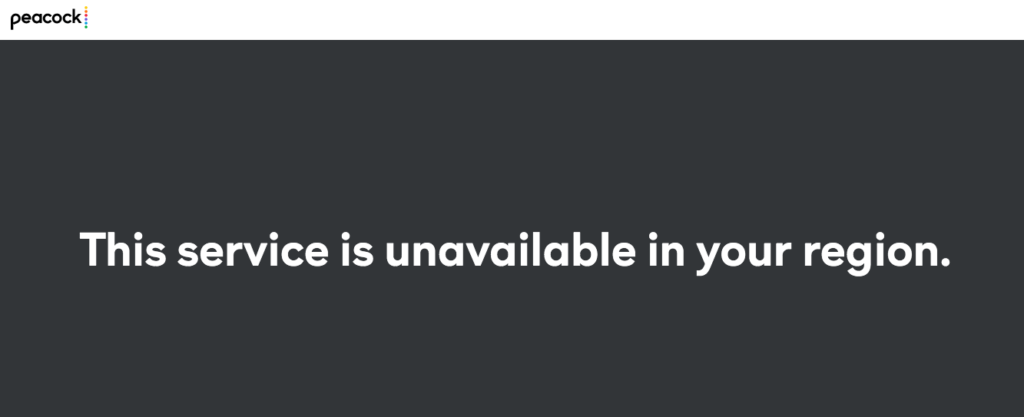
    Peacock TV’s algorithm is designed with a geo-blocking feature, that if any device from an internet network outside the US wants to connect, it’s automatically rejected with this heartbreaking message:

    Peacock TV geo-location error while streaming in Australia

    So, what is the VPN doing to counter this restriction? Don’t worry. It’s nothing illegal; let me show you how in these pointers:

    1. You click the connect button, and the VPN connects you to its designated server in the location of your choice – the US in this case.
    2. When you do a search after the connection, the VPN tells the landing site that you’re not from Australia but the US – because you’ve connected to a US server.
    3. This communication satisfies Peacock TV’s algorithm, and voila, you’re in.

    This was the simplest I could break it down for you – no thanks?

    Now that everything is ready, it’s time to understand another important thing: Peacock TV plans. Let’s compare the three briefly.

    Peacock TV Australia Content Library 2025

    Peacock TV’s 2025 library features over 40 premium shows and movies, including exclusive NBC series, live sports, and blockbuster films. 

    Here’s a list I compiled for Peacock TV Australia fanatics for the best movies and shows to go for when they watch Peacock TV in Australia:

    1. Six Nations
    2. Law & Order: Organized Crime (Via NBC)
    3. Law & Order SVU (Via NBC)
    4. Chicago Fire (Via NBC)
    5. Chicago Med (Via NBC)
    6. Chicago PD (Via NBC)
    7. Dr. Death
    8. Sealed with a List
    9. Round and Round
    10. Mr. Monk’s Last Case: A Monk Movie
    11. My Norwegian Holiday
    12. Love Island Games
    13. Five Nights at Freddy’s
    14. John Carpenter’s Suburban Screams
    15. The Continental: From the World of John Wick
    16. Twisted Metal
    17. Shooting Stars
    18. Bupkis
    19. Mrs. Davis
    20. The Traitors
    21. The Best Man: The Final Chapters
    22. Love for The Ages
    23. Baking It
    24. One of Us is Lying
    25. The Calling
    26. The Office
    27. American Psycho
    28. Firestarter
    29. America’s Got Talent
    30. Bourse Trilogy
    31. The Dark Knight
    32. Psycho (Alfred Hitchcock)
    33. Atonement
    34. The Matrix Trilogy
    35. Se7en
    36. Sinister

    Ah, the masterpieces. A mix of comedy, action, horror, suspense, and drama. You’ve started to like me, haven’t you?

    Troubleshooting Peacock TV Streaming Issues in Australia

    Here are the five most common Peacock TV streaming issues in Australia and their proven solutions:

    1. Peacock isn’t available in your region

    Cause: Your device or browser is leaking your Australian location.

    Fix:

    • Use a VPN that works with Peacock (e.g. NordVPN, ExpressVPN, Surfshark)
    • Connect to a U.S. server before opening Peacock.
    • Clear cookies/cache on your browser or app before logging in.
    • Make sure location services are disabled (especially on mobile).
    1. App won’t install or show in app store

    Cause: Your smart TV or app store is set to the Australian region.

    Fix:

    • Change device region to United States:
    • On Apple TV: Change iTunes/App Store region.
    • On Android/Google TV: Use a U.S. Google account.
    • On Samsung/LG: Change Smart Hub region (may need factory reset).
    • Use a streaming device like Fire TV Stick or Roku set to the U.S.
    • Sideload the app manually on Android TV (APKMirror, etc.).
    1. “Video Not Available” / Content won’t load

    Cause: VPN is blocked or slow, or DNS conflict.

    Fix:

    • Try a different U.S. server in your VPN app.
    • Use Smart DNS instead of a full VPN (if your provider offers it).
    • Turn off IPv6 in router settings (to prevent DNS leaks).
    • Restart your router and streaming device.
    1. Buffering or Low Video Quality

    Cause: Slow VPN connection or congested server.

    Fix:

    • Switch to a different U.S. server in your VPN.
    • Use Ethernet instead of Wi-Fi on smart TVs or set-top boxes.
    • Test your speed: Peacock recommends 5 Mbps (SD), 10 Mbps (HD).
    • Close background apps using bandwidth.
    1. Login Issues or Account Not Accepted

    Cause: Peacock account created outside the U.S., or payment method not valid.

    Fix:

    • Create account using VPN + U.S. billing method or gift card (from sites like MyGiftCardSupply).
    • Use a browser in incognito mode during signup to avoid cookie conflicts.
    • If already subscribed, contact support: Peacock Help Center.

    FAQs

    Is Peacock TV available in Australia?

    Peacock TV is not available in Australia due to geo-restrictions. However, if you use VPN (ExpressVPN) with US IP you can stream Peacock Australia on Android, iPhone, or any device.

    Is Peacock streaming free with Amazon Prime?

    No, Peacock is not free with Amazon Prime in Australia. Peacock requires a separate subscription and is only available in the U.S., but you can access it in Australia using a VPN.

    Does Peacock TV work in Australia?

    No, Peacock TV does not work in Australia directly. However, some Peacock TV shows and movies will be available on Foxtel in Australia.

    Is Peacock TV available in Australia through other streaming platforms?

    While you can’t subscribe to Peacock directly in Australia, Stan, Foxtel/Binge, and 7Bravo/7plus offer access to much of its content, including originals, movies, comedy, reality, and scripted series via NBCUniversal partnerships.

    How to watch Peacock TV on a Chromecast device in Australia?

    For the complete Peacock library, including live NBC, you’ll need:

    A. Peacock Setup

    Sign up for Peacock using a U.S. email and U.S. payment method (credit card or gift card).

    B. VPN Configuration

    • Use a VPN that works reliably with Peacock (e.g., ExpressVPN, NordVPN, Surfshark).
    • Connect to a U.S. server on the device you’ll cast from (phone, tablet, or laptop).

    C. Install Peacock & Cast

    Make sure the VPN is active, log in to Peacock, and tap the Cast icon to stream to your Chromecast.

    On Android/iOS: download the Peacock app.

    On desktop: use Chrome browser, go to peacocktv.com.

    Conclusion

    I hope by the time you’re finishing this read, you know what you need to do to watch Peacock TV in Australia.

    Peacock TV is an excellent resource. The free version lets you watch almost everything for free – the only cost you’ll have to bear will be for NordVPN. But trust me, this complete package is worth less than the fun you’re going to have watching Peacock! 

    How to Get American Netflix in Australia [2025 Guide]

    Watch American Netflix in Australia

    Do you think breakups are painful? Guess you’ve never googled ‘best Netflix movies’ only to find out that it’s on Netflix USA, only. Do you think ice cream is happiness? Guess you don’t know what it’s like to watch Netflix USA from your country.

    In this guide, I’ll teach you just that – how to get American Netflix in Australia. Let’s get the ball rolling!

    What’s Different About Netflix USA?

    Netflix may be available in over 190 countries, but its content library changes depending on where you’re watching. Licensing restrictions mean that some of the best titles never make it to certain regions.

    For example, Breaking Bad is available on Netflix USA but not on Netflix Australia. That’s just one example of the many shows you’re missing out on.

    To put it in numbers, Australian Netflix has about 779 TV shows and 3,500 films, while American Netflix offers 1,844 TV shows and 4,035 films. That’s a difference of roughly 1,221 titles — about 20% more content.

    If you want access to that extra content, including Breaking Bad, the solution is simple — get Netflix USA.

    How to Unblock US Netflix in Australia

    The trick to unlocking US Netflix in Australia is simple. Use a reliable VPN. A VPN (Virtual Private Network) lets you connect to servers in different countries, encrypting your data and masking your location. While VPNs are often used for online privacy and security, they also work perfectly for bypassing geo-restrictions.

    Here’s how to do it:

    1. Get a reliable VPN – I recommend ExpressVPN for its speed, reliability, and ability to consistently unblock Netflix USA.
    2. Download the app on your device, log in, and connect to a US server.
    3. Open Netflix – Use your existing account and start browsing the US library instantly.

    That is all you need to do. You are simply connecting to a US server so Netflix thinks you are watching from America.

    Using a VPN is legal in Australia for privacy and security. The bonus is that you get access to the massive American Netflix library including shows like Breaking Bad.

    Note: If you are looking for a way to cancel a Netflix subscription, read our Netflix Subscription Cancellation Guide.

    Testing Criteria for the Best VPN to Get American Netflix in Australia

    Since VPN providers are big at making claims that will leave you overwhelmed, there are some critical determining factors you must keep in mind before buying a VPN. For example, your ideal VPN must have:

    • An ability to make multiple connections on multiple devices at the same time
    • A web of multi-hundred servers across countries and continents
    • Fast, secure, and encrypted data transmission – a double VPN feature is a plus
    • An established brand trust with a strict and known no-log policy
    • A confident business with offers like free trials and money-back guarantees

    These five qualities define the best VPN services. Given the competition out there, it’s not hard to filter out the best. I’ve done this for you in the next section.

    Best VPNs to Get American Netflix in Australia

    Out of all, these three had some crazy numbers and trends going on in their growth charts and customer feedback, so here I have for you, the best VPNs to get American Netflix in Australia:

    1. Top Recommendation – ExpressVPN

    ExpressVPN has got no haters around. Flaunting exceptional, high-speed servers, tightly secured data transmission, and the biggest network of worldwide servers – the VPN extraordinaire.

    Here are some specific ExpressVPN strengths:

    • Can unblock streaming platforms – like Netflix US, Hulu Australia, Hotstar, Paramount+, YouTube TV, HBO Max Australia, BBC iPlayer, and ESPN+ in Australia and other countries – because of its enormous server network internationally.
    • Encrypts using strong techniques to secure your data – impregnable, at times, ExpressVPN has given hackers a hard time
    • Has excellent customer support, available to help you round the clock.

    2. Pocket-Friendly Choice – NordVPN

    NordVPN is a network that has neatly made its way to the top – the VPN with the biggest market share. What’s taken Nord to this level is its easy-to-use user interface along with blazing fast speeds and double encrypted VPN.

    Here’s a bit more about Nord:

    • Has a ‘Quick Connect’ button that connects you to the fastest server based on your location with a single tap
    • Offers a massive number of servers around the world that are fast and responsive

    3. Reliable VPN – PrivateVPN

    Older and wiser than Nord, PrivateVPN has recently been skyrocketing due to its improved server speed. For purposes like streaming Netflix US, BT Sport Australia, or Channel 4 Australia, torrenting, and online gaming, PrivateVPN proves to be both excellent and economical.

    • It has assigned servers for American Netflix
    • Has a strict no-logs policy and provides an outstanding security
    • The server connections are reliable, staying put 24/7

    ExpressVPN, NordVPN, and PrivateVPN are the services with the biggest and fastest-growing markets, networks, and speeds. Sure, they’re paid services, but for a reason.

    How Does Netflix’s Content Geo-blocking Work

    The IP address of the device you are using to access Netflix is used to geo-block content. You will see a notification stating that the show or movie is not available in your location if your IP address suggests that you are viewing Netflix from a different country than the one you signed up for.

    According to license agreements, which specify which nations specific movies and television shows can be aired in, the content is blocked in order to adhere to those agreements. For instance, a movie that is licensed for streaming on Netflix in the United States might not be licensed for broadcast in Australia.

    How a VPN Lets You Access Geo-Restricted Content?

    Netflix offers different content libraries based on country due to licensing restrictions. For instance, some shows on American Netflix aren’t available on Netflix Australia because of these distribution policies.

    Netflix detects your location through your device’s IP address, restricting access to country-specific content. A VPN masks your local IP and replaces it with one from a country of your choice, like the US, allowing you to access the American Netflix library from Australia.

    Why Using a Free VPN is a Bad Idea?

    Free VPNs might seem appealing, but they often compromise your privacy and security. While paid VPNs sustain their operations through subscriptions, free VPNs cover their costs by selling your data to advertisers, ISPs, and even risky third parties.

    By using a free VPN, you risk exposing your personal information and browsing activity. Paying for a trusted VPN ensures your data stays private and provides a secure, reliable connection for accessing geo-restricted content.

    Best Movies and Shows on American Netflix

    One of the hardest things of 2024 for me was to create a brief list here. Netflix has so much quality that it can really be a while naming every best show and film.

    Now that I’m done with it, I proudly present this list of content for you, when you watch American Netflix in Australia:

    1. The Great British Bake Off
    2. Zodiac
    3. The Silence of the Lambs
    4. The King’s Speech
    5. House MD
    6. Inglorious Bastards
    7. The Good Place
    8. Sons of Anarchy
    9. Dexter
    10. New Girl
    11. ET: The Extra-Terrestrial
    12. The Town
    13. It’s Always Sunny in Philadelphia
    14. All American

    These titles are exclusively present on US Netflix, and they are the ones to die for.

    Where Can I Watch American Netflix in Australia?

    The good news is you can access American Netflix content on all the same devices that you use to watch Australian Netflix in Australia including iOS, Android, Mac, Windows, Roku, Apple TV, Smart TV, PlayStation, Xbox, and Amazon Firestick/Fire TV.

    All you need is just a reliable VPN to get American Netflix in Australia. Here’s how you can watch American Netflix on all these devices.

    How to Get American Netflix on Your Devices in Australia?

    How to Get American Netflix in Australia on iPhone/iPad?

    Here is how you can watch US Netflix in Australia on iPhone/iPad:

    1. Download and subscribe for a VPN.
    2. Open the VPN app, sign in, and connect to the US server.
    3. Now make sure that your iPhone/iPad’s location is off.
    4. Head to the Netflix app and sign in and start streaming American Netflix in Australia.

    How to Get American Netflix in Australia on Android?

    Here is how you can access American Netflix in Australia on Android:

    1. Subscribe and download a VPN.
    2. Open the VPN app, sign in, and connect to the American server from the list.
    3. Now turn off your Android device location.
    4. Open the Netflix app and start watching American Netflix in Australia!

    How to Get American Netflix in Australia on Amazon FireStick/Fire TV?

    Here is how you can get American Netflix on Amazon FireStick/Fire TV in Australia:

    1. Sign up and download a VPN app on your Firestick/Fire TV device.
    2. Open the VPN app, sign in, and connect to the US server.
    3. Now make sure that your Firestick/Fire TV location is off.
    4. Visit the Netflix app, sign in, and start streaming US Netflix in Australia.

    How to Get American Netflix in Australia on Roku, Apple TV, Smart TV, PlayStation, and Xbox?

    Devices like Roku, iOS, Android, Amazon Firestick, Apple TV, Smart TV, PlayStation, and Xbox do not support native VPN apps.

    This makes it complicated to watch American Netflix in Australia on these devices.

    However, if you want to access the American Netflix library to watch on the big screen through these devices in Australia, you can do that by using Amazon Firestick/Fire TV since it supports native VPN apps.

    Otherwise, you can use any of the following methods to get American Netflix in Australia on Roku, Apple TV, Smart TV, PlayStation, and Xbox:

    Set up Smart DNS on your device and access US Netflix in Australia

    Make your laptop or PC virtual router and stream American Netflix in Australia

    Set up a VPN on your home router and set the USA as your location. Now connect any of these devices with your home router and start streaming Netflix USA in Australia.

    Do I need to pay any extra fee to watch US Netflix in Australia?

    No, you don’t need to pay any extra fee to watch US Netflix in Australia. You can use your same Netflix account to access American Netflix content in Australia. All you need to do is connect to the US server using a VPN, sign in with your Netflix account that you have already, and start watching American Netflix in Australia.

    Conclusion

    You have the answer: yes, you can get American Netflix in Australia. The process is simple; let’s go through it one last time.

    You purchase a VPN, connect to a US server, and refresh your Netflix page – easier than it should’ve been – dare I say. And yes, by the way, keep the VPN connection at all times when you’re binge-watching Netflix US. Have fun!

    How to Watch Sky Sports in Australia [2025 Guide]

    Access Sky Sports in Australia

    Sky TV is a streaming service available in the UK only. To watch Sky Sports in Australia, you will need a top-notch VPN.

    Sky TV is home to a massive library of TV shows, movies, and unlimited sports. The service is available in the UK and Ireland. You cannot access the service outside the UK due to content licenses and geo-restrictions.

    but, if you are feeling left out in Australia, I know how to watch Sky Sports in Australia.

    Let me show you how to do it.

    What is Sky Sports?

    One of the world’s top sports networks, Sky Sports, is a set of ten sports channels (ten different sports). Launched some 30 years ago, in 1990, Sky Sports plays a pivotal sports promotional role in the UK.

    Sky Sports in Australia
    Credit – Sky.com

    It’s the fourth most valuable sports brand globally, and its popularity continues to grow – your presence here is proof. It is well-known for its high-quality English Premier League, Cricket, Golf, Action, F1, and previously Wrestling live streams.

    Unfortunately, Sky Sports is not available outside the UK, even in countries like Australia and the USA. Discovers the fanatics have resorted to the ways of VPN, to unblock Sky Sports from their homeland and stream it live. Let’s look at the step-by-step process.

    Sky Sports Availability in Australia

    Sky Sports is only available in the UK and Ireland. It is geo-blocked in Australia and cannot be accessed without using workarounds. To watch it, use a VPN to connect via a UK server. Then subscribe to NOW’s flexible Sky Sports passes, ranging from daily (~AU$20) to monthly (~AU$59) options with no contracts.

    How to Watch Sky Sports in Australia

    There are two things that you need to watch Sky Sports in Australia. One, you need to purchase a VPN, and two, you have to buy a Sky Sports subscription.

    Purchasing a VPN for Sky Sports

    Buying a VPN subscription is the first step towards unblocking Sky Sports. Purchasing a VPN is not an issue; it’s a pretty simple process that you can follow; here it is:

    1. Subscribe for a VPN service – We highly recommend ExpressVPN.
    2. Download the VPN and log in using the ID you just created.
    3. Once logged in, connect to a UK-based server and you are ready to stream Sky Sports.

    Offers 30-day money-back guarantee!

    So, we have solved the first part of the problem – purchasing a VPN. The second part is buying a Sky Sports subscription which is also the trickier part of this process.

    How to Get Sky Sports Subscription from Australia?

    The problem here is buying a Sky Sports subscription. You have to have a British bank account – which of course you don’t. So, to make the purchase, you have the following ways at your disposal:

    Sky Sports Subscription
    Credit – skysports.com

    1. NOW TV

    Note: Purchase a streaming plan for NOW TV Sky Sports Pass using your MasterCard/Visa card and stream Sky Sports from Australia. It’s free and comes with a giant wave of 12 Sky Sports channels.

    2. Amazon UK

    If you don’t have a UK credit card, another fun way is to buy Amazon UK passes and pay for a Sky Sports subscription. Head over to Amazon UK and purchase a gift card.

    3. Ask a Friend – The Proxy Method

    Another safe and efficient way is to ask a friend of yours living in the UK to pay for your monthly subscription. This way, your monthly GBP payments will be automatic, and you’ll have to pay your friend in Australian bucks yearly or monthly; however you settle.

    I’m streaming Peacock TV outside the US, and I had my friend pay for my monthly subscription – problems faced until now: zero.

    Now we’re done with the second part of the problem as well. An important thing that matters over here is your choice of VPN. If you choose to go with the wrong VPN, the chances are that you will not be able to stream Sky Sports in Australia in as high quality as you can.

    Sky Sports Australia TV Providers 2025

    No Australian TV provider currently offers Sky Sports content – your only legal option is subscribing to NOW TV’s Sky Sports pass using a UK VPN.

    Kayo Sports and Foxtel carry Fox Sports (Australian) content, but not Sky Sports. Since no Australian provider currently offers Sky Sports, you keep an eye on DAZN’s integration into Foxtel, which may shift the landscape later in 2025.

    How Much Does Sky Sports Cost in Australia 2025?

    Sky TV is the broader entertainment package that includes Sky Sports along with movies and general entertainment channels, with prices starting from £15/month for essential packages. Here are the most purchased ones:

    Plan 24-Month Price 31-Day Price Includes
    Sky Essential TV £15 £18 Sky Atlantic, Netflix (ads), Discovery+
    Sky Ultimate TV £22 £25 Sky Max, Sky Documentaries, Netflix, Discovery+
    Add-on: Sky Cinema £10 — Movie channels
    Add-on: Sky Sports £20 — Sports channels
    Sky Glass Plan £14 (48 mo) — Sky TV package, Netflix, Discovery+

    Compare Sky Sports Australia package

    The only legal and viable way to access Sky Sports content in Australia in 2025 is through an excellent VPN and a subscription of NOW TV Sports Pass. Here are the different UK Sky Sports packages:

    Plan Option Price (AUD) Additional Information
    Day Pass ~AU$28 one-off Ideal for single-day access
    Monthly Flexible Pass ~AU$67/month Cancel anytime
    Six-Mo Saver (intro rate) ~AU$50/month (first 6 mo) Then increases to ~AU$67/mo
    Add Boost for HD (optional) +AU$12/month Recommended for reliable streaming
    Add Ultra Boost (optional) +AU$17/month extras Best for 4K-capable devices

    Best VPN for Sky Sports in Australia

    The three VPNs are ExpressVPN, NordVPN, and Surfshark. Here’s all that you need to know about these:

    FeaturesDetails
    Number of Servers3000+ servers in 105 countries (300+ US servers
    UnblockSKy Sports, Hulu, Sling TV, ESPN+, Peacock, Paramount+, and Disney+
    Recommended ServersAtlanta, London, Dallas, Denver, Miami, New York, Pheonix, and San Fransico
    Connections8 Simultaneous Connections
    Device SupportWindows, Mac, iOS, Apple, Android, Amazon Firestick, Fire TV, Roku, Smart TV, Samsung TV, LG Smart TV
    Money-back Guarantee30 days
    Best Deals61% Off – 2 Years + 4 Months Free

    Offers 30-day money-back guarantee!

    NordVPN

    Features Details
    Number of Servers 6300+ servers in 110+ countries
    Unblock Netflix, Hulu, BBC iPlayer, Disney+
    Recommended Servers US, UK, Canada, Japan, Australia
    Connections 6 Simultaneous Connections
    Device Support Windows, Mac, iOS, Android, Smart TV
    Money‑back Guarantee 30 days
    Best Deals 74% Off – 2 Years + 4 Months Free

    Surfshark VPN

    Features Details
    Number of Servers 3200+ servers in 100+ countries
    Unlimited Connections Supports unlimited simultaneous devices
    Unblock Netflix, Hulu, Disney+, BBC iPlayer, ITVX
    Key Features StartClean, IP Rotator, MultiHop, GPS Spoofing
    Security AES‑256, No‑logs policy, CleanWeb ad/malware blocker
    Money‑back Guarantee 30 days
    Best Deal Up to 87% off 2‑year plan (~US$1.99/mo) + 3 months free

    Should I Watch Sky Sports Using a FREE VPN?

    Here’s a list of reasons why you should not watch Sky Sports using a free VPN:

    • It won’t work at all, as Sky Sports has banned thousands of VPNs IPs already.
    • Free VPN services go with very cheap servers to keep the costs of business low.
    • Free/cheap servers have the most traffic, so they’re very slow.
    • Free VPNs interfere with your private data/information and are a security threat.

    There are many more reasons, but honestly, could you still keep using a free VPN after this disgusting fact that they interfere with and sell your personal information? I can’t.

    There come in Express, Nord, and Private VPNs; fully secure, honest, and fast. You’re paying them for a reason – and they make sure you feel like you’ve made the best purchase.

    What Does Sky Sports Include?

    Like I said, Sky Sports consists of ten different sports channels. All these primarily focus on the sport they’re programmed for – you have four options in the subscription, by the way: one, two, three, or ten channels, billed respectively.

    Here are the ten Sky Sports channels:

    • Sky Sports Main Event
    • Sky Sports News
    • Sky Sports Cricket
    • Sky Sports Football
    • Sky Sports Premier League
    • Sky Sports Action
    • Sky Sports F1
    • Sky Sports Golf
    • Sky Sports Mix
    • Sky Sports Arena (or Sky Sports Darts)

    How to Watch Sky Sports on your devices in Australia

    Sky Sports Apps
    Credit – play.google.com

    Download Sky Sports App on Android

    To watch Sky Sports on Android, you will need the NOW TV app and a VPN.

    • Connect VPN to a UK server.
    • Install or update the NOW TV app from Google Play (UK account).
    • Log into NOW TV with a valid Sky Sports pass.
    • Start streaming Sky Sports live on your Android device.
    • Enable HD/UHD playback in app settings for best quality.

    Download Sky Sports App on iOS

    To watch Sky Sports on iOS, you will need the NOW TV app and a VPN.

    • Connect VPN to a UK server
    • Change App Store region to the UK and install NOW TV
    • Log into NOW TV with a valid Sky Sports pass
    • Stream Sky Sports channels live on iPhone or iPad
    • Adjust video settings in the app for HD/UHD playback

    How to watch Sky Sports on my Apple TV in Australia

    To watch Sky Sports on Apple TV in Australia in 2025, you will need a Now TV app and a VPN. 

    • Connect VPN to a UK server
    • Install or update the NOW TV app via a UK Apple ID
    • Log into NOW TV with a valid Sky Sports pass
    • Start streaming Sky Sports channels live on Apple TV
    • Tweak 4K settings or use AirPlay if UHD playback has issues

    What are the troubleshooting Sky Sports streaming in Australia 2025?

    The most common Sky Sports streaming issues in Australia involve video quality, buffering, app crashes, and VPN blocks – here’s how to fix them.

    IssuePossible Fix
    UHD playing in HDApple TV → Settings → Output → 4K HDR 50 Hz
    Buffering/stutterSwitch to HD or lower resolution; match frame rate to 50 Hz
    Crashes/bugsReinstall or revert to the app version; disable Live Tune-in, etc.
    VPN issues/go-blockSwitch servers, clear cache, use trusted VPNs

    Brief about Foxtel vs Kayo Sports for Sky Sports in Australia

    Kayo and Foxtel do not offer the full UK Sky Sports channels, but they do carry a lot of Sky Sports–produced content through their broadcast partners like Fox Sports Australia. 

    These platforms do not have access to the full Sky Sports channel lineup (e.g., Sky Sports Main Event, Sky Sports Football, Sky Sports Cricket, etc.) or Sky Go app, and NOW TV.

    Foxtel and Kayo Sports are popular for accessing sports content, including Sky Sports-style coverage. For value and streaming convenience, Kayo is the better choice, especially if you’re primarily after live sports and modern app features.

    In contrast, Foxtel with an iQ box provides a more robust solution if you prefer reliability, DVR options, and full 4K support, but at a significantly higher cost.

    FAQs

    Is Sky Sports available in Australia?

    As of 2025, Sky Sports is only available in UK due to geo-restrictions. However, you can watch Sky Sports in Australia by using a VPN that has UK IP such as NordVPN.

    Can I watch Sky Sports using a VPN?

    Yes, you can watch Sky Sports in Australia using a VPN. Connect to a UK server with a reliable VPN, then access Sky Sports through its app or website.

    Does the Sky Sports app work in Australia?

    The Sky Sports app is geo-restricted and doesn’t work directly in Australia. To access it, use a reliable VPN and connect to a UK server. Once connected, you can stream Sky Sports content seamlessly.

    How to Watch Sky Sports Premier League in Australia?

    From mid-August 2025, Stan Sport will be the official home for watching Sky Sports Premier League coverage legally in Australia. Until then, Optus Sport offered full EPL coverage, including matches and replays.

    Conclusion

    I never said it’s challenging to watch Sky Sports in Australia. All you need to be is careful about accessing the site – by using a paid VPN. Free VPN services might get the job done, but the risk involved can be immeasurable. 

    Have fun streaming your favorite sports from Australia, and as always, keep reading!