How to Watch BAFTA TV Awards 2025 Livestream in Australia

Watch BAFTA Awards in Australia

BAFTA Television Awards will air on Sunday 11 May.

What if you can watch it live from Southbank Centre’s Royal Festival Hall. Being in Australia is not a problem when you have all the logistics sorted.

The guide will take you through all the steps to watch BAFTA TV Awards in Australia with free streaming option.

Where Can I Watch BAFTA TV Awards Online in Australia?

Australians can stream the BAFTAs live on BBC One and BBC iPlayer. BBC One and BBC iPlayer are free services for those who live in UK.

If you’re traveling outside Australia with valid BBC iPlayer license, you can still watch the BAFTA Television Awards using a VPN.

Simply connect to an UK server via ExpressVPN to bypass geo-restrictions and stream seamlessly from abroad.

Also Read: How to Watch BET Awards 2025 In Australia

How to Watch BAFTA Awards 2025 Live Online for Free?

If you don’t have Britbox or prefer a free option, you can stream the awards on BBC iPlayer (BBC One).

However, BBC iPlayer is only available in the UK due to licensing restrictions. To access it from Australia, you’ll need a VPN.

Steps to Watch BAFTA Awards on BBC iPlayer with a VPN:

  1. Subscribe and download a VPN — I highly recommend ExpressVPN.
  2. Open the VPN app, sign in, and connect to the UK server.
  3. Visit BBC iPlayer, sign up for a free account
  4. Search for Baftas and start live streaming for free.

Tip: You can use ExpressVPN’s 30-day money-back guarantee to watch the BAFTA Awards completely free!

What Time Will the BAFTA TV Awards 2025 Air?

The BAFTA Television Awards will air on 11th May 2025 at 7 pm.

Who will host the 2025 BAFTA Awards?

Alan Cumming will host the 2025 BAFTA Television Awards.

BAFTA television Awards 2025 Nominations

Best Drama Series

  • Blue Lights – BBC One
  • Sherwood – BBC One
  • Supacell – Netflix
  • Wolf Hall: The Mirror and the Light – BBC One

Best Scripted Comedy

  • Alma’s Not Normal – BBC Two
  • Brassic – Sky Max
  • G’wed – ITV2
  • Ludwig – BBC One

Best Limited Drama

  • Baby Reindeer – Netflix
  • Lost Boys and Fairies – BBC One
  • Mr. Bates vs The Post Office – ITV1
  • One Day – Netflix

Best Soap

  • Casualty – BBC One
  • Coronation Street – ITV1
  • EastEnders – BBC One

Best Factual Entertainment

  • In Vogue: The 90s – Disney+
  • Road Across the World – BBC One
  • Rob and Rylan’s Grand Tour – BBC Two
  • Sort Your Life Out – BBC One

best international Program

  • After the Party – Channel 4
  • Colin From Accounts – BBC Two
  • Say Nothing – Disney+
  • Shogun – Disney+
  • True Detective: Night Country – Sky Atlantic
  • You Are Not Alone: Fighting the Wolfpack – Netflix

Best Actor

  • Martin Freeman – The Responder (BBC One)
  • Richard Gadd – Baby Reindeer (Netflix)
  • Lennie James – Mr Loverman (BBC One)
  • Toby Jones – Mr Bates vs Post Office (ITV1)
  • Gary Oldman – Slow Horses (Apple TV+)
  • David Tennant – Rivals (Disney+)

Best Actress

  • Marisa Abela – Industry (BBC One)
  • Sharon D. Clarke – Mr Loveman (BBC One)
  • Monica Dolan – Mr Bates vs The Post Office (ITV1)
  • Gary Oldman – Slow Horses (Apple TV+)
  • Anna Maxwell Martin – Until I Kill You (ITV1)
  • Lola Petticrew – Say Nothing (Disney+)
  • Billie Piper – Scoop (Netflix)

best supporting actor

  • Ariyon Bakare – Mr Loverman (BBC One)
  • McKinley Belcher III – Eric (Netfilix)
  • Christopher Chung – Slow Horses (AppleTV+)
  • Damian Lewis – Wolf Hall: The Mirror and the Light (BBC One)
  • Jonathan Pryce – Slow Horses (Apple TV+)
  • Sonny Walker – The Gathering (Channel 4)

Best Supporting Actress

  • Monica Dolan – Sherwood (BBC One)
  • Jessica Gunning – Baby Reindeer (Netflix)
  • Sue Johnston – Truelove (Channel 4)
  • Nava Mau – Baby Reindeer (Netflix)
  • Katherine Parkinson – Rivals (Disney+)
  • Maxine Peake – Say Nothing (Disney+)

Frequently Asked Questions

How Can I watch Baftas in Australia?

In Australia, you can watch BAFTA Awards live streaming on Britbox and BBC iPlayer.

Where to Watch Baftas in Australia for free?

You can watch Baftas on BBC iPlayer for free in Australia. However, you need to use a VPN (ExpressVPN) to stream TV awards online on BBC.

Can I watch BAFTA Awards 2025 on-demand later?

Yes, you can also watch BAFTA Awards 2025 on Britbox via Amazon Prime. However, unlike BBC iPlayer, Britbox is not free and you need to pay for the subscription to watch the awards.

How to Watch The Traitors UK Season 3 in Australia?

Watch The Traitors UK in Australia

The Traitors U.K. is back for its third season, premiering on January 1st, 2024.

While fans in the U.K. can stream it directly on BBC iPlayer, Australian viewers face some challenges due to content restrictions.

Don’t worry—I’ll guide you through how to watch the show from Australia with easy to follow steps.

How to Watch The Traitors U.K. Season 3 in Australia

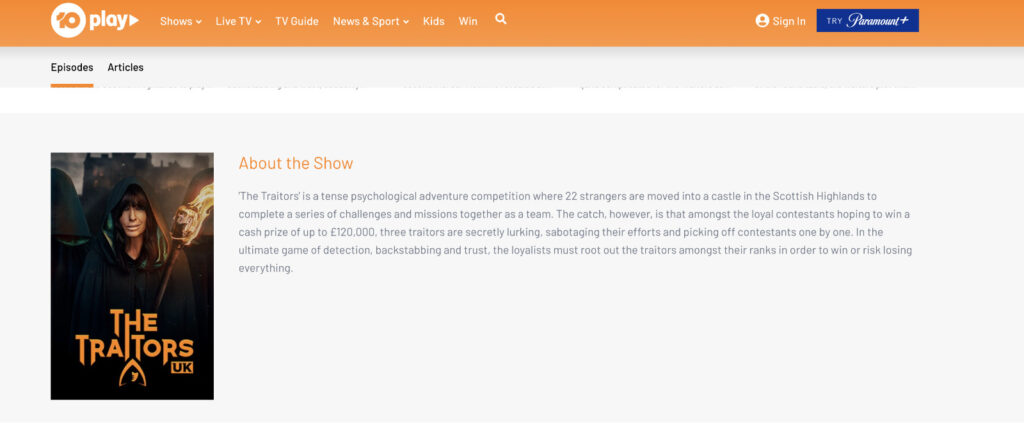
Although previous seasons of The Traitors U.K. are available on 10Play, an Australian free-to-watch streaming service, there’s no confirmation yet on when Season 3 will arrive there.

The Traitors UK on 10Play
Screenshot: 10Play

Based on the release timelines of the past two seasons, it could take a month or two after its premiere on BBC iPlayer according to Tom’s Guide.

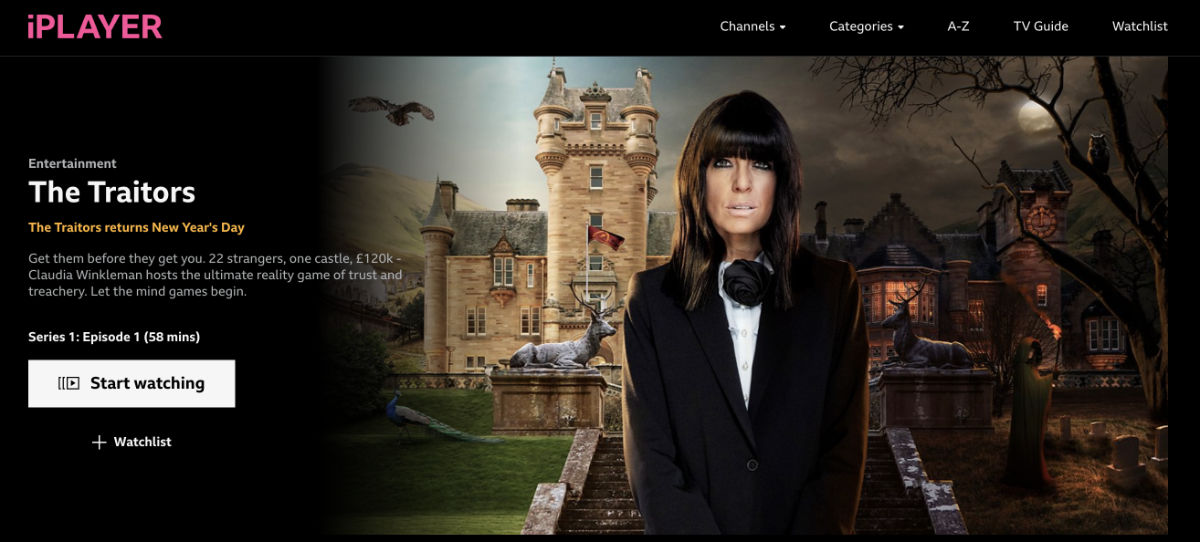
For fans who don’t want to wait, the best way to watch The Traitors U.K. Season 3 as it airs is by accessing BBC iPlayer.

However, BBC iPlayer is geo-blocked in Australia due to content licensing. Here’s how you can bypass these restrictions using a VPN:

Here are the steps to Watch The Traitors U.K. Season 3 on BBC iPlayer in Australia:

  1. First, sign up and download a reliable streaming VPN — based on testing, I highly recommend NordVPN → Get 72% Off plus a 30-day money-back guarantee.
  2. Now open the VPN app, sign in and connect to the UK server.
  3. Visit BBC iPlayer website, sign in or sign up for a free account. For UK postal code, you can easily find it on Google.
  4. Search for The Traitors U.K. season 3 and start streaming for free!

What is the Release Date of The Traitors U.K. Season 3?

The Traitors U.K. Season 3 is set to premiere on January 1st, 2024 on BBC iPlayer.

The Traitors U.K. Season 3: Episodes and Schedule on iPlayer

Here’s the expected episode schedule for The Traitors U.K. Season 3:

  • Episode 1: Wednesday, Jan. 1
  • Episode 2: Thursday, Jan. 2
  • Episode 3: Friday, Jan. 3
  • Episode 4: Wednesday, Jan. 8
  • Episode 5: Thursday, Jan. 9
  • Episode 6: Friday, Jan. 10
  • Episode 7: Wednesday, Jan. 15
  • Episode 8: Thursday, Jan. 16
  • Episode 9: Friday, Jan. 17
  • Episode 10: TBC
  • Episode 11: TBC
  • Episode 12: TBC

Episodes will be released daily, making it easy for fans to keep up with the suspenseful drama.

Best VPNs to Watch The Traitors U.K. Season 3

If you’re looking for a VPN to stream BBC iPlayer, these are our top recommendations:

  1. NordVPN: Known for its speed, privacy features, and user-friendly interface.
  2. ExpressVPN: Offers excellent reliability and a wide range of U.K. servers.
  3. Surfshark: A budget-friendly option with solid streaming performance.

Can I watch The Traitors U.K. season 3 on BBC iPLayer in Australia without a VPN?

Yes, you can watch The Traitors U.K. season 3 on BBC iPlayer in Australia using Smart DNS or proxy service if you would rather not use a VPN.

But keep in mind VPN is the most reliable and secure way to access iPlayer or any other geo-blocked streaming services compared to Smart DNS and proxy services.

FAQs

Can I watch The Traitors U.K. Season 3 on 10Play?

Not at the time of its release. While previous seasons are available on 10Play, Season 3 may take a month or two months to release on the streaming platform.

Is BBC iPlayer free to use?

Yes, BBC iPlayer is free, but you need to create an account and have a valid U.K. postcode to register.

Why should I use a VPN to access BBC iPlayer?

A VPN helps bypass geo-restrictions by masking your location, allowing you to access BBC iPlayer from Australia securely.

Conclusion

The Traitors U.K. Season 3 promises to be as thrilling as ever. While Australian viewers may face delays on 10Play, you can watch the show on its release date through BBC iPlayer with the help of a VPN. Don’t miss out—gear up with NordVPN, ExpressVPN, or Surfshark, and enjoy the drama as it unfolds.

How to Cancel BBC iPlayer Subscription in Australia

Cancel BBC Iplayer subscription in Australia

Wondering How to Cancel BBC iPlayer Subscription in Australia?

BBC iPlayer is a free internet streaming and catch-up television service provided by the British Broadcasting Corporation (BBC). The service offers a wide range of BBC programs, including TV shows like Peaky Blinders, documentaries, films, and radio programs.

BBC iPlayer also provides live-streaming of the BBC’s television and radio channels, as well as on-demand catch-up services for most of the programs broadcast on BBC channels over the last 30 days. Viewers can watch BBC iPlayer on their computers, mobile devices, and smart TVs.

However, if you would rather not continue watching BBC iPlayer in Australia, follow the mentioned below methods to cancel or delete your account.

How to Delete Your BBC iPlayer Account on PC/Desktop

Here’s how you can delete your BBC iPlayer account in Australia:

  1. Connect to the UK server using a VPN – I used ExpressVPN. 
  2. Open the BBC iPlayer website on your browser.
  3. Click on your profile icon located in the top-right corner of the screen.
  4. Click on “Account settings”.
  5. Now click on “Delete account” at the bottom of the page.
  6. Enter your password and click on “Delete my account”.

How to Delete Your BBC iPlayer Account on Mobile?

Here are the steps to delete your BBC iPlayer account on mobile:

  1. Open the VPN app on your mobile and connect to the UK server. 
  2. Open the BBC iPlayer app on your mobile device.
  3. Tap the “Account” icon located in the bottom-right corner of the screen.
  4. Sign in to your account by entering your email address and password.
  5. Tap on the three-dot icon located in the top-right corner of the screen to access the settings menu.
  6. Tap on “Account and settings” from the dropdown menu.
  7. Scroll down to the bottom of the page and tap on “Delete my account”.
  8. You will be prompted to confirm that you want to delete your account. Tap on “Yes, delete my account” to confirm.
  9. Follow any additional instructions or prompts to complete the account deletion process.

Offers 30-day money-back guarantee!

How can I delete my BBC iPlayer account without a Password?

Unfortunately, you cannot delete your BBC iPlayer account without a password. The password is a security feature designed to ensure that only the account owner can delete the account.

If you have forgotten your password, you can reset it by clicking on the “Forgotten your password?” link on the BBC iPlayer login page. 

You will be prompted to enter the email address associated with your account, and a password reset link will be sent to your email address. Follow the instructions in the email to reset your password.

Once you have reset your password, you can then follow the steps to delete your account as outlined in the previous answer. If you continue to have issues deleting your account, you can contact the BBC iPlayer support team for assistance.

Note: Before following the mentioned below methods, connect to the UK server first via VPN since BBC iPlayer is not available in Australia directly due to content licensing 

Method 1- Resetting your BBC iPlayer password

Here are the steps to reset your BBC iPlayer password:

  1. Go to the BBC iPlayer website on your browser.
  2. Click on the “Sign In” button located in the top-right corner of the screen.
  3. Click on the “Forgotten your password?” link located below the “Sign in” button.
  4. Enter the email address associated with your BBC iPlayer account and click on “Submit”.
  5. You will receive an email with a password reset link. Click on the link in the email.
  6. Follow the instructions in the email to reset your password.
  7. Once you have reset your password, log in to your BBC iPlayer account with your new password.
  8. You can now follow the steps to delete your account as outlined in the previous answer.

Method 2- Contact Customer Service of BBC iPlayer

Here are the steps to contact the BBC iPlayer customer service team:

  1. Go to the BBC iPlayer website on your browser.
  2. Click on the “Contact Us” link located at the bottom of the page.
  3. Choose the appropriate category that relates to your issue. For example, if you want to delete your account, you can select the “Account and registration” category.
  4. Click on the “Contact Us” button and fill in the contact form with your details, including your name, email address, and a brief message explaining your issue.
  5. Click on “Submit” to send your message to the BBC iPlayer customer service team.
  6. Wait for a response from the team. They will typically respond within a few business days.

Method 3- Send an Email to Delete BBC iPlayer Account

Unfortunately, there is no direct email address available to delete your BBC iPlayer account. However, you can still contact the BBC iPlayer customer service team through the “Contact Us” page on their website, as mentioned in the previous methods.

Once you have accessed the “Contact Us” page, select the appropriate category that relates to your issue, such as “Account and registration”. 

And then fill in the contact form with your details, including your email address and a brief message explaining that you would like to delete your account.

The BBC iPlayer customer service team will respond to your email as soon as possible, typically within a few business days. They may require additional information to verify your identity before proceeding with the account deletion request.

How Can I Deactivate my BBC iPlayer Account?

BBC iPlayer does not have a deactivation feature for accounts. If you no longer wish to use the service, you can simply stop using it or follow the steps to delete your account as mentioned earlier. 

Deleting your account will permanently remove your data and preferences from BBC iPlayer, and you will no longer be able to access the service.

If you have a paid subscription to BBC iPlayer, you will need to cancel it separately through your payment provider or the BBC website. 

It is also important to note that any content that you have saved or bookmarked on the service will be lost when you delete your account. 

Before deleting your account, make sure to download any content you wish to keep, such as TV shows, movies, or radio programs.

Accidentally, I’ve Deleted My Account. What Options Do I Have?

If you have accidentally deleted your BBC iPlayer account, your options depend on the circumstances of the deletion. 

If you have deleted your account within the last 30 days, you may be able to restore it by following these steps:

  1. Go to the BBC iPlayer website on your browser or open the app on your mobile device.
  2. Click on the “Sign In” button and enter your email address and password.
  3. Once you have signed in, you should see a message asking if you want to restore your account.
  4. Follow the prompts to restore your account.

If you are unable to restore your account through this process, your best option is to contact the BBC iPlayer customer service team for assistance. 

You can contact them through the “Contact Us” page on their website, as mentioned in the previous methods, and explain that you have accidentally deleted your account.

Delete BBC iPlayer: What Happens if Your Account is Deleted?

If you delete your BBC iPlayer account, your viewing history, bookmarks, and preferences will be permanently deleted.

You will no longer be able to access any content that you have saved or bookmarked on the service. 

Additionally, any downloads that you have made will be removed from your device, and you will not be able to access them anymore.

However, it is important to note that deleting your BBC iPlayer account does not cancel any subscriptions you may have with BBC or remove any fees that may be due. 

If you have a paid subscription, you will need to cancel it separately through your payment provider or the BBC website.

Deleting your BBC iPlayer account will also mean that you will lose access to any personalized features, such as recommended programs based on your viewing history and preferences. 

If you decide to create a new account in the future, you will need to start from scratch with a new viewing history and preferences.

In summary, deleting your BBC iPlayer account will result in the permanent loss of your viewing history, bookmarks, and preferences. 

Moreover, it will not cancel any subscriptions you may have, and you will have to cancel them separately.

How to Watch BBC iPlayer on Apple TV in Australia (Guide)

Watch BBC Iplayer on Apple TV in Australia

Do you want to stream the British one-stop streaming platform, i.e., BBC iPlayer, on Apple TV in Australia? If you own an Apple TV and want to stream the popular BBC iPlayer movies and shows like Peaky Blinders, I, Tonya, EastEnders, and Dangerous Liaisons without a hassle in Australia, we can tell you how it is achievable!

BBC iPlayer is a UK-based streaming platform through which you can freely stream live or catch-up TV. You can also watch the latest news, trendy shows, and movies without any subscription fee. However, the only hurdle is that it is geo-restricted and unavailable in other countries besides the UK. 

So what’s the solution here? You will have to subscribe to a VPN or Virtual Private Network to help you bridge the gap between you and BBC iPlayer. So if you do not want to miss out on the latest, trendy, juicy news or shows on Apple TV in Australia, our guide will provide you with all the details. 

How to Watch BBC iPlayer on Apple TV in Australia? Everything You Need to Know

There are various ways to access BBC iPlayer on your Apple TV in Australia, but these methods will only be successful if you have a top-notch VPN like ExpressVPN. The methods are as follows.

Set Up DNS on Your Apple TV Via ExpressVPN

You will need:

Next, you will have to follow these steps:

  1. First, you will have to create a DDNS hostname. You can use any DDNS service provider. We will use Dynu, and you must create an account by visiting Dynu.com.
  2. At the top right corner of the screen, press “Create Account.”
  3. Enter all the necessary information and click ‘Submit.’
  4. Now, Dynu will send you a verification email. 
  5. Check your email and follow the link in your email to verify the account.
  6. You must sign in to your account with the username and password you just created. 
  7. Once you log in, tap the ‘DDNS Services.’
  8. Then, press Add on the top right corner.
  9. The screen will display two options. 
  10. If you select option one, create and enter your desired hostname under the host box.
  11. However, enter the existing domain name in the blank if you select option two.
  12. Now, press Add.
  13. Next, uncheck ‘Wildcard Alias‘ and ‘Enable IPv6 Address.’
  14. Then, click ‘Save.’
  15. You now have a Dynu account. 
  16. Now, go to the ExpressVPN website and click ‘My Account.’
  17. Enter the necessary credentials to enter ExpressVPN and sign in.
  18. Now, click ‘DNS Settings‘ in the top right corner.
  19. Scroll down to the section titled ‘Dynamic DNS Registration.’
  20. Enter the hostname you created with the Dynu account. However, if you have used option two, enter the domain you have used. 
  21. Press ‘Save Hostname.’
  22. The word ‘updated‘ will be displayed on the screen to inform you that the hostname was saved.
  23. Now, go to the ‘My Subscriptions tab.
  24. Then, press ‘Set up ExpressVPN.’
  25. Scroll down and select Apple TV, and a DNS server IP address will appear on the screen’s right side.
  26. Keep this window open. 

It is time to turn on your Apple TV and follow these numbers:

  1. Select ‘Settings‘ on the home screen.
  2. Then, choose ‘Network.’
  3. Depending on how you have connected your Apple TV, you will either see Ethernet or Wi-fi. 
  4. Click whatever option appears and then go down to ‘Configure DNS.’
  5. Select ‘Manual.’
  6. Now, enter the 12-digit DNS server IP address you found on ExpressVPN. Press’ Done.’
  7. Restart your Apple TV. That’s it! You have set up MediaStreamer on your Apple TV using DNS. 

Configure ExpressVPN on Your Apple TV Via Network Sharing

For this method, you will need:

  1. A Windows PC or laptop
  2. An Ethernet cable
  3. An active ExpressVPN subscription

The steps include:

  1. Connect your Windows PC or laptop to the wi-fi network.
  2. Connect one end of the Ethernet cable to the desktop and the other to the Apple TV.
  3. Launch ExpressVPN on your PC or laptop and connect to the UK server.
  4. Head over to Control Panel and tap Network and Sharing Center option.
  5. Tap Change Adapter Settings and go to Properties.
  6. Under the Sharing tab, press Allow Other Network Users to Connect Through This Computer Connection.
  7. Next, choose the Home networking connection option from its menu.
  8. Your Apple TV is now connected to the internet through your PC or laptop via an Ethernet cable. 

Offers 30-day money-back guarantee!

Why is ExpressVPN the Best for Streaming BBC iPlayer in Australia? 

Spotting an excellent VPN in a sea full of competitors is pretty challenging, but we are sure about one VPN service provider, i.e., ExpressVPN. It is one of the leading names in the industry, and ExpressVPN is on top of its game due to its fast, reliable, and powerful service. 

It is a top-notch VPN for unblocking all major websites and streaming services like ABC, Hulu, and HBO Max in Australia. With its wide server bank of 3000+ servers located in 90+ regions, you can access any geo-restricted platform available.

ExpressVPN will be your streaming partner with unlimited bandwidth; thus, your streaming experience will be smooth and buffer-free without any lags or throttling issues.   

Furthermore, security-wise, ExpressVPN will always remain one of the most secure services. It has military-grade encryption that will avoid any data leaks or detection. Your IP will also be secure, thanks to its dedicated Kill switch. 

ExpressVPN is available on all mainstream devices, software, smart TVs, and gaming consoles. With its single subscription, you can also connect five devices simultaneously, and it comes with a 30-day money-back guarantee.

Offers 30-day money-back guarantee!

Final Thoughts

The brainchild of BBC, BBC iPlayer, is a one-stop place to stream various documentaries, movies, and TV shows without a hassle. But since it is geo-restricted due to content streaming rights and policies, you will need the help of a top-of-the-line VPN like ExpressVPN. We hope this guide was helpful in assisting you in watching BBC iPlayer on Apple TV in Australia.

How to Watch BBC iPlayer on PlayStation in Australia (Guide)

Watch BBC Iplayer on Playstation in Australia

Do you have a PlayStation (preferably PS4 and PS5) and want to stream your favorite UK-based streaming platform BBC iPlayer, in Australia? If you want to watch BBC channels, shows, movies, and documentaries on PlayStation in Australia, we can help you with that!

BBC iPlayer is unavailable in Australia because it is geo-restricted. Due to copyright issues and content streaming policies, you can not stream its channels outside the UK territory. That’s why you will have to invade by spoofing its content guards. 

The only way possible to do that is via a VPN or Virtual Private Network. It changes your virtual regions instantly without a problem. Thus, you can stream any geo-restricted platform, including BBC iPlayer, on any device in Australia. So if you want the details on how to watch BBC iPlayer on PlayStation in Australia, keep scrolling!

A Complete Guide on How to Watch BBC iPlayer on PlayStation in Australia

Create a British PSN Account

To get BBC iPlayer on PlayStation in Australia, you must change your PSN location from Australia to the UK. If you wish to create your British PSN account, this is how you will do it. 

  1. Go to the official Sony Entertainment website and tap the Start button.
  2. Enter the credentials like email address and password.
  3. Use its combo menu to choose your country.
  4. Select State/Province and also enter your date of birth.
  5. Tap Next and set up your notification settings.
  6. Press agree to create an account. 
  7. Next, confirm the email address.

Now, the next steps are to set up your PSN account:

  1. Visit the PSN website.
  2. Sign in to your account, and on the “Update Notice,” tap agree.
  3. From its combo menu, choose a city.
  4. Enter your province or state and its postal code.
  5. Choose your online ID by entering your first and last names.
  6. Tap ‘Done.’

With the British PSN Account, you can stream BBC iPlayer on PlayStation, but since it is geo-restricted, you will need a VPN like ExpressVPN. So this is how you will set up a VPN on PlayStation.

Configure ExpressVPN on Your PlayStation

The two options are as follows:

Method 1: Set Up ExpressVPN on Your PC and Share it with PlayStation

  1. Subscribe to ExpressVPN.
  2. Install the ExpressVPN app on your Windows PC.
  3. Use an ethernet cable to connect your Windows PC and PlayStation.
  4. Click open Windows Control Panel and then head over to the Network and Sharing Center.
  5. Tap ‘Change Adaptor Settings’ and right-click ExpressVPN connection.
  6. Tap ‘Properties’ then ‘Sharing’ and tick mark the box ‘Allow other network users to connect through the computer’s internet connection.’
  7. Choose your ethernet connection from the home networking connection drop-down menu.
  8. Use the VPN client on the PC to connect to the preferred VPN server.
  9. Now, restart your PlayStation.
  10. Once done, go to Settings and Network Settings.
  11. Select ‘Set Up Internet Connection.’
  12. Choose ‘Use a Lan Cable.’
  13. Select ‘Easy’ as a connection method and confirm ‘Do Not Use a Proxy Server.’
  14. Save these changes and tap ‘Test Connection’ to see if these settings work. 

Method 2: Configure ExpressVPN MediaStreamer on PlayStation Using DNS

You will need:

Now follow these steps:

  1. To set up a DDNS hostname, you will need to use a third-party service. You can use any, but here we will use Dynu.
  2. To create a Dynu account, go to Dynu.com.
  3. At the top-right corner of the screen, click ‘Create Account.’
  4. Fill in the necessary information and click ‘Submit.’
  5. Dynu will send a verification email to your email.
  6. Check your email and click on the given link. 
  7. Sign in to Dynu again and tap DDNS Services.
  8. Then, click Add.
  9. Now, the screen will display two options. If you are a beginner, it is better to use Option 1. So create and enter your desired hostname into the box.
  10. Once done, tap ‘Add’ at the bottom.
  11. Now, on the next screen, uncheck ‘Enable IPv6 Address’ and ‘Wildcard Alias.’
  12. Click ‘Save.’
  13. You have successfully created your Dynu Account. 
  14. The next step is to head over to ExpressVPN’s website.
  15. Click ‘My Account‘ mentioned in the top-right corner.
  16. Enter your ExpressVPN credentials to sign in.
  17. Click DNS Settings.
  18. Scroll down to ‘Dynamic DNS Registration.’
  19. Enter the hostname you created with the Dynu account, and also enter Dynu.com at the end. 
  20.  Tap ‘Save Host name.’ The screen will notify ‘Updated,’ meaning your hostname was saved. 
  21. Now head over to the ‘My Subscriptions’ tab.
  22. Press ‘Set up ExpressVPN.’
  23. On the next page, choose PlayStation.
  24. A DNS server IP address will pop up in the box present on the right side.
  25. Keep this window open, as you will need it shortly.

Turn on your PlayStation now!

  1. Go to Settings.
  2. Choose ‘Network.’
  3. Click ‘Set Up Internet Connection.’
  4. Select either wi-fi or LAN cable, depending on your use.
  5. Followed by ‘Custom.’
  6. Choose Automatic for IP address settings.
  7. Then, choose ‘Do Not Specify.’
  8. Choose ‘Manual’ in DNS Settings.
  9. Followed by Primary DNS.
  10. Now enter the IP address from the open ExpressVPN window.
  11. Press ‘Done.’
  12. Tap ‘Next.’
  13. Choose ‘Automatic’ for MTU Settings.
  14. Choose ‘Do Not Use for Proxy Server.
  15. The screen will display ‘internet settings updated’ message.
  16. Choose ‘test internet connection.’
  17. Restart your PlayStation, and that’s it. You have successfully configured MediaStreamer on your PlayStation using DNS.

How to Get BBC iPlayer on PlayStation in Australia?

This is the summary of how to get BBC iPlayer on PlayStation in Australia:

  1. Change your PlayStation Network (PSN) location to the UK.
  2. Power on the gaming console and ensure you have signed into your PSN account.
  3. Under the Video/TV service, select the ‘My Channels’ option.
  4. Choose BBC iPlayer from the channels list, but you must first install this streaming app on PlayStation.

Offers 30-day money-back guarantee!

Why is ExpressVPN the Best for Streaming BBC iPlayer on PlayStation in Australia?

ExpressVPN is the top choice for unblocking BBC iPlayer in Australia to watch all your favorite and trending shows, movies, and documentaries. It can also unblock various other streaming platforms like Hulu, Hotstar, BBC iPlayer, Amazon Freevee, HBO Max, Peacock TV, NBC, etc. 

It has a massive server bank of 3000+ supersonic servers in 94+ regions, making it an accessible VPN service. You can watch a diverse catalog of content worldwide without any restrictions. Furthermore, ExpressVPN always elevates the streaming experience with its remarkable features. It offers unlimited bandwidth, and no lags in connection, or issues in streaming quality. 

ExpressVPN also strengthens your online presence with its top-notch security and all the protocols it includes. It keeps you anonymous and safe on the web, securing your traffic using its military-grade encryption and zero-log policy.

You can install ExpressVPN on all mainstream devices, software, smart TVs, browser extensions, and gaming consoles. Its single subscription allows five simultaneous connections per account and includes a 30-day money-back guarantee.

Offers 30-day money-back guarantee!

FAqs

Why is BBC iPlayer not available on my device?

BBC iPlayer may not be available on your device due to geo-restrictions or device compatibility issues. Since BBC iPlayer is only accessible in the UK, it blocks users outside the region by tracking their IP addresses. Additionally, some devices, like certain gaming consoles or older models, may not support the iPlayer app.

To resolve this, use a reliable VPN to connect to a UK server, which bypasses the geo-restrictions. For unsupported devices, consider streaming via a compatible device or using a casting solution like Chromecast or AirPlay.

Ending Note

If you want to stream BBC iPlayer’s different channels and trendy content on your PlayStation in Australia, the only hack is to use a top-of-the-line VPN like ExpressVPN. A VPN is the best tool that will take you virtually from one region to another to help you watch all the geo-restricted content, and the best thing about ExpressVPN is that it supports all devices and gaming consoles.

How to Watch BBC iPlayer on Android in Australia (2025)

Watch BBC Iplayer on Android in Australia

Are you a BBC iPlayer fan stuck in Australia and didn’t know how to stream this UK-based video-on-demand streaming service on your Android device in Australia? Don’t worry! Read and follow the steps mentioned in the guide to successfully watch BBC iPlayer on Android in Australia!

BBC iPlayer is a versatile UK-based streaming service compatible with various devices, including Android. The great thing is that an Android device offers an attractive BBC iPlayer app to stream your favorite movies, documentaries, and shows. However, the only obstacle is that it is geo-restricted and is not streamable in Australia due to a geo-location error.

Therefore, the best solution to trespass UK territory hassle-free is a VPN or Virtual Private Network. It bypasses geo-restriction smoothly without any issues. So if you want more information regarding how to use a VPN to stream the BBC iPlayer content library on Android in Australia, keep scrolling!

How to Install and Configure ExpressVPN on Your Android Device?

We endorse using ExpressVPN because of its outstanding security and features, so if you want to install ExpressVPN, you have to do this.

You should have two things:

  1. An active ExpressVPN subscription
  2. An Android device having Android 5.0 or Fire OS 5 or higher

Then follow these steps: 

  1. Go to the Google Play Store.
  2. Search and install ExpressVPN.
  3. You can also download ExpressVPN APK from Expressvpn.com/setup#android.
  4. Enter your account credentials and press sign in.
  5. Next, tap “Download APK.”
  6. Upon completion, open the APK file to install the ExpressVPN app.
  7. After the installation is complete, launch the app and press sign in.
  8. Again enter your account credentials and press sign in.  
  9. The screen will display if you want to improve ExpressVPN. Select your preference and continue. 
  10. The next slide will also display to approve ExpressVPN’s connection request. Press ‘Okay’ to proceed.
  11. You have successfully set up ExpressVPN on your Android device.

With ExpressVPN on your Android device, you can easily invade BBC iPlayer and fool its location trackers through these steps.

How to Get BBC iPlayer on Your Android in Australia?

  1. Open your ExpressVPN app and sign in.
  2. Press the ‘On’ button to use the VPN. 
  3. Choose the UK-based server from the All Locations or Recommended tab.
  4. Fire up the BBC iPlayer app on Android and sign in to watch your favorite movies, documentaries, and TV shows.

Offers 30-day money-back guarantee!

Why is ExpressVPN the Best for Streaming BBC iPlayer in Australia?

Do you know why we recommend ExpressVPN and do not get tired of recommending this VPN service? It has outstanding security protocols, top-notch features, and stellarly unblocked geo-restricted platforms. 

It has a massive server bank of 3000+ hyperfast servers in 90+ regions, making it a super accessible service across the globe. Moreover, it offers unlimited bandwidth on your connection, keeping your streaming experience smooth and lag-free. Thanks to its dedicated IP addresses, you will have the best service even during rush hours. 

Some of the best streaming services users can access using ExpressVPN while residing in Australia are Hulu, Hotstar, American Netflix, HBO Max, and BBC iPlayer.

ExpressVPN offers top-of-the-line security and does not store logs, leak your data or real IP, and protect your private and sensitive information via military-grade encryption. ExpressVPN is a shareable service, and its single subscription offers five multi-logins. 

ExpressVPN is also compatible with almost all devices like gaming consoles, smart TVs, browser extensions, etc. Besides that, it also offers a 30-day money-back guarantee.

Offers 30-day money-back guarantee!

Wrapping Up 

All in all, this guide clarifies and gives you the solution that you can watch BBC iPlayer on your Android device only if you have a premium, reliable, and excellent VPN service like ExpressVPN. It will immediately unblock the geo-restricted streaming platform to help you stream well-known movies, TV shows, and British TV channels in Australia. 

How to Watch BBC iPlayer on iPhone/iPad in Australia

Watch BBC Iplayer on Iphone_Ipad in Australia

Do you own an iOS device and want to stream this UK-based video-on-demand streaming service in Australia? It is possible, and this guide will show you a hassle-free method! 

BBC iPlayer is a UK-only free streaming platform that offers catch-up and live TV options from various BBC Channels. It provides different TV shows, documentaries, movies, sports, weather, news, etc. It is a great streaming platform that offers variety under one roof. However, the only stumbling block is that BBC iPlayer is not streamable outside the UK due to geo-restriction. 

Therefore, you will have to fool its content guards and location trackers to enter. The only tool that will help you is a VPN or Virtual Private Network. An excellent VPN does its job marvelously and will let you enter BBC iPlayer within seconds. If you wish to know the complete details on how to watch BBC iPlayer on iPhone/iPad in Australia, keep reading!

How to Install and Set Up ExpressVPN on Your iOS Device?

We recommend ExpressVPN because of its exceptional services and features; this is how you will install it on your iOS device.

Firstly, you will need two things:

  1. An active ExpressVPN subscription
  2. An iOS device 12 or above

Next: 

  1. Go to the App Store.
  2. Search and install ExpressVPN.
  3. Upon completion, open the app and press sign in.
  4. Enter your account credentials and press sign in.
  5. The screen will display how ExpressVPN protects privacy; press agree and continue.
  6. Next, you will be asked to set up a VPN and press Continue.
  7. A pop-up message will appear; tap Allow.
  8. Now enter your iPhone/iPad passcode to proceed.
  9. Now select your preferences for notifications.
  10. You have successfully set up ExpressVPN on your iOS device. 

With ExpressVPN on your iOS device, you can easily invade the BBC iPlayer content catalog through the steps mentioned below. 

How to Get BBC iPlayer on Your iPhone in Australia?

  • Launch the ExpressVPN app and sign in.
  • Press the ‘On‘ button to use the VPN. 
  • Choose the UK-based server from the All Locations or Recommended tab.
  • Fire up the BBC iPlayer app on the iPhone and sign in to watch your favorite movies and TV shows.

How to Get BBC iPlayer on Your iPad in Australia?

  • Open your ExpressVPN app and sign in.
  • Press the ‘On‘ button to use the VPN. 
  • Choose the UK-based server from the All Locations or Recommended tab.
  • Fire up the BBC iPlayer app on the iPad and sign in to watch your favorite movies, documentaries, and TV shows.

Offers 30-day money-back guarantee!

Why is ExpressVPN the Best for Streaming BBC iPlayer in Australia?

ExpressVPN has been the game changer ever since the rise of various streaming services, especially geo-restricted ones. Since there has been a massive demand for VPNs that can help users get complete access to these libraries, selection has become challenging.  

However, ExpressVPN has never disappointed. With a server bank of over 3000+ hyperfast servers in 90+ regions, it can unblock anything, even websites, with potent anti-VPN technology.

Some of the top streaming services users can unblock in Australia using ExpressVPN are Hulu, Hotstar, American Netflix, HBO Max, and BBC iPlayer.

Moreover, ExpressVPN does its job super discretely and does not compromise the user’s security, location, and identity. It proudly holds the best security protocols, dedicated streaming servers, IP leak protection, military-grade encryption, and a no-log policy to keep you safe.

Furthermore, ExpressVPN is compatible with almost all mainstream devices. It allows five simultaneous connections on all devices and software and a 30-day money-back guarantee.

Offers 30-day money-back guarantee!

Conclusion

BBC iPlayer has the most impressive content catalog, and with a reliable VPN like ExpressVPN, you can stream whatever you like in Australia on iPhone and iPad within seconds. This way, you can stream all the famous and trendy content like Normal People, Pretty Little Liars, Peaky Blinders, I, Tonya, Pandemic 2020, Blue Planet, Doctor Foster, This Country, etc.

How to Watch BBC iPlayer on Roku in Australia (Easy Guide)

Watch BBC Iplayer on Roku in Australia

Do you own a Roku device but don’t know how to stream your favorite British channels in Australia, like BBC Two, BBC One, BBC Four, BBC News, etc.? Hack into BBC iPlayer, and we will tell you how!

BBC iPlayer has an extensive content catalog that is free to stream and only requires users to sign up. However, the only stumbling block for Australian residents is that it is a UK-only streaming platform unavailable in Australia due to content streaming rights and copyright issues.

Therefore, you will need the help of a location-swapping tool – VPN or Virtual Private Network. A VPN is a safe and legal tool, so you won’t face any problems while streaming BBC iPlayer on Roku in Australia. It helps swap virtual regions within seconds to enable you to access any geo-restricted website within your territory. 

How to Install BBC iPlayer on Your Roku Device in Australia?

By going through the Roku Channel Store, you can install BBC iPlayer on Roku in Australia through these steps: 

  1. Tap the Home Button on the Roku remote.
  2. Scroll below and select the ‘Streaming Channels‘ option.
  3. Tap ‘Search Channels.’
  4. Now, in the search bar, enter BBC iPlayer.
  5. Once you spot the channel, press ‘OK.’
  6. Press ‘Add Channel‘ to add this streaming platform to your Roku device.
  7. That’s it! BBC iPlayer is now on your Roku.

How to Configure ExpressVPN on Your Roku Device to Watch BBC iPlayer?

The only problem with Roku is that it is not compatible with a VPN; therefore, you have to connect VPN, preferably ExpressVPN, to the router. So let’s walk through the steps to use ExpressVPN on your Roku through a VPN or virtual router!

You will need:

  • A router running ExpressVPN
  • A Roku device
  • An active ExpressVPN subscription

Then:

  1. Open a web browser on your device connected to the ExpressVPN router network.
  2. Visit expressvpnrouter.com and log in back to your account. 
  3. Ensure that the router is connected to the VPN server location you wish to use, i.e., UK.
  4. Ensure that the Roku account is set to the same country as the VPN server location.
  5. Next, go to your Roku. 
  6. Click ‘Settings‘ and then press ‘Network.’
  7. Tap ‘Set up Connection.’
  8. If you have connected your Roku device via Ethernet, choose ‘Wired‘ and verify your connection. However, if you have connected your Roku via Wi-fi, choose ‘Wireless.’
  9. If you have chosen Wi-fi, Roku will check for local Wi-fi Networks. 
  10. From the list, choose the network that is associated with the router running ExpressVPN.
  11. Enter the Wi-fi password. 
  12. Roku will then verify your internet connection. 
  13. Once everything is completed, you will see ‘Status Completed‘ on the screen.
  14. Congrats! You have successfully interlinked ExpressVPN and Roku. 

Offers 30-day money-back guarantee!

How to Create a UK Roku Account?

If you have a Roku account but a different location from the VPN router, you must do a factory reset. If you want to create a UK Roku account, follow the steps. 

  1. Open the web browser from your preferred device and head over to the Roku configuration centre (owner.roku.com).
  2. Now, set up your account.
  3. When you reach the country section, choose UK.
  4. Enter the UK zipcode from Google.
  5. Once done, restart the Roku device by holding its reset button for around fifteen seconds. 
  6. Once it restarts, sign in with the new UK Roku credentials. 

Why is ExpressVPN the Best for Streaming BBC iPlayer on Roku in Australia?

ExpressVPN is currently raved about by many users, and it is the best VPN in Australia. It is one of those few VPN services that have been on top of their game in the industry. ExpressVPN has over 3000+ servers in its server bank, supporting 90+ regions, thus, enabling people to trespass and stream the content catalog of any geo-restricted website. 

Furthermore, it offers the best streaming services with unlimited bandwidth, dedicated streaming servers, and the ability to unblock multiple streaming services. It can unblock Hulu, Hotstar, American Netflix, BBC iPlayer, Amazon Freevee, HBO Max, Peacock TV, etc.

Moreover, ExpressVPN is top-notch with its security services and vows to provide the best security protocols. It further enhances security through its policy of storing zero user logs or user data. You even get a kill switch on the app that will keep your location and IP anonymous and hidden. Finally, an ExpressVPN single subscription is shareable with five other devices, making it a friends and family service. It is also compatible with mainstream devices, smart TVs, gaming consoles, etc., and comes with a 30-day money-back guarantee. 

Offers 30-day money-back guarantee!

Final Thoughts

By interlinking Roku with a top-of-the-line VPN like ExpressVPN, you can stream various BBC channels, documentaries, movies, and TV shows on BBC iPlayer in Australia. Avoid using a free VPN because it will ruin your streaming experience. That’s it! That was all about how to watch BBC iPlayer on Roku in Australia!  

How to Watch BBC iPlayer In Australia [2025 Guide]

Watch BBC Iplayer in Australia

Wondering Why can’t I watch BBC iPlayer in Australia? BBC iPlayer is not available in Australia due to geo-restrictions. However, you can use a VPN to watch the BBC in Australia without any problem.

Let’s start off with facts.

Since its initial release in 2007, BBC iPlayer has grown into an industry with some serious content like BBC documentaries, latest movies, top shows such as My Life as a Rolling Stone, Bafta Awards, Peaky Blinders, The Responder, The Split, The Traitors UK, Bitter Lake, EastEnders, and of course, the English Premier League.

The reason for BBC iPlayer’s recent success, according to its Controller Dan McGolpin, is the provision of the latest news, learning tutorials, and content like Killing Eve, amid the quarantine.

So if you want all the details on how to access your favourite content in your continent, read our full guide.

How to Watch BBC iPlayer in Australia Free with VPN

Follow these 5 easy steps to watch BBC iPlayer in Australia for free with VPN:

  1. Purchase a VPN subscription – ExpressVPN is the best option.
  2. Install and Log in to the VPN on your Android device.
  3. Now connect to a UK-based server.
  4. Visit BBC website and create your free account.
  5. Search and stream BBC iPlayer in Australia.

This is crazy, right? All that you might have to pay for in this 3-step method is the VPN only. If you don’t yet know, then yes, the BBC iPlayer is a free utility, but only for UK residents.

But watching BBC iPlayer in Australia for free is only possible when BBC iPlayer in Australia enthusiasts have a VPN that’s fast and safe, or in short, is the best.

Is BBC iPlayer Available in Australia?

As of 2025, BBC iPlayer is officially not available in Australia. However, you can easily watch BBC from Australia by using a reliable VPN like ExpressVPN.

Best VPN for BBC iPlayer in Australia

ExpressVPN, NordVPN, and Surfshark are the top three VPNs for reliably accessing BBC iPlayer from Australia in 2025.

In order to be the best and most efficient in helping BBC iPlayer in Australia fiends unblock BBC iPlayer in Australia, a VPN must have these features:

  • Fully secure data transmission and encryption
  • A diverse and extensive network of servers across the world
  • Ability to connect to more than one servers
  • Compatible with most devices and OS
  • Affordable with free trials and money-back guarantees

With that said, we have in mind what a great VPN looks for. No, don’t worry, you won’t have to go out and look for them. I’ve shortlisted three great picks for you. Check these out:

  • Fastest and most trusted VPN brand globally.
  • Seamlessly unblocks BBC iPlayer, US Netflix, Channel 4, Hulu, HBO Max, TV Player & more.
  • Works on all major devices with up to 5 simultaneous connections.
  • Comes with a 30-day money-back guarantee — ideal for risk-free streaming.
  • Offers 30-day money-back guarantee!

2. NordVPN

  • Known for ultra-fast UK servers and strong security.
  • Features double VPN encryption for added privacy.
  • Unblocks BBC iPlayer, BFI Player, Eurosport, Peacock TV, NBC, Disney+ Hotstar, and more.
  • Supports 6 devices at once and is highly reliable for long-term use.
  • Offers 30-day money-back guarantee!

3. Surfshark

  • Most budget-friendly option — as low as $2.05/month (2-year plan + 2 free months).
  • Lets you stream BBC iPlayer, 6Play, ITVX, and other UK services.
  • Offers unlimited device connections on one account.
  • Excellent for families or users with multiple devices.
  • Offers 30-day money-back guarantee!

Comparing VPNs for Streaming BBC iPlayer in Australia: Speed and Reliability

Here’s a breakdown of the top VPNs tested for BBC iPlayer access in 2025:

VPN Speed BBC Reliability Price (Monthly) Best For
ExpressVPN Fastest overall ✅✅✅✅✅ ~$4.99 [4 months free] Reliability & Smart TVs
NordVPN Fastest UK servers ✅✅✅✅ ~$3.39–5.39 Speed & security
Surfshark Great value ✅✅✅ ~$2.49 Families & budget users

Is Using a VPN Legal to Watch BBC iPlayer in Australia?

Yes, using a VPN to access BBC iPlayer from Australia is legal for individuals. There are no Australian laws prohibiting the use of a VPN to access geo-blocked streaming content like BBC iPlayer. You are not committing a crime by using a VPN to bypass regional restrictions for personal use.

BBC iPlayer 2025: Subscription Costs and Availability

BBC iPlayer is free with a UK TV licence but requires a VPN from Australia, while legal alternatives like BritBox cost $9.99/month.

For every BBC show that airs, a VPN + BBC iPlayer remains the only method—but it comes with setup and breach terms.

Cost: Free with a valid UK TV licence 

Availability: Only in the UK—requires a UK-based IP address and TV licence (via VPN from abroad) 

Subscription: No fees, but you must confirm you hold a UK licence

Pros: Offers the full and latest BBC content (dramas, documentaries, live TV)Cons: Requires technical setup (VPN), may violate BBC’s terms

Devices that Support BBC iPlayer

BBC iPlayer works on Apple devices (Mac, iPhone, iPad, Apple TV), Windows, Linux, Android, Samsung Smart TVs, Amazon Fire devices, Roku, and PlayStation.

The VPNs that I have listed above have another upside. Along with the iPlayer, these VPNs support a range of different devices and operating systems. Regardless of your location, as long as you have any of the following devices, you’ll rock iPlayer from Australia.

  • Apple Macs, Tablets/iPhones, Roku, Playstation, and Apple TV
  • Windows, Linux, and Android Phones
  • Samsung SmartTV and Amazon Fire series

You’re more than likely to have at least one of these. There’s a 100% chance you’re going to love watching the iPlayer – you’re all set to go!

How to Watch BBC iPlayer on Apple TV in Australia?

This process involves three main steps: changing your Apple TV region, setting up a VPN/Smart DNS, and creating a BBC account.

Step-by-Step: BBC iPlayer on Apple TV (Australia)

  1. Change Your Apple TV Region to the UK

This allows you to download the iPlayer app:

  • Go to Settings > Users & Accounts > [Your Account] > iTunes & App Store
  • Sign out of your current Apple ID
  • Create a new Apple ID at appleid.apple.com using a UK address (you can use a real UK postcode like W1A 1AA)
  • Sign in to the UK account on your Apple TV
  • Search for and install BBC iPlayer
  1. Enable a VPN or Smart DNS on Apple TV

Since Apple TVs don’t support VPN apps directly, use Smart DNS or a VPN router:

Option A: Use Smart DNS (Simplest)

Most premium VPNs (e.g., ExpressVPN, NordVPN, Surfshark) offer Smart DNS.

  • Go to your VPN provider’s dashboard and activate Smart DNS
  • Get your custom DNS address
  • On Apple TV, go to: Settings > Network > [Your Connection] > Configure DNS > Manual Enter the DNS address from your provider
  • Restart Apple TV
Option B: Use a VPN-Enabled Router (Advanced)
  • Set up your VPN on a router or virtual router on your computer
  • Connect your Apple TV to that router’s Wi-Fi network
  • Launch iPlayer app
  1. Create a BBC iPlayer Account
  • Visit bbc.co.uk/account
  • Sign up with a UK postcode (e.g., SW1A 1AA)
  • Confirm you’re over 16 and that you have a UK TV Licence
  • Log in via the iPlayer Apple TV app

Here is the detail guide to setup BBC on Apple TV

How to watch BBC iPlayer on my Samsung Smart TV in Australia 2025?

Getting BBC iPlayer on your Samsung Smart TV requires four steps: changing your TV region to UK, installing the app, configuring Smart DNS or VPN, and creating a BBC account.

Step-by-Step Guide: BBC iPlayer on Samsung Smart TV in Australia

  1. Change Your Samsung Smart Hub Region to the UK

Samsung restricts app availability by country. To get iPlayer, you must switch your TV’s region:

  • On 2020–2025 Samsung Smart TVs: Go to Settings > Support > Device Care > Self Diagnosis > Reset Smart Hub
  • Enter your TV PIN (default is 0000)
  • Reconfigure Smart Hub:
  1. When asked for country, select United Kingdom
  2. Agree to new terms and conditions

2. Install BBC iPlayer App

  • After switching to the UK region, open Apps
  • Search for BBC iPlayer
  • Download and install

3. Enable Smart DNS or VPN

Samsung TVs don’t support VPN apps directly. So, you’ll need either:

Option A: Smart DNS (Easiest)
  • Most VPNs (like ExpressVPN, NordVPN, or Surfshark) offer Smart DNS.
  • Log into your VPN dashboard
  • Register your IP and activate Smart DNS
  • You’ll get two DNS addresses
  • On your Samsung TV:
  1. Go to Settings > Network > Network Status > IP Settings
  2. Set DNS mode to Manual, enter the Smart DNS address
  • Restart the TV
Option B: VPN via Router
  • You can install the VPN on your home router to route all traffic through the UK:
  • Set up VPN on your router (must support OpenVPN or WireGuard)
  • Connect your Samsung TV via that Wi-Fi network

4. Create a BBC iPlayer Account

  • Go to bbc.co.uk/account
  • Register with a UK postcode (e.g., W1A 1AA)
  • Confirm you’re over 16 and claim to have a UK TV licence
  • Log in via the iPlayer app on your TV

How to Watch the BBC iPlayer app Download for Android in Australia?

To download and use BBC iPlayer on Android in Australia, you need a VPN connected to a UK server before accessing Google Play Store or sideloading the APK.

Here’s a step-by-step guide for downloading and using the BBC iPlayer Android app in Australia (2025)—without compromising legality:

1. Use a VPN with a UK Server

BBC iPlayer blocks non-UK IPs. To install and use the app, you’ll need to pretend to be in the UK:

  • Subscribe to a top VPN known to still work with BBC iPlayer, such as NordVPN, ExpressVPN, or Surfshark 
  • Connect your phone/tablet to a UK server.

2. Install BBC iPlayer App

Option A: Google Play Store (Easiest)

  • Sign into Google Play with your Google account while connected to a UK VPN server.
  • Search for “BBC iPlayer” and install the app.
  • Once installed, you can disconnect from the VPN if not streaming immediately.

Option B: Sideload APK

If it doesn’t appear in the store:

  • Download the latest APK from a trusted source like APKMirror 
  • Enable Install Unknown Apps in your Android settings.
  • Install the BBC iPlayer APK manually.

3. Configure VPN for Streaming

With the BBC app installed, keep the VPN enabled and connected to a UK server when streaming—otherwise, you’ll encounter the geo-block:

  • Some VPNs offer Smart DNS for faster connections without VPN overhead 
  • If your VPN supports Smart DNS, configure it for Android under Wi-Fi settings → Advanced DNS.

4. Create & Sign In with a BBC iPlayer Account

To use the app, you’ll need:

  • A BBC iPlayer account registered with a UK postcode (e.g., SW1A 1AA).
  • You must also acknowledge holding a UK TV licence (no verification is required).
  • Once logged in, you can browse and stream the full library.

Setting up a VPN for BBC iPlayer on a Firestick in Australia

To set up a VPN for BBC iPlayer on an Amazon Firestick in Australia (2025), you’ll need a VPN that works reliably with BBC iPlayer, and you’ll need to route your Firestick traffic through the UK. Here’s a complete, updated step-by-step guide:

Step 1: Install VPN App on Firestick

  • Boot up Firestick and go to the Home screen
  • Go to Find > Search
  • Type and select your VPN provider (e.g., “ExpressVPN” or “NordVPN”)
  • Click Download/Install
  • Open the VPN app and sign in with your credentials

Step 2: Connect to a UK Server

  • Launch the VPN app
  • Choose a UK server (preferably London or Docklands, which work well with BBC)
  • Click Connect
  • Wait for confirmation that your VPN is active

Step 3: Install BBC iPlayer App on Firestick

If you’re in Australia, you may need to change your Amazon account region to download iPlayer:

A. Change Region on Amazon Account

  • Go to amazon.com.au and log in
  • Under “Accounts & Lists > Manage Your Content and Devices”
  • Click the Preferences tab > Change your country to United Kingdom
  • Enter a valid UK address (e.g., 10 Downing St, London, SW1A 2AA)

B. Install iPlayer App

  • On Firestick, go to App Store (or use voice search)
  • Search for “BBC iPlayer”
  • Install the app

Step 4: Log In to BBC iPlayer

  • Open the BBC iPlayer app
  • Sign in (or register) with a BBC account
  • Use a UK postcode like SW1A 1AA
  • Confirm you have a UK TV Licence (required by iPlayer)

How to Watch BBC iPlayer Content in Australia Without a VPN?

While you can’t access BBC iPlayer directly, BritBox AU and ABC iview offer legal ways to watch BBC content in Australia without a VPN.

While BBC iPlayer is not officially available in Australia and requires a UK IP address, there are a few legal, VPN-free ways to access BBC content without violating the BBC’s terms or UK licensing rules.

Here are some best legal alternatives to BBC iPlayer in Australia:

Method Legal? BBC Shows? Notes
ABC iview Yes Some Free and easy for key BBC content
BritBox AU Yes Many Closest legal substitute for BBC iPlayer
Stan / Binge Yes Some Rotating library of popular BBC series
Buy/Rent Yes Yes For permanent access to select shows
Direct iPlayer (No VPN) No Limited/Blocked Requires the UK location and license

Are There Any Free Ways to Watch BBC iPlayer in Australia?

Yes — but not the full BBC iPlayer platform itself. While you cannot legally access BBC iPlayer for free in Australia due to geo-restrictions and licensing, there are a few free and legal alternatives that give you access to selected BBC content.

ABC iview (Australian Broadcasting Corporation)

  • Completely free, ad-free, and available nationwide.
  • Offers a curated selection of BBC programs legally licensed for Australian broadcast.
  • No VPN, subscription, or sign-up required.

Examples of BBC shows on ABC iview:

  • Doctor Who
  • Line of Duty
  • The Capture
  • Louis Theroux documentaries
  • Antiques Roadshow
  • Shaun the Sheep, Bluey (for kids)

SBS On Demand

  • Also free and legal, with some BBC documentaries and dramas.
  • Includes subtitles and catch-up options.

Examples:

  • Trust Me
  • The Hunt
  • The Fall

7plus or 9Now (Occasional BBC-style shows)

Not direct BBC content, but may feature similar UK programming or BBC-style co-productions.

Best BBC iPlayer Alternatives in Australia

BBC iPlayer offers the most comprehensive British TV library but requires a VPN, while BritBox Australia provides the best legal alternative at $9.99/month.

Below is a full comparison of BBC iPlayer vs. major alternatives that stream British television, especially for Australian viewers.

BBC iPlayer

AccessUK-only (VPN required outside UK)
CostFree (with UK TV Licence)
ContentFull BBC library: dramas, docs, comedy, news
Notable TitlesDoctor Who, Sherwood, Happy Valley, The Responder, Top Gear
ProsMost comprehensive, up-to-date BBC source
ConsRequires VPN + UK TV licence confirmation

BritBox Australia

AccessAvailable in Australia
Cost$9.99/month or $99/year
ContentBBC + ITV shows (classics & recent)
Notable TitlesVera, Shetland, Death in Paradise, Line of Duty, Broadchurch
ProsNo VPN needed, curated British TV library
ConsLags behind UK iPlayer for newer shows

ABC iview

AccessFree in Australia
CostFree
ContentBBC & UK public TV (limited but high-quality)
Notable TitlesLine of Duty, The Capture, Bluey, Louis Theroux docs
Pros100% legal & free
ConsLimited selection, shorter availability

Binge / Foxtel Now

AccessSubscription in Australia
Cost$10–22/month
ContentBBC, HBO, and Sky UK content
Notable TitlesThe Office UK, Luther, Gentleman Jack
ProsDiverse UK/US premium content
ConsNot BBC-focused; smaller UK selection

Acorn TV

AccessAvailable in Australia
Cost$6.99/month
ContentUK, Irish, Canadian, and Aussie dramas
Notable TitlesMidsomer Murders, The Chelsea Detective
ProsAffordable niche British/European content
ConsLess updated, mostly older series

Troubleshooting BBC iPlayer Connection Issues from Australia

If you’re having trouble accessing BBC iPlayer from Australia, it’s likely due to geoblocking, VPN issues, or browser/device settings. Here’s a detailed troubleshooting guide for 2025:

Common Issues and Fixes

  1. BBC iPlayer Detecting Your VPN

Error: “BBC iPlayer only works in the UK.”

Cause: BBC iPlayer blocks known VPN IP addresses.

Fixes:

  • Switch to a different UK server within your VPN app.
  • Choose a VPN known for working with iPlayer (e.g., ExpressVPN, NordVPN, Surfshark, ProtonVPN).
  • Contact your VPN provider’s support chat to ask for updated working servers.
  1. Browser/IP Leaks

Cause: iPlayer sees your real location through DNS/WebRTC leaks.

Fixes:

  • Disable WebRTC in your browser (or use a browser like Firefox with it off).
  • Use your VPN’s leak protection features.
  • Clear browser cache and cookies after connecting to the VPN.
  1. Outdated App or Browser

Cause: Older versions of browsers or apps might not work with iPlayer.

Fixes:

  • Use updated versions of Chrome, Firefox, Safari, or Edge.
  • If using the iPlayer mobile app, change your device’s region to the UK and reinstall the app.
  1. Device-Specific Problems

Smart TVs or Consoles:

  • Many Smart TV apps don’t support sideloaded VPNs.
  • Use Smart DNS from your VPN provider or a VPN-enabled router.
  • Alternatively, cast from a VPN-connected phone or laptop.
  1. Account or Location Mismatch

Issue: You’ve created an iPlayer account with non-UK details.

Fixes:

  • Re-register your account with a UK postcode (e.g., W1A 1AA).
  • Ensure your timezone is set to GMT (UK time).

What to Watch on BBC in Australia?

Alright, so you’ve got a subscription, and now you’re at the much-hyped iPlayer site, too. Before we move to the last section, here’s a list of some awesome BBC iPlayer shows, sports events and movies you must watch:

  1. Six Nations
  2. The Agency: Unfiltered
  3. Doctor Who: The Giggle (Special)
  4. Doctor Who: Wild Blue Yonder (Special)
  5. Ghosts 
  6. Glastonbury
  7. The Traitors
  8. The English
  9. Doctor Who: Legend of The Sea Devils
  10. Conversations With Friends
  11. Staged
  12. Killing Eve
  13. Blue Planet 2
  14. Doctor Foster
  15. Selma
  16. Dracula
  17. Line of Duty
  18. Planet Earth II
  19. The Nest
  20.  Taboo

Now that’s some freaky stuff right there. Whenever you watch BBC iPlayer in Australia, don’t forget this billion-dollar content!

Note: Before 2016, the iPlayer didn’t require registration and login, but the policies have since changed. Now, BBC iPlayer devotees have to register and log in before streaming. But hey, that’s nothing to worry about – it’s totally FREE!

FAQs

Is BBC iPlayer Free?

Yes, BBC iPlayer is free, but it requires a UK TV license and is only accessible within the UK. A VPN can help access it from outside the UK.

How to watch BBC Select in Australia?

To watch BBC Select in Australia, use a VPN like ExpressVPN. Connect to a US or UK server, then visit the BBC Select website or download the app. Sign up for a subscription, and you can access a wide range of documentaries and cultural content.

How do I get BBC Channel in Australia?

To get BBC channels in Australia, you can use the following options:

  1. BBC iPlayer with a VPN: Use a reliable VPN like ExpressVPN to connect to a UK server and access BBC iPlayer for live and on-demand content.
  2. Foxtel or Foxtel Now: Subscribe to these services, which include BBC channels like BBC First and BBC Earth in their packages.
  3. Fetch TV: Get BBC channels through Fetch TV’s subscription plans.

These options allow you to enjoy BBC content in Australia legally and easily.

is bBC iview and bBC iplayer different?

Yes, BBC iView and BBC iPlayer are different services.

  • BBC iView is an Australian streaming platform managed by ABC (Australian Broadcasting Corporation), offering local and international shows.
  • BBC iPlayer is a UK-based streaming service by the BBC, providing access to BBC’s TV shows, movies, and live channels.

Both serve different regions and have distinct content libraries.

Does BBC iPlayer offer subtitles or HD quality in Australia?

Yes. iPlayer streams in HD and provides subtitles and audio descriptions, even when accessed from abroad (via VPN).

Can I download content on BBC iPlayer in Australia?

Only via the BBC iPlayer mobile app or Windows 10 app with an active VPN. Downloads expire after 30 days.

Conclusion

By now, it’s more than clear that you can watch BBC iPlayer in Australia. Sure, not directly, but by using a paid VPN that neither frustrates you with pop-up ads nor lets the streaming buffer.

Be sure to look out for the VPN service you’re going for. Trusted brands always perform much better than free and too-good-to-be-true services.

Stay classy, and stay Aussie!

Note: If you are a BBC iPlayer Aficionado who wants to know how to cancel a BBC iPlayer subscription, read our “How to Cancel BBC iPlayer Subscription in Australia Guide“.